<?xml version="1.0" encoding="utf-8"?><feed xmlns="http://www.w3.org/2005/Atom" ><generator uri="https://jekyllrb.com/" version="4.4.1">Jekyll</generator><link href="https://blog.briancmoses.com/atom.xml" rel="self" type="application/atom+xml" /><link href="https://blog.briancmoses.com/" rel="alternate" type="text/html" /><updated>2026-11-09T16:14:25+00:00</updated><id>https://blog.briancmoses.com/atom.xml</id><title type="html">briancmoses.com</title><subtitle>Brian&apos;s blog about DIY NAS servers, homelab servers, 3D-design, 3D-printing, and anything else that captures Brian&apos;s attention!</subtitle><entry><title type="html">Ugh! I had to build a new PC in 2026!</title><link href="https://blog.briancmoses.com/2026/10/ugh-i-had-to-build-a-new-pc.html" rel="alternate" type="text/html" title="Ugh! I had to build a new PC in 2026!" /><published>2026-10-27T15:00:00+00:00</published><updated>2026-10-27T15:00:00+00:00</updated><id>https://blog.briancmoses.com/2026/10/ugh-i-had-to-build-a-new-pc</id><content type="html" xml:base="https://blog.briancmoses.com/2026/10/ugh-i-had-to-build-a-new-pc.html"><![CDATA[<p>It was a normal evening.  Things were winding down in the house after dinner and I was sitting down at my desk, thinking about playing a few rounds of <a href="https://arcraiders.com/" title="ARC Raiders">ARC Raiders</a>. I jiggled the mouse, expecting to wake the computer from its slumber, and unexpectedly got no response.  The keyboard?  Same thing.  The power button?  Same thing.</p>

<p>I toggled the power switch on the power supply and then spent the next 2–3 days struggling to get the machine to boot into Windows’ recovery mode or even into a Linux Live Environment while booting off of a USB drive. As those few days progressed a knot formed and grew in the pit of my stomach.</p>

<p><a href="/images/2026/newpc/troubleshooting-brian.png" target="_blank"><img style="display: block;margin-left: auto;margin-right: auto" src="/images/2026/newpc/troubleshooting-brian_830.png" alt="AI Brian trying to figure out what's wrong with his PC." /></a></p>

<p><span class="pullquote-right " data-pullquote="So basically the entire computer was suspect."></span>
After investing around twenty hours into diagnosing the root cause of my problem, I had narrowed in on my <a href="https://www.amazon.com/s?k=Ryzen+9+5900X&amp;crid=14WMV7Y1DS7G4&amp;sprefix=ryzen+9+5900x%2Caps%2C150&amp;linkCode=ll2&amp;tag=sublog03-20&amp;linkId=a109fcd7fa27d20e9500fa64005e9c79&amp;language=en_US&amp;ref_=as_li_ss_tl" title="AMD Ryzen™ 9 5900X Desktop Processor">Ryzen 9 5900X CPU</a>, <a href="https://www.asrock.com/mb/amd/x570%20taichi/" title="ASRock X570 Taichi">ASRock X570 Taichi motherboard</a>, the 64GB DDR4 memory, my <a href="https://www.amazon.com/XFX-Speedster-MERC310-Graphics-RX-79TMERCUR/dp/B0GDRDSYL6?&amp;linkCode=ll2&amp;tag=sublog03-20&amp;linkId=7204fb150b2c4ac6f2c78706e41767fb&amp;language=en_US&amp;gaOptInStatus=true&amp;ref_=as_li_ss_tl" title="XFX Speedster MERC310 AMD Radeon RX 7900 XT Gaming Graphics Card with 20GB GDDR6, AMD RDNA 3 RX-79TMERCUR">XFX Speedster MERC310 AMD Radeon RX 7900XTX</a> as the likely suspects, or maybe even the power supply. So basically the entire computer was suspect.</p>

<p>Simultaneously, I was also realizing that I didn’t want to invest more time (or money) into figuring out <em>exactly</em> which component(s) were to blame. At first I decided I’d replace all of these suspects, but after consulting my collection of spare parts, I eventually concluded that I’d just build an entirely new PC. This probably wasn’t the best decision, but it aligned well with how I wanted to invest my time.</p>

<h2 id="am-i-oblivious-havent-i-been-paying-any-attention-it-is-a-bad-time-to-be-building-a-pc">Am I oblivious? Haven’t I been paying any attention?! It is a bad time to be building a PC!</h2>

<p>Hopefully these are questions everybody is asking as they read this blog. Computer hardware prices are skyrocketing, especially for RAM, storage, and graphics cards. In my decades of geekdom, this is unquestionably the worst time to be building a new PC. Why on earth would I pick now to upgrade my PC?</p>

<p><a href="/images/2026/newpc/ai-apocalypse.png" target="_blank"><img style="display: block;margin-left: auto;margin-right: auto" src="/images/2026/newpc/ai-apocalypse_830.png" alt="AI's own rendering of the apocalypse it has inflicted on us." /></a></p>

<p>For starters, I have not heard a single piece of news which suggests that things will be better in a few months; all of the circumstances that have led us to today seem to be worsening: <a href="https://www.techradar.com/computing/gpu/is-the-gpu-stock-crisis-down-to-real-shortages-or-has-the-market-been-manipulated-gamers-wont-like-the-theory-floated-by-one-analyst" title="Is the GPU stock crisis down to real shortages, or has the market been manipulated? Gamers won't like the theory floated by one analyst">Nvidia is suspected of manipulating the consumer GPU market</a>, <a href="https://www.ign.com/articles/ramageddon-continues-another-year-as-2027-memory-capacity-is-reportedly-sold-out" title="RAMageddon Continues Another Year as 2027 Memory Capacity Is Reportedly Sold Out">AI companies have reportedly bought up all of memory capacity in 2027</a>, and <a href="https://www.tomshardware.com/pc-components/ssds/state-of-play-ssd-pricing-one-year-into-the-ai-component-crisis-220-percent-price-increases-are-crippling-the-diy-market" title="State of play: SSD pricing one year into the AI component crisis — 220% price increases are crippling the DIY market">SSD prices are skyrocketing</a>. Now is unquestionably a bad time to be building a new PC, but tomorrow is probably going to be worse.</p>

<p>A single final reason resonated the most with me. There have to be quite a few people out there stuck in the unenviable position of trying to build a custom PC today. I figured I could share what I did to hopefully help people reinforce decisions that they have already made, or inspire decisions they have not made yet!</p>

<h2 id="brians-2026-desktop-pc">Brian’s 2026 Desktop PC</h2>

<p>When I started writing this blog, I was surprised to see that it’s been <a href="/2015/09/brians-2015-gaming-rig.html" title="Brian's 2015 Gaming Rig">more than 11 years since I last blogged about upgrading my computer</a>. I’ve done a few upgrades since then, but none of those upgrades were significant enough to warrant their own blog.</p>

<p>Almost all of my gaming happens on this computer, as do all of my creative endeavors and a smorgasbord of other curiosities that don’t necessarily fit elsewhere in my homelab.</p>

<h3 id="cpu-and-cpu-cooler">CPU and CPU Cooler</h3>

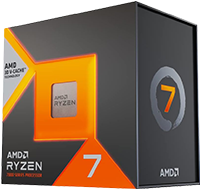
<p><a href="https://www.amazon.com/AMD-Ryzen-7800X3D-16-Thread-Processor/dp/B0BTZB7F88?th=1&amp;linkCode=ll2&amp;tag=sublog03-20&amp;linkId=b0559c49d40f69c9c35d2bed73b87811&amp;language=en_US&amp;gaOptInStatus=true&amp;ref_=as_li_ss_tl" title="AMD Ryzen 7 7800X3D 8-Core, 16-Thread Desktop Processor"><img src="/images/2026/newpc/7800x3d_200.png" align="right" style="padding:7px;margin: 0 0 0 0" /></a>Back in 2022, I was spending much more time editing videos and photos than I was gaming.  At the time, choosing the <a href="https://www.amazon.com/s?k=Ryzen+9+5900X&amp;crid=14WMV7Y1DS7G4&amp;sprefix=ryzen+9+5900x%2Caps%2C150&amp;linkCode=ll2&amp;tag=sublog03-20&amp;linkId=a109fcd7fa27d20e9500fa64005e9c79&amp;language=en_US&amp;ref_=as_li_ss_tl" title="AMD Ryzen™ 9 5900X Desktop Processor">AMD Ryzen 9 5900X</a> made sense. I never regretted this purchase, but I wished that I had bought an equivalent CPU with <a href="https://www.amd.com/en/products/processors/technologies/3d-v-cache.html">AMD’s 3D V-Cache</a>.  In an effort to get the best bang for the buck, I opted for the <a href="https://www.amazon.com/AMD-Ryzen-7800X3D-16-Thread-Processor/dp/B0BTZB7F88?th=1&amp;linkCode=ll2&amp;tag=sublog03-20&amp;linkId=b0559c49d40f69c9c35d2bed73b87811&amp;language=en_US&amp;gaOptInStatus=true&amp;ref_=as_li_ss_tl" title="AMD Ryzen 7 7800X3D 8-Core, 16-Thread Desktop Processor">AMD Ryzen 7 7800X3D CPU</a> (<a href="https://www.amd.com/en/products/processors/desktops/ryzen/7000-series/amd-ryzen-7-7800x3d.html" title="AMD Ryzen™ 7 7800X3D Desktop Processor specs">specs</a>) over the <a href="https://www.amazon.com/AMD-9800X3D-16-Thread-Desktop-Processor/dp/B0DKFMSMYK?th=1&amp;linkCode=ll2&amp;tag=sublog03-20&amp;linkId=23711df143b218712a130a566064fd5b&amp;language=en_US&amp;gaOptInStatus=true&amp;ref_=as_li_ss_tl">AMD Ryzen 7 9800X3D</a>.</p>

<p>In my opinion, the <a href="https://www.amazon.com/AMD-Ryzen-7800X3D-16-Thread-Processor/dp/B0BTZB7F88?th=1&amp;linkCode=ll2&amp;tag=sublog03-20&amp;linkId=b0559c49d40f69c9c35d2bed73b87811&amp;language=en_US&amp;gaOptInStatus=true&amp;ref_=as_li_ss_tl" title="AMD Ryzen 7 7800X3D 8-Core, 16-Thread Desktop Processor">AMD Ryzen 7 7800X3D</a> is one of the best price-to-performance values in gaming CPUs. Its 96MB of 3D V-Cache boosts its performance advantage in games. Even as newer CPUs have come out, I’d argue it still occupies the sweet spot for a pure gaming build.</p>

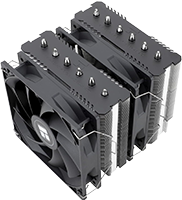
<p><a href="https://www.amazon.com/dp/B09LGY38L4?th=1&amp;linkCode=ll2&amp;tag=sublog03-20&amp;linkId=ef1b15eec8f504dff446097c8375b616&amp;language=en_US&amp;gaOptInStatus=true&amp;ref_=as_li_ss_tl" title="Thermalright Peerless Assassin 120 SE CPU Cooler, 6 Heat Pipes AGHP Technology, Dual 120mm PWM Fans, 1550RPM Speed, for AMD:AM4 AM5/Intel LGA 1700/1150/1151/1200/1851,PC Cooler"><img src="/images/2026/newpc/peerless-assassin-120se_200.png" align="left" style="padding:7px;margin: 0 0 0 0" /></a>At some point, I replaced my traditional air cooler with a 240mm AIO cooler. At the time, I had hoped it’d reduce the fan noise coming from my machine, even though the fan noise hadn’t even been a problem.  The AIO did its job admirably; it kept the CPU cool, but it never did what I hoped it would, and I opted to save some money by choosing the <a href="https://www.amazon.com/dp/B09LGY38L4?th=1&amp;linkCode=ll2&amp;tag=sublog03-20&amp;linkId=ef1b15eec8f504dff446097c8375b616&amp;language=en_US&amp;gaOptInStatus=true&amp;ref_=as_li_ss_tl" title="Thermalright Peerless Assassin 120 SE CPU Cooler, 6 Heat Pipes AGHP Technology, Dual 120mm PWM Fans, 1550RPM Speed, for AMD:AM4 AM5/Intel LGA 1700/1150/1151/1200/1851,PC Cooler">Thermalright Peerless Assassin 120 SE</a>, since it aligned well with my goal of remaining cost conscious when it was possible.</p>

<h3 id="motherboard">Motherboard</h3>

<p>I felt like I had some unique criteria for a motherboard. I wanted to make the most of my fortunate collection of NVMe drives, use my existing ConnectX-3 10Gb SFP+ network card, and I needed to make certain that I could use all of those devices without unintentionally losing PCI-e lanes because I chose to populate so many PCI-e and M.2 slots.</p>

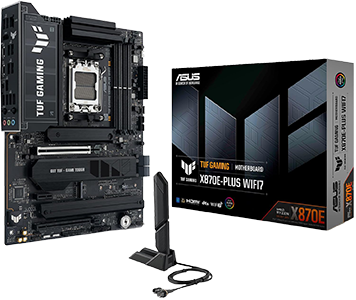
<p><a href="https://www.amazon.com/dp/B0FDSD77GP?th=1&amp;linkCode=ll2&amp;tag=sublog03-20&amp;linkId=65c51c2e648ed7c79b8ea0829088de47&amp;language=en_US&amp;gaOptInStatus=true&amp;ref_=as_li_ss_tl" title="TUF Gaming X870E-PLUS WIFI7 AMD X870E ATX Motherboard"><img src="/images/2026/newpc/tuf-gaming-x870e-plus_300.png" align="right" style="padding:7px;margin: 0 0 0 0" /></a>As an experiment this year, I posed my question to <a href="https://nanobot.wiki/" title="Your open-source agent. Everywhere you work.">nanobot</a>, which was wired up to Z.ai’s GLM-5.3 model.  Having already picked out the 7800X3D, I asked it for some motherboard recommendations with my requirements in mind and asked it for a few suggestions.  It churned out some reasonable recommendations that weren’t quite perfect, but it really got the ball rolling.  After a few prompts, it pointed me at a handful of motherboards that all <em>appeared</em> to meet my criteria.  I zeroed in on these candidates and dug into their specifications and reviews.</p>

<p>Ultimately, I picked out the <a href="https://www.amazon.com/dp/B0FDSD77GP?th=1&amp;linkCode=ll2&amp;tag=sublog03-20&amp;linkId=65c51c2e648ed7c79b8ea0829088de47&amp;language=en_US&amp;gaOptInStatus=true&amp;ref_=as_li_ss_tl" title="TUF Gaming X870E-PLUS WIFI7 AMD X870E ATX Motherboard">ASUS TUF Gaming X870E-Plus WIFI7 motherboard</a> (<a href="https://www.asus.com/us/motherboards-components/motherboards/tuf-gaming/tuf-gaming-x870e-plus-wifi7/techspec/" title="TUF GAMING X870E-PLUS WIFI7: Tech Specs">specs</a>) for my upgrade. This Socket AM5 motherboard had at least 4 total M.2 slots (although one M.2 shares PCIe lanes with the PCIe 5.0 x16 slot), enough PCI-e slots for my GPU and 10Gb network card, and enough onboard SATA ports to support the SATA SSDs that I carried over from my old desktop PC.  As an added bonus, the motherboard’s onboard USB options helped me eliminate an internal USB hub I’d needed with my prior motherboard.</p>

<h3 id="gpu">GPU</h3>

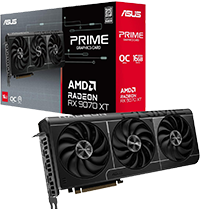
<p>I didn’t originally intend to buy a GPU–in fact, I didn’t even buy one at first. I had a Radeon RX 7900XTX in my old PC, but as I built the new PC, I started running into issues where the upgraded machine was tripping the power supply’s protection circuitry when I was gaming. All of the sensor data was pretty tame, temperatures stayed below thresholds, and I had a really hard time re-creating the issue on demand. I became concerned that I’d discovered a new problem and was immediately suspicious of the GPU and the power supply, since I brought them from the prior machine. Out of efficiency-inspired frustration, I chose to buy a new GPU and power supply to have better troubleshooting options.</p>

<p><a href="https://www.amazon.com/dp/B0DRRMZDH6?&amp;linkCode=ll2&amp;tag=sublog03-20&amp;linkId=b1edf21eb546a3888f65849ba6bc4320&amp;language=en_US&amp;gaOptInStatus=true&amp;ref_=as_li_ss_tl" title="ASUS PRIME Radeon RX 9070 XT 16GB GDDR6 OC Edition Gaming Graphics Card"><img src="/images/2026/newpc/ASUS_Prime_Radeon_RX_9070_XT_16GB_200.png" align="left" style="padding:7px;margin: 0 0 0 0" /></a>Friends’ experiences, especially Pat’s, with the Radeon RX 9070 XT cards convinced me to buy an <a href="https://www.amazon.com/dp/B0DRRMZDH6?&amp;linkCode=ll2&amp;tag=sublog03-20&amp;linkId=b1edf21eb546a3888f65849ba6bc4320&amp;language=en_US&amp;gaOptInStatus=true&amp;ref_=as_li_ss_tl" title="ASUS PRIME Radeon RX 9070 XT 16GB GDDR6 OC Edition Gaming Graphics Card">ASUS PRIME Radeon RX 9070 XT 16GB GDDR6 OC Edition</a>.  It’s a hair more performant in games than what it was replacing and consumes less power.  When we’re playing ARC Raiders, Pat constantly used to load into the game a few seconds faster than I did.  In the few gaming sessions that followed building this PC, we started loading into the game almost simultaneously.</p>

<p>As far as my personal upgrade goes, its price-to-performance ratio makes it an incredibly expensive upgrade that I have mixed feelings about. However, I’m trying to be positive and attempting to be glad that I made the upgrade. I now have enough spare hardware to determine whether or not my old GPU was defective. If it’s not defective, I can probably re-paste the GPU and sell it for <em>more</em> than what I paid for the 9070 XT or use it to upgrade one of the other computers in the household. More importantly, I think the 9070 XT is an excellent choice for anybody who’s looking for a “budget” GPU and doesn’t have the luxury of an extra GPU like I did.</p>

<h3 id="ram">RAM</h3>

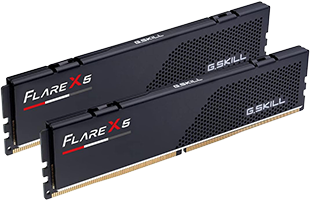
<p><a href="https://www.amazon.com/dp/B0BFGB2D2Z?th=1&amp;linkCode=ll2&amp;tag=sublog03-20&amp;linkId=e779cfafd89c41093c5eca66ca6ee491&amp;language=en_US&amp;gaOptInStatus=true&amp;ref_=as_li_ss_tl" title="G.SKILL Flare X5 Series DDR5 RAM (AMD EXPO &amp; Intel XMP 3.0) 32GB (2x16GB) Up to 6000MT/s* CL36-36-36-96 1.35V Desktop Computer Memory U-DIMM - Matte Black (F5-6000J3636F16GX2-FX5)"><img src="/images/2026/newpc/gskill-flare-x5-ddr5-32gb_200.png" align="right" style="padding:7px;margin: 0 0 0 0" /></a>RAM is by far the most disappointing component in my new PC. While I’m excited that the <a href="https://www.amazon.com/dp/B0BFGB2D2Z?th=1&amp;linkCode=ll2&amp;tag=sublog03-20&amp;linkId=e779cfafd89c41093c5eca66ca6ee491&amp;language=en_US&amp;gaOptInStatus=true&amp;ref_=as_li_ss_tl" title="G.SKILL Flare X5 Series DDR5 RAM (AMD EXPO &amp; Intel XMP 3.0) 32GB (2x16GB) Up to 6000MT/s* CL36-36-36-96 1.35V Desktop Computer Memory U-DIMM - Matte Black (F5-6000J3636F16GX2-FX5)">G.SKILL Flare X5 Series DDR5 RAM (2x16GB)</a> (<a href="https://www.gskill.com/specification/165/396/1662622664/F5-6000J3636F16GX2-FX5-Specification">specs</a>) is far more performant than the old DDR4-3200 RAM I was using, that excitement wanes because I’ve gone from having 64GB of RAM to only 32GB of RAM.</p>

<p>In all my years of tinkering with PCs, this is the first time I’ve had <em>less</em> RAM than what I was upgrading from. At its cost (~$550), I had a hard time justifying buying half the RAM in my new PC. This continues to be astonishing to me; I can’t quite wrap my head around it.</p>

<h3 id="storage">Storage</h3>

<p>I had an interesting assortment of drives in my computer previously.  I had a PCI-e Gen 3 NVMe SSD acting as the boot drive, I had a Windows Storage Space made out of 4x2TB SATA SSDs, I had a 12TB HDD, and I used <a href="https://www.romexsoftware.com/en-us/primo-cache/index.html">PrimoCache</a> to cache the frequently used data and applications stored on the 12TB HDD on my SSDs.</p>

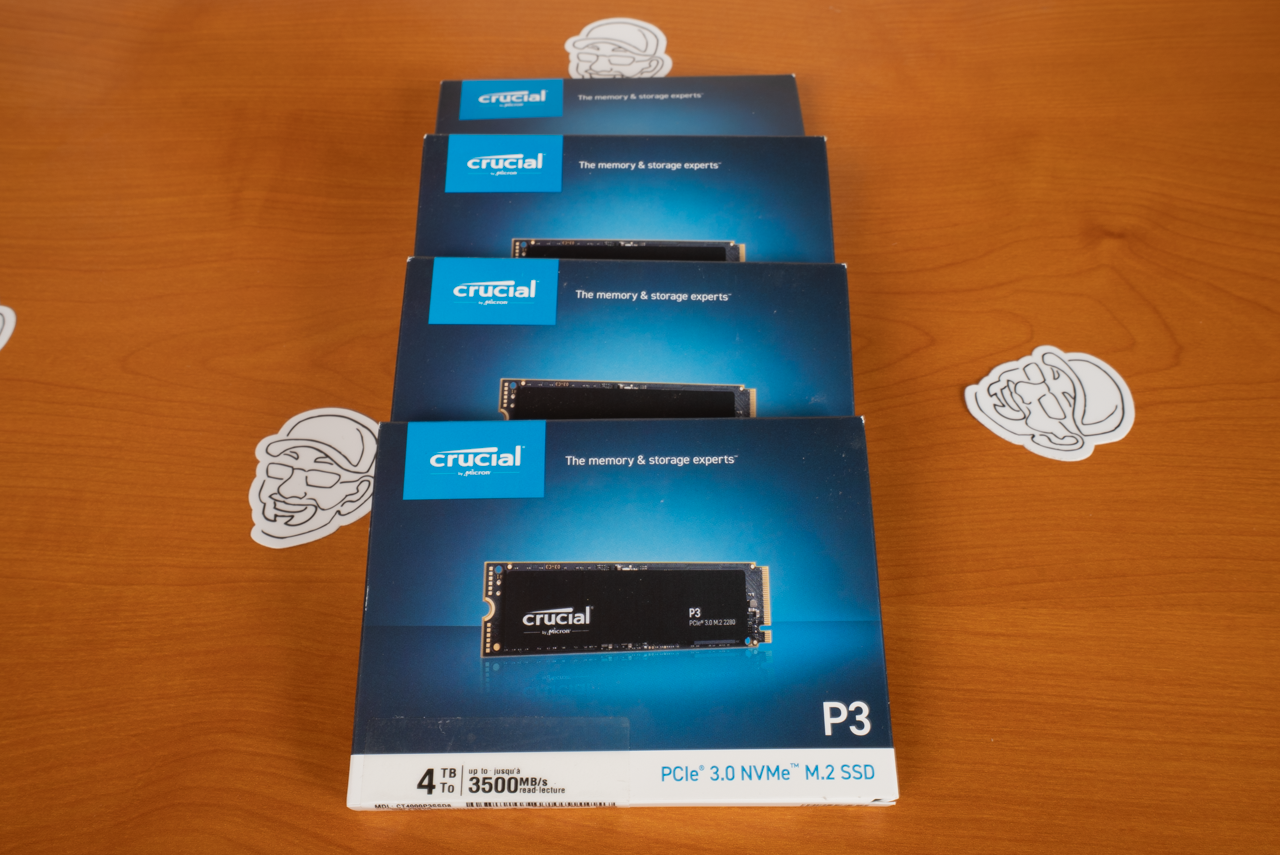
<p><a href="https://www.amazon.com/dp/B0F3WLFCPL?th=1&amp;linkCode=ll2&amp;tag=sublog03-20&amp;linkId=f5722744eef0bb4e6ae0cf598276692a&amp;language=en_US&amp;gaOptInStatus=true&amp;ref_=as_li_ss_tl" title="Crucial P310 4TB SSD, PCIe Gen4 NVMe M.2 2280"><img src="/images/2026/newpc/crucial_p310_4tb_200.png" align="right" style="padding:7px;margin: 0 0 0 0" /></a>At some point in 2025, I was excited that 4TB NVMe SSDs were cheaper than what I had remembered paying <strong><em>many years ago</em></strong> for 4TB HDDs when I upgraded my NAS. Fortuitously, I scooped up a bunch of those 4TB NVMe SSDs, eager to write a blog about how an all-flash NAS was finally a viable idea. While I built that NAS, NVMe prices started climbing so rapidly that I decided to abandon writing that blog at all.</p>

<p>The crux of my plan to keep my new PC “affordable” (for me) was to make the most out of these unused 4TB NVMe SSDs.  In building my PC, I cloned the old 2TB NVMe SSD onto one of these 4TB NVMe SSDs.  I filled two of the motherboard’s other M.2 slots with some of the other 4TB NVMe SSDs, and I brought in my 4x2TB SATA SSDs, too.  After that, I was able to juggle data around and retire both the 12TB HDD and PrimoCache.</p>

<h3 id="case">Case</h3>

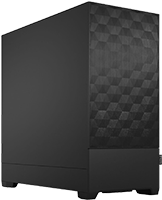
<p><a href="https://www.amazon.com/dp/B08SRBTYGK?th=1&amp;linkCode=ll2&amp;tag=sublog03-20&amp;linkId=e6e90f9a802230fecaf4c13f6955688f&amp;language=en_US&amp;gaOptInStatus=true&amp;ref_=as_li_ss_tl" title="Fractal Design Pop Air"><img src="/images/2026/newpc/fractal-design-pop-air-black_200.png" align="right" style="padding:7px;margin: 0 0 0 0" /></a>At first, I thought that I’d keep using my <a href="https://blog.briancmoses.com/2015/09/brians-2015-gaming-rig.html">trusty old Fractal Design Define R4 that I’ve been using since 2015</a>.  I’ve loved the Define R4 since buying it and it certainly was capable of continuing to do that job into the future.  However, I decided that I wouldn’t mind downsizing the case in favor of something a <em>smidge</em> smaller, and I was holding out hope that sometime in the future, I’d be able to build another PC out of all the leftover parts.</p>

<p>Instead, I chose the <a href="https://www.amazon.com/dp/B08SRBTYGK?th=1&amp;linkCode=ll2&amp;tag=sublog03-20&amp;linkId=e6e90f9a802230fecaf4c13f6955688f&amp;language=en_US&amp;gaOptInStatus=true&amp;ref_=as_li_ss_tl" title="Fractal Design Pop Air">Fractal Design Pop Air</a> (<a href="https://www.fractal-design.com/products/cases/pop-series/pop-air/pop-air-black-solid/" title="Fractal Design Pop Air Specs">specs</a>). At the time I bought it, it was a really nice price and felt like a great value. I was especially attracted to its two 5.25” drive bays–I needed one to hold all of the SATA SSDs in my <a href="https://www.amazon.com/dp/B00V5JHOXQ?th=1&amp;linkCode=ll2&amp;tag=sublog03-20&amp;linkId=7d70819847bfefb4611025e969db23d1&amp;language=en_US&amp;gaOptInStatus=true&amp;ref_=as_li_ss_tl" title="ICY DOCK 4 Bay 2.5-inch SAS/SATA HDD &amp; SSD Hot Swap Cage for External 5.25-inch Bay | ExpressCage MB324SP-B">Icy Dock 4-bay 2.5” drive (MB324SP-B)</a>.</p>

<h3 id="power-supply">Power Supply</h3>

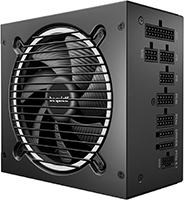
<p><a href="https://www.amazon.com/dp/B0FBXX1D17?&amp;linkCode=ll2&amp;tag=sublog03-20&amp;linkId=a3b93f1f70c3cb207c2d86301bc7d54d&amp;language=en_US&amp;gaOptInStatus=true&amp;ref_=as_li_ss_tl" title="be quiet! Pure Power 13 M 1000W Power Supply"><img src="/images/2026/newpc/be-quiet-power-power-13-m_200.png" align="right" style="padding:7px;margin: 0 0 0 0" /></a>As I mentioned earlier, I was having some problems with the protection circuitry getting tripped after first building my PC while carrying over some parts from my PC: the GPU, some SATA SSDs, and the power supply.  As a result of those problems, a shortage of spare parts, and impatience with my upgrade, I bought both a new GPU and a new power supply. The power supply I picked was a <a href="https://www.amazon.com/dp/B0FBXX1D17?&amp;linkCode=ll2&amp;tag=sublog03-20&amp;linkId=a3b93f1f70c3cb207c2d86301bc7d54d&amp;language=en_US&amp;gaOptInStatus=true&amp;ref_=as_li_ss_tl" title="be quiet! Pure Power 13 M 1000W Power Supply">be quiet! Pure Power 13 M 1000W Power Supply</a>.  Thankfully, AI hasn’t inflated the prices of consumer power supplies, and buying an additional power supply purely for diagnostic purposes was an easier pill to swallow than doing the same for the GPU.</p>

<h2 id="should-you-build-this-exact-pc--should-you-even-upgrade-your-existing-pc">Should you build this exact PC?  Should you even upgrade your existing PC?</h2>

<p>I think the answer to both questions is <em>“Probably not!”</em> Quite a lot of subjective decision-making took place that only makes sense from my point of view and circumstances. For example, thanks to a blog idea that never came to fruition, I managed to buy all of the SSDs that went into my new PC right before flash costs skyrocketed. If circumstances had worked out differently, I definitely would not have bought as much storage.  I do not think I would have even been able to afford it!</p>

<p>Does any of this mean I regret building this PC? Not at all. Even though I spent a lot of money, I feel like I maximized the value I got for the money that I spent. I wish our economic reality were different and I also wish that my old PC had lasted longer before the hardware started failing. But that doesn’t alter my feeling that I definitely got the most bang for my buck.</p>

<h2 id="final-thoughts">Final Thoughts</h2>

<p><span class="pullquote-right " data-pullquote="Like anybody else building a PC today, I overpaid for the RAM."></span>
After spending a few weeks without a trustworthy PC, I’m definitely excited that I’ve built this machine. I spent a lot of money and paid a painful premium–especially for the memory and GPU. Thanks to sheer luck on my part, I already had a ton of NVMe storage from when prices were still pretty reasonable. I’ve definitely noticed a bump in my games’ performance thanks to the new <a href="https://www.amazon.com/AMD-Ryzen-7800X3D-16-Thread-Processor/dp/B0BTZB7F88?th=1&amp;linkCode=ll2&amp;tag=sublog03-20&amp;linkId=b0559c49d40f69c9c35d2bed73b87811&amp;language=en_US&amp;gaOptInStatus=true&amp;ref_=as_li_ss_tl" title="AMD Ryzen 7 7800X3D 8-Core, 16-Thread Desktop Processor">AMD Ryzen 7 7800X3D CPU</a> and the <a href="https://www.amazon.com/dp/B0DRRMZDH6?&amp;linkCode=ll2&amp;tag=sublog03-20&amp;linkId=b1edf21eb546a3888f65849ba6bc4320&amp;language=en_US&amp;gaOptInStatus=true&amp;ref_=as_li_ss_tl" title="ASUS PRIME Radeon RX 9070 XT 16GB GDDR6 OC Edition Gaming Graphics Card">ASUS Prime Radeon RX 9070 XT OC</a>.</p>

<p>Like anybody else building a PC today, I overpaid for the RAM. There’s just no escaping this fact when it comes to memory, graphics cards, or solid state drives. I’m going to remain baffled over the fact that I had 64GB of RAM prior to my upgrade and now I have 32GB of RAM today.  While I don’t think this particular compromise will actually impact me much, it is still the first time I’ve upgraded my PC and had <strong><em>less</em></strong> RAM. It is astonishing!</p>

<p><a href="/images/2026/newpc/ai_brian_plays_arc_raiders.png" target="_blank"><img style="display: block;margin-left: auto;margin-right: auto" src="/images/2026/newpc/ai_brian_plays_arc_raiders_830.png" alt="AI Brian playing Arc Raiders on his new PC." /></a></p>

<p>If you’re building a PC in this age of AI-inflated hardware prices, I feel your pain. My advice to you all is to first figure out the least amount of GPU, RAM, and storage you can get away with. Taking this advice isn’t going to magically turn your PC build into an exceptional value, but it’s definitely the approach that should yield the most benefits in regards to maximizing your value. I think it’s also important to point out that there’s nothing on the horizon that makes me think we’ll see a radical reversal of the pricing trends. Waiting until later to build your gaming PC may actually cost you more!</p>

<p>Have you found yourself in my position? Basically building a whole new PC in the midst of the AI-apocalypse?  What did you wind up buying and how do you feel it turned out?  Let everyone know in the comments; sharing your experience might help someone else out!</p>]]></content><author><name>Brian Moses</name></author><category term="PC Build" /><category term="Computer Hardware" /><summary type="html"><![CDATA[An unfortunate series of events results in Brian realizing that he was going to have to build a new PC in the midst of AI-inflated hardware prices.]]></summary><media:thumbnail xmlns:media="http://search.yahoo.com/mrss/" url="https://blog.briancmoses.com/images/2026/newpc/ai-smoking-pc_830.png" /><media:content medium="image" url="https://blog.briancmoses.com/images/2026/newpc/ai-smoking-pc_830.png" xmlns:media="http://search.yahoo.com/mrss/" /></entry><entry><title type="html">DIY NAS: 2026 Edition</title><link href="https://blog.briancmoses.com/2025/11/diy-nas-2026-edition.html" rel="alternate" type="text/html" title="DIY NAS: 2026 Edition" /><published>2025-11-26T21:21:00+00:00</published><updated>2025-11-26T21:21:00+00:00</updated><id>https://blog.briancmoses.com/2025/11/diy-nas-2026-edition</id><content type="html" xml:base="https://blog.briancmoses.com/2025/11/diy-nas-2026-edition.html"><![CDATA[<p>Fourteen years ago, my storage needs outpaced my capacity and I began to look into building a network attached storage server. I had a few criteria in mind and was curious to see if anyone had <em>recently</em> shared something similar, but I couldn’t find anything that was relevant.</p>

<p>In fact, I found that the communities I was looking for answers in were actively hostile towards what I wanted to do.  This resulted in my decision <a href="/2012/01/do-it-yourself-network-attached-storage.html" title="My First DIY NAS: Building a NAS: Choosing Hardware">to build my own DIY NAS</a> and share that as one of my very first blogs.</p>

<p>Much to my surprise, people were very interested in that blog! Ever since, I’ve been building a similar DIY NAS machine almost every year, trying to satisfy the curiosity of other prospective DIY NAS builders.</p>

<p>Here are those criteria:</p>

<ol>
  <li><strong>Small form factor</strong>: It’s not the case for me anymore, but at the time the space was limited in my office. I always assume that space in everybody’s office is limited. As a result, I want my DIY NAS builds to occupy as little of that office space as I can.</li>
  <li><strong>At least six drive bays</strong>: Back when I built my NAS, it took about four drives’ worth of storage to meet my storage needs. Plus, I desired two empty drive bays for future use. However, in the years since, hard drive capacities have increased dramatically. At some point in the future, I may reduce this to four drive bays.</li>
  <li><strong>An integrated, low-power CPU</strong>: I intend my DIY NAS to run 24 hours a day, 7 days a week, and 52 weeks a year. When it comes to power consumption, that can do some damage on your electric bill! Thankfully, our electricity here isn’t as expensive as others’ in the United States, or even further outside its borders, but I try and keep power consumption in mind when picking components for a DIY NAS build.</li>
  <li><strong>Homelab potential</strong>: It does not take up a lot of CPU horsepower for a NAS to serve up files, which means that on modern hardware there’s a lot of untapped potential in a DIY NAS for virtual machines and/or containers to self-host services.</li>
</ol>

<p>It’s important to remember that <strong><em>these are my criteria</em></strong>, and not necessarily yours. Every DIY NAS builder should be making their own list of criteria and reconcile all of their component purchases against the criteria that’s important to them.</p>

<h2 id="is-it-even-a-good-time-to-build-a-nas">Is it even a good time to build a NAS?</h2>

<p>As I prepared to build this NAS, component prices disappointed me. Hard drives, SSDs, and RAM prices were all rising. Based on what I’ve been told, I expect Intel CPU prices to increase as well. My contact at Topton has been encouraging me to stock up on motherboards while they still have some in inventory. Based on what’s been explained to me, I expect the motherboards’ prices to rise and for their availability to potentially dwindle.</p>

<p><a href="/images/2026/diynas/ssd_prices.png" target="_blank"><img style="display: block;margin-left: auto;margin-right: auto" src="/images/2026/diynas/ssd_prices_600.png" alt="1TB NVMe SSD prices" /></a></p>

<p>In short, the economy sucks, and the price of DIY NAS components is a pretty good reflection of just how sucky things are becoming. I briefly considered not publishing a DIY NAS build this year, hoping that things would improve a few months down the road. But then I asked myself, “What if it’s even worse in a few months?”</p>

<p>I sure hope things get better, but I fear and expect that they’ll get worse.</p>

<div id="affiliate-disclaimer" class="container my-4">
  <div class="row justify-content-center">
    <div class="col-lg-10 col-md-11 col-12">
      <div class="alert alert-info mb-0" role="alert" style="background-color: var(--color-base-bg-2); border: 1px solid var(--color-base-bg-3); color: var(--color-base-text-2);">
        <p class="mb-0" style="font-size: 0.95rem; line-height: 1.2;">
          <i class="fas fa-info-circle"></i>
          <b>Affiliate Disclaimer:</b> Some of the links on this website are affiliate links, meaning, at no additional cost to you, I may earn a commission if you click through and make a purchase. 
            I only recommend products that I believe will add value for my audience. Please understand that I have experience with all of these companies' products, and I recommend them because they are helpful and useful, not because of these small commissions.
        </p>
      </div>
    </div>
  </div>
</div>

<h2 id="motherboard-and-cpu">Motherboard and CPU</h2>
<p>I built <a href="/2023/03/diy-nas-2023-edition.html" title="DIY NAS: 2023 Edition">my first DIY NAS with a Topton motherboard in 2023</a>. Each DIY NAS since then has also featured a Topton motherboard. My only complaint about the motherboards has been that buying them from one of the Chinese e-tail sites like AliExpress is considered problematic by some. With every DIY NAS build, I try and go through all the motherboards that I can find  while searching for something with a better value proposition, but for each of the past three years I’ve landed on the latest offering from Topton.</p>

<p><em><strong>Update (5/31/26)</strong>:  I’ve spent the last six months trying to obtain the Topton N22 motherboard w/ N355 CPU, but I have been unable. Other readers have shared that they also have not been successful. Because this varation of the Topton N22 motherboard has become unobtanium, I’m recommending the <a href="https://www.ebay.com/itm/127896317668" title="Topton N22 N300 Mini-ITX NAS Motherboard (8xSATA3, 2xM.2, 1x10Gbps, 2x2.5Gbps)">Topton N22 w/ Intel® Core™ i3-N300 Processor</a> instead. <a href="https://www.cpubenchmark.net/compare/5602vs6430/Intel-i3-N300-vs-Intel-3-N355">A comparison of the N300 and N355 CPUs</a> should reveal that they’re incredibly similar.  Either CPU is a perfectly viable option, the N355 just hasn’t been obtainable.  Because of this, I’m changing my recommendation.</em></p>

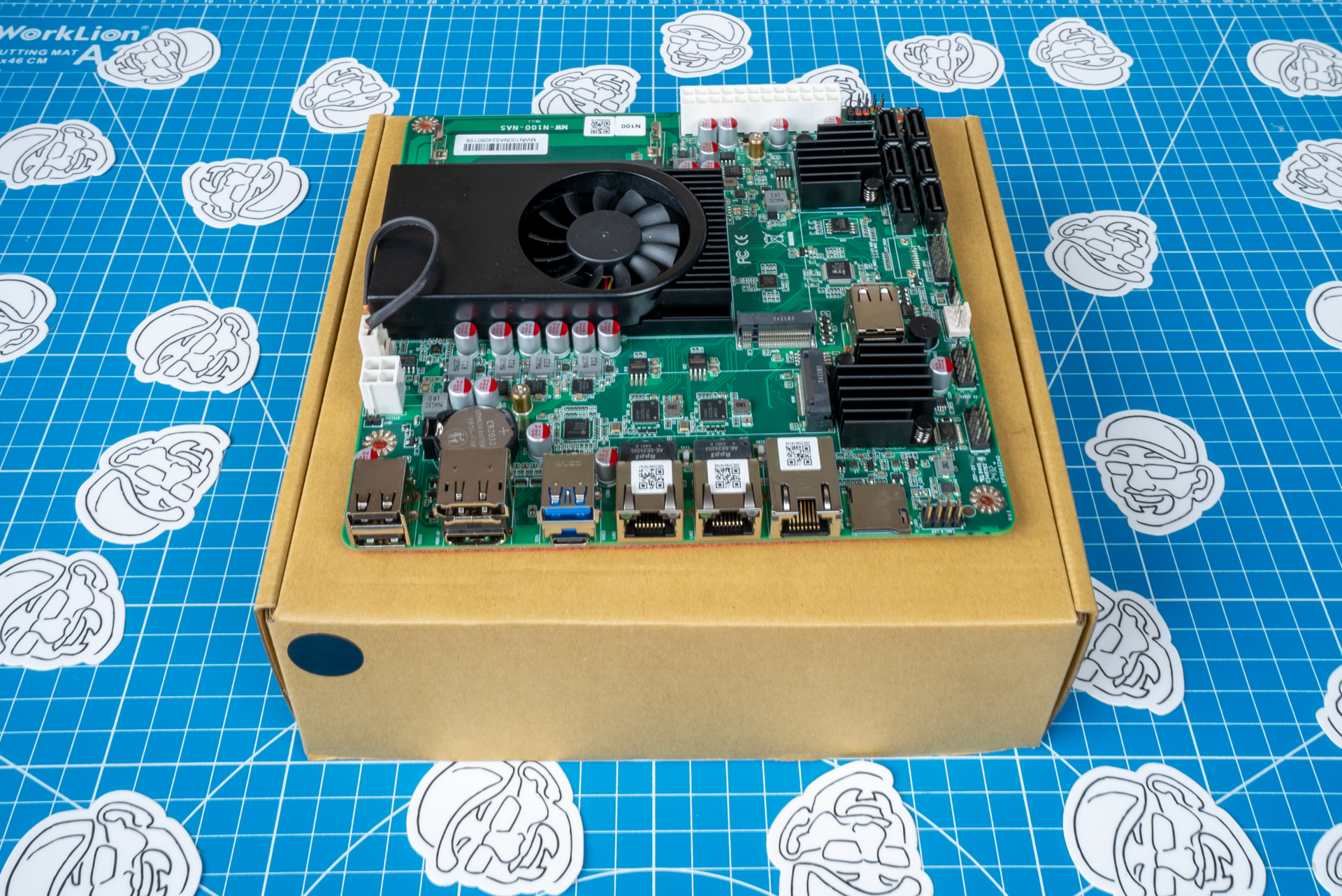
<p><a href="https://www.ebay.com/itm/127896317668" title="Topton N22 N300 Mini-ITX NAS Motherboard (8xSATA3, 2xM.2, 1x10Gbps, 2x2.5Gbps)"><img src="/images/2026/diynas/pp/topton_n22_175.png" align="right" style="padding:7px;margin: 0 0 0 0" /></a>For the <em>DIY NAS: 2026 Edition</em>, I chose the <a href="https://www.ebay.com/itm/127896317668" title="Topton N22 N300 Mini-ITX NAS Motherboard (8xSATA3, 2xM.2, 1x10Gbps, 2x2.5Gbps)">Topton N22 motherboard</a> with the <a href="https://www.intel.com/content/www/us/en/products/sku/231806/intel-core-i3n300-processor-6m-cache-up-to-3-80-ghz/specifications.html" title="https://www.intel.com/content/www/us/en/products/sku/231806/intel-core-i3n300-processor-6m-cache-up-to-3-80-ghz/specifications.html">Intel Core 3 N300</a> CPU. The motherboard is similar to last year’s <a href="https://www.ebay.com/itm/127014563991" title="Topton N18 N100/N150/N305 Mini-ITX NAS Motherboard:6xSATA/2xM.2/2x2.5GbE/1x10GbE">Topton N18</a> but has incrementally more compelling features, particularly the extra 2 SATA ports, the PCI-e x1 slot, and the N300 CPU!</p>

<ul>
  <li>Mini-ITX Form Factor</li>
  <li><a href="https://www.intel.com/content/www/us/en/products/sku/231806/intel-core-i3n300-processor-6m-cache-up-to-3-80-ghz/specifications.html" title="https://www.intel.com/content/www/us/en/products/sku/231806/intel-core-i3n300-processor-6m-cache-up-to-3-80-ghz/specifications.html">Intel® Processor Core 3 N300</a>
    <ul>
      <li>8 cores / 8 threads / Max Turbo 3.8GHz</li>
      <li>7W TDP</li>
      <li>Integrated GPU with Intel Quick Sync Video</li>
    </ul>
  </li>
  <li>1 x DDR5 SO-DIMM</li>
  <li>8 x SATA 3.0 Ports (Asmedia ASM1164)</li>
  <li>2 x M.2 NVMe Slots (PCIe 3.0 x1)</li>
  <li>1 x 10Gbps NIC (Marvell AQC113C)</li>
  <li>2 x 2.5Gbps NICs (Intel i226-V)</li>
  <li>1 x PCI-e x1 or M.2 E-Key slot</li>
</ul>

<p>I opted for the motherboard with the <a href="https://www.intel.com/content/www/us/en/products/sku/231806/intel-core-i3n300-processor-6m-cache-up-to-3-80-ghz/specifications.html" title="https://www.intel.com/content/www/us/en/products/sku/231806/intel-core-i3n300-processor-6m-cache-up-to-3-80-ghz/specifications.html">Intel Core 3 N300</a> CPU. This makes the server a more capable homelab machine than prior years’ DIY NAS builds. The extra cores and threads come in handy for streaming media, replacing your cloud storage, facilitating home automation, hosting game servers, etc.</p>

<ul>
  <li><a href="https://www.ebay.com/itm/127896323949" title="Topton N22 Motherboard w/ N150 CPU on Brian's eBay Store">Topton N22 motherboard on the briancmoses.com eBay store</a></li>
</ul>

<h2 id="case">Case</h2>
<p>Just like Topton has been making great motherboards for DIY NAS machines, JONSBO has been steadily releasing great cases for DIY NAS machines. This year SilverStone Technology, released a new case, the <a href="https://www.amazon.com/SilverStone-Technology-hot-swappable-Performance-SST-CS383/dp/B0FDPNRYG9?&amp;linkCode=ll1&amp;tag=diynas2026-20&amp;linkId=61605bf99f3551af48cd50574aa64608&amp;language=en_US&amp;ref_=as_li_ss_tl" title="SilverStone Technology CS383 8-Bay hot-swappable high Performance Full Tower NAS Chassis, SST-CS383">CS383</a> (<a href="https://www.silverstonetek.com/en/product/info/computer-chassis/cs383/" title="SilverStone Technology CS383 Specs">specs</a>), which I was <strong><em>very interested</em></strong> in buying for the <em>DIY NAS: 2026 Edition</em>. Unfortunately, it carries a pretty hefty price tag to go along with all of its incredible features!</p>

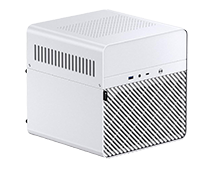
<p><a href="https://www.amazon.com/gp/product/B0D1YH7D3J?th=1&amp;linkCode=ll1&amp;tag=diynas2026-20&amp;linkId=5636db0ca3c62e86da5f02b641c0f283&amp;language=en_US&amp;ref_=as_li_ss_tl" title="JONSBO N4 Black NAS Pc Case, Walnut Wood, 8-Drive Bay/6 x 3.5-inch HDD (4 hot-swap,2 Non hot-swap),2 x 2.5-inch SSD, Micro ATX Chassis"><img src="/images/2026/diynas/pp/jonsbo-n4_200.png" align="right" style="padding:7px;margin: 0 0 0 0" /></a>The <a href="https://www.amazon.com/gp/product/B0D1YH7D3J?th=1&amp;linkCode=ll1&amp;tag=diynas2026-20&amp;linkId=5636db0ca3c62e86da5f02b641c0f283&amp;language=en_US&amp;ref_=as_li_ss_tl" title="JONSBO N4 Black NAS Pc Case, Walnut Wood, 8-Drive Bay/6 x 3.5-inch HDD (4 hot-swap,2 Non hot-swap),2 x 2.5-inch SSD, Micro ATX Chassis">JONSBO N4</a> (<a href="https://www.jonsbo.com/en/products/N4Black.html" title="JONSBO N4 Case specs">specs</a>) is a third of the price, adheres to my “smaller footprint” criteria, and it is rather impressive on its own. It’s a <em>tiny</em> bit larger case than last year’s DIY NAS, but I really like that it has drive bays for six 3.5” drives and two 2.5” drives.</p>

<p>It’s peculiar in that two of the 3.5” drive bays (and the two 2.5” drive bays) aren’t attached to a SATA backplane and can’t be swapped anywhere as easily as the other four 3.5” bays. However, this peculiar decision seems to have caused the JONSBO N4 to sell for a bit less ($20–$40) than similar offerings from JONSBO. At its price, it’s a compelling value proposition!</p>

<h3 id="case-fan">Case Fan</h3>
<p><a href="https://www.amazon.com/dp/B09C6DQDNT?th=1&amp;linkCode=ll1&amp;tag=diynas2026-20&amp;linkId=a917ad99ae5994be300a55a6e8fc8fe2&amp;language=en_US&amp;ref_=as_li_ss_tl" title="Noctua NF-A12x25 PWM chromax.Black.swap, Premium Quiet Fan, 4-Pin (120mm, Black) "><img src="/images/2026/diynas/pp/NF-A12x25_175.png" align="right" style="padding:7px;margin: 0 0 0 0" /></a>In the past, I’ve found that the fans that come with JONSBO cases are too noisy. They’ve been noisy for two reasons: The design and quality of the fans make them loud, and the fans are constantly running at their top speed because of the fan header they’re plugged into on the cases’ SATA backplanes.</p>

<p>I anticipated that fan efficiency and noise would be a problem, so I picked out the <a href="https://www.amazon.com/dp/B09C6DQDNT?th=1&amp;linkCode=ll1&amp;tag=diynas2026-20&amp;linkId=a917ad99ae5994be300a55a6e8fc8fe2&amp;language=en_US&amp;ref_=as_li_ss_tl" title="Noctua NF-A12x25 PWM chromax.Black.swap, Premium Quiet Fan, 4-Pin (120mm, Black) ">Noctua NF-A12x25 PWM</a> to solve it. Firstly, swapping in a high-quality fan that pushes more air <strong><em>and</em></strong> generates less noise–especially at its top speed–is a good first step. Secondly, I’d address the problem by plugging the fan into the motherboard’s <code class="language-plaintext highlighter-rouge">SYS_FAN</code> header instead of on the SATA backplane. This provides the opportunity to tune the fan’s RPMs directly in the BIOS and generate far less noise.</p>

<h2 id="ram">RAM</h2>
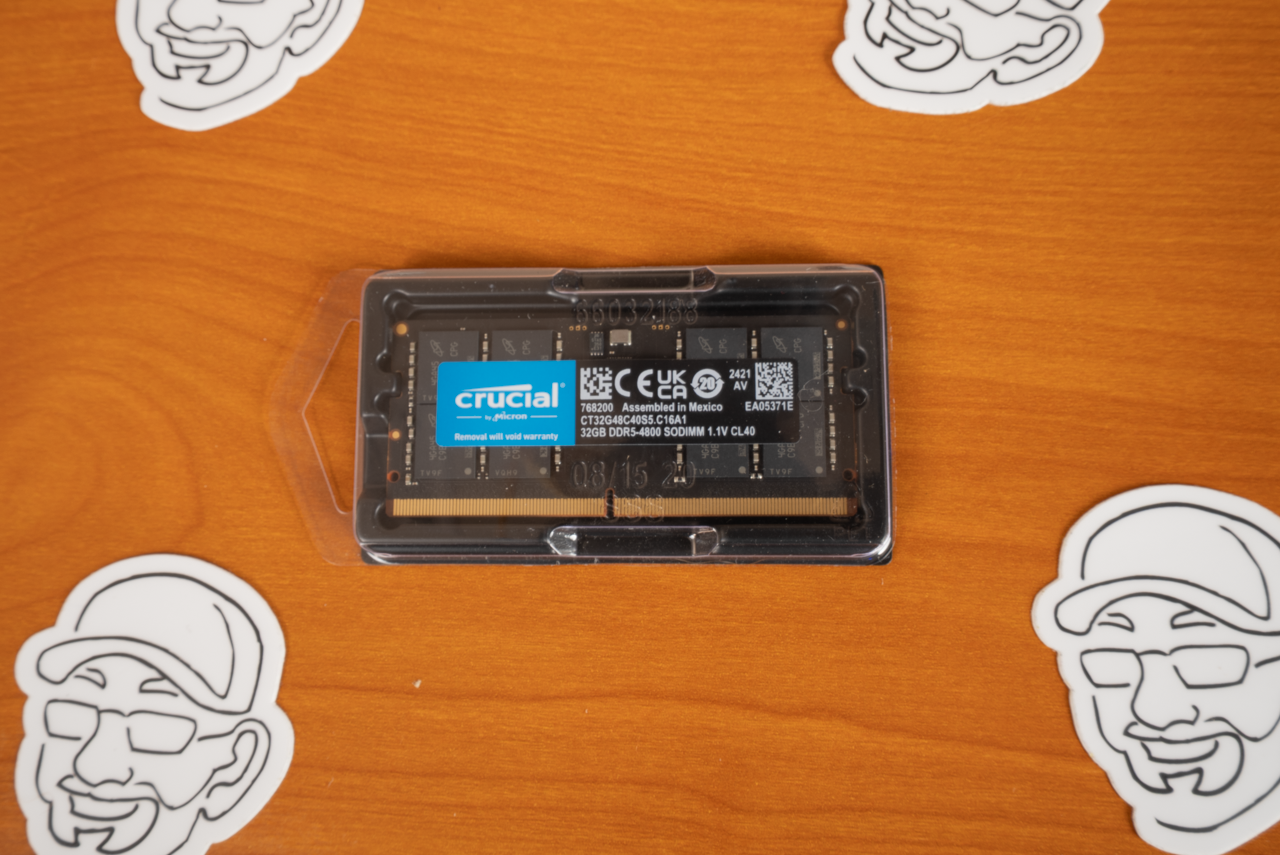
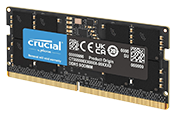
<p><a href="https://www.amazon.com/Crucial-4800MHz-Laptop-Memory-CT32G48C40S5/dp/B09RVNMGFH?th=1&amp;linkCode=ll1&amp;tag=diynas2026-20&amp;linkId=8a98ba9480c4e010efbe51f71f992fbd&amp;language=en_US&amp;ref_=as_li_ss_tl" title="Crucial 32GB DDR5 RAM 4800MHz (CT32G48C40S5)"><img src="/images/2026/diynas/pp/CT32G48C40S5-C16A1_175.png" align="right" style="padding:7px;margin: 0 0 0 0" /></a>The first time I first asked myself, “Should I even build the <em>DIY NAS: 2026 Edition</em>?” came as I was checking prices on DDR5 memory. Thankfully for me, I had leftover RAM after purchasing DDR5 4800MHz SODIMMs for the <a href="/2024/11/diy-nas-2025-edition.html" title="DIY NAS: 2025 Edition">DIY NAS: 2025 Edition</a>,  <a href="/2025/03/an-all-flash-diy-nas-that-fits-in-my-pocket.html" title="An all-flash DIY NAS that fits in my pocket!">the Pocket Mini NAS</a>, and then again for the <a href="/2025/09/diy-nas-2025-texas-linux-fest-edition.html" title="DIY NAS: 2025 Texas Linux Fest Edition">DIY NAS that I built and gave away at 2025’s Texas Linux Fest</a>. I was personally thankful that I had one brand-new 32GB DDR5 4800MHz SODIMM lying around, but I was wildly disappointed for everybody who will try and follow this build when I saw the price of those same SODIMMs.</p>

<p>Regardless, I felt a <a href="https://www.amazon.com/Crucial-4800MHz-Laptop-Memory-CT32G48C40S5/dp/B09RVNMGFH?th=1&amp;linkCode=ll1&amp;tag=diynas2026-20&amp;linkId=8a98ba9480c4e010efbe51f71f992fbd&amp;language=en_US&amp;ref_=as_li_ss_tl" title="Crucial 32GB DDR5 RAM 4800MHz (CT32G48C40S5)">Crucial 32GB DDR5 4800MHz SODIMM</a> (<a href="https://www.crucial.com/memory/ddr5/CT32G48C40S5" title="Crucial 32GB DDR5-4800 SODIMM specs">specs</a>) was the right amount of RAM to get started with for a DIY NAS build in 2025. Whether you just need storage or you wish to also host virtual machines, you will benefit from having more than the bare minimum recommendation of RAM. I really wanted to buy a <a href="https://www.amazon.com/Crucial-5600MT-5200MT-4800MT-CT48G56C46S5/dp/B0C79T2CP7?th=1&amp;linkCode=ll1&amp;tag=diynas2026-20&amp;linkId=36fd2ef6ac56fee00617824bfe0a0676&amp;language=en_US&amp;ref_=as_li_ss_tl" title="Crucial 48GB DDR5 RAM, 5600MHz (or 5200MHz or 4800MHz) Laptop Memory, SODIMM 262-Pin, Compatible with 13th Gen Intel Core and AMD Ryzen 6000 - CT48G56C46S5 ">48GB DDR5 4800MHZ SODIMM</a> for this DIY NAS build, but I couldn’t talk myself into spending the $250–$300 that it would’ve wound up costing.</p>

<h2 id="storage">Storage</h2>

<p>A quick disclaimer about all the drives that I purchased for the <em>DIY NAS: 2026 Edition</em>:, I already had all of them! I tend to buy things when I see them on sale, and as a result, I have a collection of brand-new parts for machines in my homelab or for upcoming projects. I raided that collection of spare parts for the <em>DIY NAS: 2026 Edition</em>.</p>

<h3 id="boot-drive">Boot Drive</h3>

<p>If you ranked the drives in your DIY NAS in order of importance, the boot drive should be the least-important drive. That is <strong><em>not</em></strong> saying that boot drive isn’t performing an important function, but I am suggesting that you shouldn’t invest a bunch of energy and money into picking the optimal boot drive.</p>

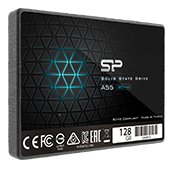
<p><a href="https://www.amazon.com/dp/B0963SGYGF?&amp;linkCode=ll1&amp;tag=diynas2026-20&amp;linkId=335ccbcac1cb1beb1ad0bbbe951f4cea&amp;language=en_US&amp;ref_=as_li_ss_tl" title="Silicon Power 128GB A55 SATA SSD (SU128GBSS3A55S25AH)"><img src="/images/2026/diynas/pp/sp-a55-128gb_175.png" align="right" style="padding:7px;margin: 0 0 0 0" /></a>Because the <a href="https://www.amazon.com/gp/product/B0D1YH7D3J?th=1&amp;linkCode=ll1&amp;tag=diynas2026-20&amp;linkId=5636db0ca3c62e86da5f02b641c0f283&amp;language=en_US&amp;ref_=as_li_ss_tl" title="JONSBO N4 Black NAS Pc Case, Walnut Wood, 8-Drive Bay/6 x 3.5-inch HDD (4 hot-swap,2 Non hot-swap),2 x 2.5-inch SSD, Micro ATX Chassis">JONSBO N4</a> has a pair of 2.5” drive bays, I decided that a 2.5” SATA SSD would be ideal for the boot drives. As a rule of thumb, I try and spend less than $30 per boot drive in my DIY NAS builds.</p>

<p>Ultimately I selected a pair of <a href="https://www.amazon.com/dp/B0963SGYGF?&amp;linkCode=ll1&amp;tag=diynas2026-20&amp;linkId=335ccbcac1cb1beb1ad0bbbe951f4cea&amp;language=en_US&amp;ref_=as_li_ss_tl" title="Silicon Power 128GB A55 SATA SSD (SU128GBSS3A55S25AH)">128GB Silicon Power A55 SSDs</a> (<a href="https://www.silicon-power.com/product-detail/ace_a55/" title="Silicon Power 128GB A55 SATA SSD specs">specs</a>). I’ve used these before, I’d use them again in the future, and I even have four of their higher-capacity (1TB) SSDs in a pool in my own NAS.</p>

<h3 id="app-and-virtual-machine-nvme-ssds">App and Virtual Machine NVMe SSDs</h3>

<p>Using your DIY NAS to host containers and virtual machines has really exploded in the past few years. The developers of NAS appliances have all made it much easier, and the self-hosted products themselves have become as good–or often better–than things you’re probably subscribing to today. Because of that, I saved the highest-performing storage options on the <a href="https://www.ebay.com/itm/127896317668" title="Topton N22 N300 Mini-ITX NAS Motherboard (8xSATA3, 2xM.2, 1x10Gbps, 2x2.5Gbps)">Topton N22 motherboard</a> for apps and VMs.</p>

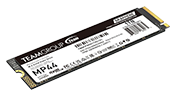
<p><a href="https://www.amazon.com/dp/B07ZGJVTZK?&amp;linkCode=ll1&amp;tag=diynas2026-20&amp;linkId=27613853bea52aac53f1068188e5c5e3&amp;language=en_US&amp;ref_=as_li_ss_tl" title="Teamgroup MP44 1TB NVMe SSD"><img src="/images/2026/diynas/pp/SiliconPower-SSD-P34A60-Product_175.png" align="right" style="padding:7px;margin: 0 0 0 0" /></a>However, it’s important to point out that these M.2 slots are PCI-e version 3 and capped at a single PCI-e lane. This is a consequence of the limited number of PCI-e lanes available for each of the CPU options available for  the <a href="https://www.ebay.com/itm/127896317668" title="Topton N22 N300 Mini-ITX NAS Motherboard (8xSATA3, 2xM.2, 1x10Gbps, 2x2.5Gbps)">Topton N22 motherboard</a> (N100, N150, N300, N305, and N355).</p>

<p>I opted for a NVMe drive that was a good value rather than a high performer and chose two of the <a href="https://www.amazon.com/dp/B07ZGJVTZK?&amp;linkCode=ll1&amp;tag=diynas2026-20&amp;linkId=27613853bea52aac53f1068188e5c5e3&amp;language=en_US&amp;ref_=as_li_ss_tl" title="Teamgroup MP44 1TB NVMe SSD">Silicon Power 1TB M.2 NVMe SSDs (SP001TBP34A60M28)</a> (<a href="https://www.silicon-power.com/product-detail/PCIe_Gen_3x4_P34A60/">specs</a>).</p>

<h3 id="bulk-storage-hard-disk-drives">Bulk Storage Hard Disk Drives</h3>
<p><a href="https://serverpartdeals.com/collections/hard-drives" title="ServerPartDeas: One of Brian's favorite places to shop for hard drives."><img src="/images/2025/diynas/pp/ST18000NM003D_175.png" align="right" style="padding:7px;margin: 0 0 0 0" /></a>Thanks to rising prices, I opted to do like I’ve done with past DIY NAS builds and skip buying hard drives for the <em>DIY NAS: 2026 Edition</em>.</p>

<p>When planning your DIY NAS, it is good to always remember that <strong><em>storage will ultimately be your costliest and most important expense</em></strong>.</p>

<p>Here are a few things to consider when buying hard drives:</p>

<ol>
  <li>Determine your hardware redundancy preferences. I recommend having two hard disk drives’ worth of redundancy (RAIDZ2, RAID6, etc.)</li>
  <li>Focus on price-per-terabyte when comparing prices of drives.</li>
  <li>Do some <a href="https://github.com/Spearfoot/disk-burnin-and-testing" title="Spearfoot's disk-burnin-and-testing Script on GitHub">burn-in testing</a> of your hard drives before putting them to use.</li>
  <li>When buying new drives of the same model, try and buy them from multiple vendors to increase the chances of buying drives manufactured in separate batches.</li>
  <li>Plan ahead! Understand the rate that your storage grows so that you can craft a strategy to grow your storage down the road.</li>
  <li>Being cheap today can and will paint you into a corner that’s quite expensive to get out of.</li>
  <li>Understand that RAID is not a backup!</li>
</ol>

<p>Thankfully, I’ve collected a bunch of my own decommissioned hard drives which I used to thoroughly test this DIY NAS build.</p>

<h2 id="sata-cables">SATA Cables</h2>
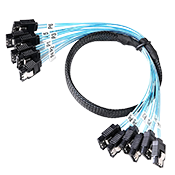
<p><a href="https://www.amazon.com/gp/product/B08C2LJBLW?th=1&amp;linkCode=ll1&amp;tag=diynas2026-20&amp;linkId=18fa5e170ef32c966b38bd844a0b8b35&amp;language=en_US&amp;ref_=as_li_ss_tl" title="OIKWAN SFF-8643 Host to 4 X SATA Breakout Cable"><img src="/images/2026/diynas/pp/sff-8643-cable_175.png" align="right" style="padding:7px;margin: 0 0 0 0" /></a>One of the under-the-radar features of the <a href="https://www.ebay.com/itm/127896317668" title="Topton N22 N300 Mini-ITX NAS Motherboard (8xSATA3, 2xM.2, 1x10Gbps, 2x2.5Gbps)">Topton N22 motherboard</a> might be one of my favorite features! The motherboard’s Asmedia ASM1164 SATA controllers sit behind two SFF-8643 connectors. These connectors provide two advantages for these motherboards:</p>

<ol>
  <li>Save room on the motherboard’s PCB.</li>
  <li><a href="https://www.amazon.com/gp/product/B08C2LJBLW?th=1&amp;linkCode=ll1&amp;tag=diynas2026-20&amp;linkId=18fa5e170ef32c966b38bd844a0b8b35&amp;language=en_US&amp;ref_=as_li_ss_tl" title="OIKWAN SFF-8643 Host to 4 X SATA Breakout Cable">SFF-8643 to 4x SATA breakout cables</a> reduce the amount of cable management hassle.</li>
</ol>

<h2 id="power-supply">Power Supply</h2>
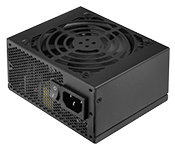
<p>The one thing that I have routinely disliked about building small form factor DIY NAS machines is the price tag that accompanies a small form factor power supply (SFX) like is required with the <a href="https://www.amazon.com/gp/product/B0D1YH7D3J?th=1&amp;linkCode=ll1&amp;tag=diynas2026-20&amp;linkId=5636db0ca3c62e86da5f02b641c0f283&amp;language=en_US&amp;ref_=as_li_ss_tl" title="JONSBO N4 Black NAS Pc Case, Walnut Wood, 8-Drive Bay/6 x 3.5-inch HDD (4 hot-swap,2 Non hot-swap),2 x 2.5-inch SSD, Micro ATX Chassis">JONSBO N4</a>.</p>

<p><a href="https://www.amazon.com/gp/product/B075M5FRQS?th=1&amp;linkCode=ll1&amp;tag=diynas2026-20&amp;linkId=a8eca3bbe367f280660bd7085d88d1e0&amp;language=en_US&amp;ref_=as_li_ss_tl" title="SilverStone Technology SX500-G 500W SFX Fully Modular 80 Plus Gold PSU"><img src="/images/2026/diynas/pp/SX500-G_175.png" align="right" style="padding:7px;margin: 0 0 0 0" /></a>I wound up choosing the <a href="https://www.amazon.com/gp/product/B075M5FRQS?th=1&amp;linkCode=ll1&amp;tag=diynas2026-20&amp;linkId=a8eca3bbe367f280660bd7085d88d1e0&amp;language=en_US&amp;ref_=as_li_ss_tl" title="SilverStone Technology SX500-G 500W SFX Fully Modular 80 Plus Gold PSU">SilverStone Technology SX500-G</a> (<a href="https://www.silverstonetek.com/en/product/info/power-supplies/SX500-G/" title="SilverStone Technology SX500-G 500W specs">specs</a>) which I had used earlier in the year for the <a href="/2025/09/diy-nas-2025-texas-linux-fest-edition.html" title="DIY NAS: 2025 Texas Linux Fest Edition">DIY NAS I gave away at Texas Linux Fest</a>. Its 500W rating exceeds the needs of all the components that I’d picked out for the <em>DIY NAS: 2026 Edition</em>. Plus, the power supply’s <a href="https://en.wikipedia.org/wiki/80_Plus">80 Plus Gold</a> rating aligns well with my criteria for power efficiency.</p>

<h2 id="truenas-community-edition"><a href="https://www.truenas.com/truenas-community-edition/" title="TrueNAS Community Edition">TrueNAS Community Edition</a></h2>

<p>Regardless of whether it was called FreeNAS, TrueNAS, TrueNAS CORE, TrueNAS SCALE, or now <a href="https://www.truenas.com/truenas-community-edition/" title="TrueNAS Community Edition">TrueNAS Community Edition</a>, the storage appliance product(s) from iXSystems have always been my go-to choice. For each yearly DIY NAS build, I wander over to the <a href="https://www.truenas.com/software-status/">TrueNAS Software Status page</a> and look at the state of the current builds.</p>

<p>I’m conservative with my personal NAS setup. However, for these blog builds, I typically choose Early Adopter releases. This year that’s <a href="https://www.truenas.com/docs/scale/25.10/gettingstarted/versionnotes/" title="TrueNAS 25.10 (Goldeye) Version Notes">TrueNAS 25.10.0.1 (aka Goldeye)</a>. I enjoy being able to use these DIY NAS builds as a preview to the latest and greatest that TrueNAS has to offer.</p>

<p>I repeatedly choose TrueNAS because it’s become an enterprise-grade storage product, which is exactly the quality of solution that I want my data depending on. At the same time, it does not feel like you need a specialized certification and a truckload of enterprise storage experience to set up a NAS that exceeds your needs at home.</p>

<p><a href="https://www.truenas.com/truenas-community-edition/" title="TrueNAS Community Edition"><img src="/images/2026/diynas/truenas_open_storage-logo-full-color-rgb.png" align="right" style="padding:9px" /></a></p>

<p>Many times I have been asked, “Why not <em>&lt;insert NAS appliance or OS here&gt;</em>?”  My answer to that question is, TrueNAS has always done everything that I need it to, and they haven’t given me any reason to consider anything else. As a result, there’s never been a need for me to evaluate something else.</p>

<h2 id="partslist">Final Parts List</h2>

<table style="text-align: center; width:100%">
	<tr>
		<th style="text-align: left;font-weight: bold;vertical-align: top">Component</th>
		<th colspan="2" style="text-align: left;font-weight: bold;vertical-align: top">Part Name</th>
		<th style="text-align: center;font-weight: bold;vertical-align: top">Qty</th>
		<th style="text-align: center;font-weight: bold;vertical-align: top">Cost</th>
	</tr>
	<tr>
		<td style="text-align: left">Motherboard</td>	
		<td style="text-align: left"><a href="https://www.ebay.com/itm/127896317668">Topton N22 (w/ N300 CPU) NAS Motherboard</a></td>	
		<td style="text-align: center"><a href="https://www.toptonpc.com/product/8-bay-10g-nas-motherboard-intel-i3-n355-n305-n150-110g-22-5g-lans-2nvme-2sff-8643-to-8sata-pciex1-type-c-firewall-mainboard/">specs</a></td>	
		<td style="text-align: center">1</td>	
		<td style="text-align: right">$475.00</td>	
	</tr>
	<tr>
		<td style="text-align: left">CPU</td>	
		<td style="text-align: left">Intel Core 3 N300</td>	
		<td style="text-align: center"><a href="https://www.intel.com/content/www/us/en/products/sku/231806/intel-core-i3n300-processor-6m-cache-up-to-3-80-ghz/specifications.html">specs</a></td>	
		<td style="text-align: center">1</td>	
		<td style="text-align: right">N/A</td>	
	</tr>		
	<tr>
		<td style="text-align: left">Memory</td>	
		<td style="text-align: left"><a href="https://www.amazon.com/Crucial-5200MHz-4800MHz-Laptop-CT32G52C42S5/dp/B0BNXYRR9Y?th=1&amp;linkCode=ll1&amp;tag=diynas2026-20&amp;linkId=acb7e10801bf0cf26d03423c185819cb&amp;language=en_US&amp;ref_=as_li_ss_tl">
Crucial RAM 32GB DDR5 4800MHz SODIMM (CT32G48C40S5) </a></td>	
		<td style="text-align: center"><a href="https://www.crucial.com/memory/ddr5/CT32G48C40S5">specs</a></td>	
		<td style="text-align: center">1</td>	
		<td style="text-align: right">$369.00</td>	
	</tr>	
	<tr>
		<td style="text-align: left">Case</td>	
		<td style="text-align: left"><a href="https://www.amazon.com/gp/product/B0D1YH7D3J?th=1&amp;linkCode=ll1&amp;tag=diynas2026-20&amp;linkId=5636db0ca3c62e86da5f02b641c0f283&amp;language=en_US&amp;ref_=as_li_ss_tl">JONSBO N4</a></td>
		<td style="text-align: center"><a href="https://www.jonsbo.com/en/products/N2White.html">specs</a></td>	
		<td style="text-align: center">1</td>	
		<td style="text-align: right">$127.99</td>	
	</tr>
		<tr>
		<td style="text-align: left">Case Fan</td>	
		<td style="text-align: left"><a href="https://www.amazon.com/dp/B09C6DQDNT?th=1&amp;linkCode=ll1&amp;tag=diynas2026-20&amp;linkId=a917ad99ae5994be300a55a6e8fc8fe2&amp;language=en_US&amp;ref_=as_li_ss_tl">Noctua NF-A12x25 PWM chromax.Black.swap</a></td>
		<td style="text-align: center"><a href="https://www.noctua.at/en/products/nf-a12x25-pwm-chromax-black-swap">specs</a></td>	
		<td style="text-align: center">1</td>	
		<td style="text-align: right">$34.95</td>	
	</tr>
	<tr>
		<td style="text-align: left">Power Supply</td>	
		<td style="text-align: left"><a href="https://www.amazon.com/gp/product/B075M5FRQS?th=1&amp;linkCode=ll1&amp;tag=diynas2026-20&amp;linkId=a8eca3bbe367f280660bd7085d88d1e0&amp;language=en_US&amp;ref_=as_li_ss_tl">SilverStone 500W SFX Power Supply SST-SX500-G)</a></td>	
		<td style="text-align: center"><a href="https://www.silverstonetek.com/en/product/info/power-supplies/SX500-G/">specs</a></td>	
		<td style="text-align: center">1</td>	
		<td style="text-align: right">$144.88</td>	
	</tr>
	<tr>
		<td style="text-align: left">Boot Drive</td>	
		<td style="text-align: left"><a href="https://www.amazon.com/dp/B0963SGYGF?&amp;linkCode=ll1&amp;tag=diynas2026-20&amp;linkId=335ccbcac1cb1beb1ad0bbbe951f4cea&amp;language=en_US&amp;ref_=as_li_ss_tl">Silicon Power 128GB A55 SATA SSD</a></td>	
		<td style="text-align: center"><a href="https://www.silicon-power.com/product-detail/ace_a55/">specs</a></td>	
		<td style="text-align: center">2</td>	
		<td style="text-align: right">$34.97</td>	
	</tr>
	<tr>
		<td style="text-align: left">Apps/VM Drives</td>	
		<td style="text-align: left"><a href="https://www.amazon.com/dp/B07ZGJVTZK?&amp;linkCode=ll1&amp;tag=diynas2026-20&amp;linkId=27613853bea52aac53f1068188e5c5e3&amp;language=en_US&amp;ref_=as_li_ss_tl">Silicon Power 1TB - NVMe M.2 SSD (SP001TBP34A60M28) </a></td>	
		<td style="text-align: center"><a href="https://www.teamgroupinc.com/en/product-detail/ssd/TEAMGROUP/mp44/mp44-TM8FPW001T0C101/">specs</a></td>	
		<td style="text-align: center">2</td>	
		<td style="text-align: right">$159.97</td>	
	</tr>			
	<tr>
		<td style="text-align: left">SATA Cables</td>	
		<td style="text-align: left"><a href="https://www.amazon.com/SATA-III-Cable-1M-Set-6Gbps-SATA-Replacement-Computer-Server/dp/B09Q359C7Z?th=1&amp;linkCode=ll1&amp;tag=diynas2026-20&amp;linkId=02df14f462c50c4b883f5daa8709f653&amp;language=en_US&amp;ref_=as_li_ss_tl">OIKWAN SFF-8643 Host to 4 X SATA Breakout Cable</a></td>	
		<td style="text-align: center">N/A</td>	
		<td style="text-align: center">2</td>	
		<td style="text-align: right">$12.99</td>	
	</tr>	
	<tr>
		<td colspan="4" style="text-align: right;font-weight: bold">Price <i>without</i> Storage: </td>
		<td style="text-align: right;font-weight: bold">$1,247.74</td>
	</tr>		
	<tr>
		<td colspan="4" style="text-align: right;font-weight: bold">Total Price: </td>
		<td style="text-align: right;font-weight: bold">$1,567.68</td>
	</tr>
</table>
<p><br /></p>

<div class="tiny-slider">
<ul class="ts-controls" id="diynas2026-custom-controls" style="list-style: none;">
<li class="prev">
<i class="fas fa-angle-left fa-2x"></i>
</li>
<li class="next">
<i class="fas fa-angle-right fa-2x"></i>
</li>
</ul>        
<div class="ts-container" id="diynas2026">
       <a href="/images/2026/diynas/diynas2026parts-01.png"><img src="/images/2026/diynas/800/diynas2026parts-01.png" alt="Topton N22 Motherboard viewed from back ports" /></a>
       <a href="/images/2026/diynas/diynas2026parts-02.png"><img src="/images/2026/diynas/800/diynas2026parts-02.png" alt="Topton N22 Motherboard viewed from bottom" /></a>
       <a href="/images/2026/diynas/diynas2026parts-03.png"><img src="/images/2026/diynas/800/diynas2026parts-03.png" alt="Topton N22 Motherboard viewed from front" /></a>
       <a href="/images/2026/diynas/diynas2026parts-04.png"><img src="/images/2026/diynas/800/diynas2026parts-04.png" alt="Noctua NF-A12x25 120mm fan for cooling drives" /></a>
       <a href="/images/2026/diynas/diynas2026parts-05.png"><img src="/images/2026/diynas/800/diynas2026parts-05.png" alt="A pair of Silcicon Power A55 128GB SATA 2.5-inch SSDs" /></a>
       <a href="/images/2026/diynas/diynas2026parts-06.png"><img src="/images/2026/diynas/800/diynas2026parts-06.png" alt="A pair of Silicon Power 1TB M.2 NVMe SSDs" /></a>
       <a href="/images/2026/diynas/diynas2026parts-07.png"><img src="/images/2026/diynas/800/diynas2026parts-07.png" alt="Crucial 32GB DDR5 4800MHZ SO-DIMM" /></a>
       <a href="/images/2026/diynas/diynas2026parts-08.png"><img src="/images/2026/diynas/800/diynas2026parts-08.png" alt="SilverStone Technology S500-G SFX Power Supply" /></a>
       <a href="/images/2026/diynas/diynas2026parts-09.png"><img src="/images/2026/diynas/800/diynas2026parts-09.png" alt="JONSBO N4 Case #1" /></a>
       <a href="/images/2026/diynas/diynas2026parts-10.png"><img src="/images/2026/diynas/800/diynas2026parts-10.png" alt="JONSBO N4 Case #2" /></a>
       <a href="/images/2026/diynas/diynas2026parts-11.png"><img src="/images/2026/diynas/800/diynas2026parts-11.png" alt="JONSBO N4 Case #3" /></a>
       <a href="/images/2026/diynas/diynas2026parts-12.png"><img src="/images/2026/diynas/800/diynas2026parts-12.png" alt="JONSBO N4 with drive bay grill removed." /></a>
       <a href="/images/2026/diynas/diynas2026parts-13.png"><img src="/images/2026/diynas/800/diynas2026parts-13.png" alt="Close up of JONSBO N4 case's drive bays #1" /></a>
       <a href="/images/2026/diynas/diynas2026parts-14.png"><img src="/images/2026/diynas/800/diynas2026parts-14.png" alt="Close up of JONSBO N4 case's drive bays #2" /></a>
       <a href="/images/2026/diynas/diynas2026parts-15.png"><img src="/images/2026/diynas/800/diynas2026parts-15.png" alt="Close up of JONSBO N4 case's drive bays #3" /></a>
       <a href="/images/2026/diynas/diynas2026parts-16.png"><img src="/images/2026/diynas/800/diynas2026parts-16.png" alt="DIY NAS: 2026 Edition's major components #1" /></a>
       <a href="/images/2026/diynas/diynas2026parts-17.png"><img src="/images/2026/diynas/800/diynas2026parts-17.png" alt="DIY NAS: 2026 Edition's major components #2" /></a>
       <a href="/images/2026/diynas/diynas2026parts-18.png"><img src="/images/2026/diynas/800/diynas2026parts-18.png" alt="DIY NAS: 2026 Edition's major components #3" /></a>
       <a href="/images/2026/diynas/diynas2026parts-19.png"><img src="/images/2026/diynas/800/diynas2026parts-19.png" alt="DIY NAS: 2026 Edition's major components #4" /></a>
    </div>
</div>

<h2 id="hardware-assembly-bios-configuration-and-burn-in">Hardware Assembly, BIOS Configuration, and Burn-In</h2>

<h3 id="hardware-assembly">Hardware Assembly</h3>

<p>I always want the smallest possible DIY NAS. The <a href="https://www.amazon.com/gp/product/B0D1YH7D3J?th=1&amp;linkCode=ll1&amp;tag=diynas2026-20&amp;linkId=5636db0ca3c62e86da5f02b641c0f283&amp;language=en_US&amp;ref_=as_li_ss_tl" title="JONSBO N4 Black NAS Pc Case, Walnut Wood, 8-Drive Bay/6 x 3.5-inch HDD (4 hot-swap,2 Non hot-swap),2 x 2.5-inch SSD, Micro ATX Chassis">JONSBO N4</a> case initially felt too large since it accommodates Micro ATX motherboards. However, I grew to accept its slightly larger footprint. However, putting the <a href="https://www.ebay.com/itm/127896317668" title="Topton N22 N300 Mini-ITX NAS Motherboard (8xSATA3, 2xM.2, 1x10Gbps, 2x2.5Gbps)">Topton N22 motherboard</a> into the case felt roomy and luxurious. Building the <em>DIY NAS: 2026 Edition</em> compared to prior years’ felt a lot like coming home to put on sweatpants and a T-shirt after wearing a suit and tie all day long.</p>

<p>I wasn’t too fond of the cable management of the power supply’s cables. The layout of the case pretty much makes the front of the power supply inaccessible once it is installed. One consequence of this is that the power cable which powered the SATA backplane initially prevented the 120mm case fan from spinning up. That issue was relatively minor and was resolved with zip ties.</p>

<p>Overall, I felt pretty good about the assembly of the <em>DIY NAS: 2026 Edition</em>, but things would take a turn for the worse when I decided to fill all the 3.5-inch drive bays up with some of my decommissioned 8TB HDDs. Now this is probably my fault, I wouldn’t be surprised at all that the manual of the <a href="https://www.amazon.com/gp/product/B0D1YH7D3J?th=1&amp;linkCode=ll1&amp;tag=diynas2026-20&amp;linkId=5636db0ca3c62e86da5f02b641c0f283&amp;language=en_US&amp;ref_=as_li_ss_tl" title="JONSBO N4 Black NAS Pc Case, Walnut Wood, 8-Drive Bay/6 x 3.5-inch HDD (4 hot-swap,2 Non hot-swap),2 x 2.5-inch SSD, Micro ATX Chassis">JONSBO N4</a> warned me against this, but putting the drives in last turned out to be a major pain in the neck for each of the four drive bays <strong><em>without</em></strong> a SATA backplane.</p>

<p><img src="/images/2026/diynas/800/diynas2026_backwards.png" alt="DIY NAS: 2026 Edition with half its drives installed backwards!" /></p>

<p>I had wrongly guessed that you accessed those drives’ power and data ports from the front of the case. I worked really hard to route the cables and even managed to install all of the drives before realizing my error and learning my lesson. I’m understanding now why the <a href="https://www.amazon.com/gp/product/B0D1YH7D3J?th=1&amp;linkCode=ll1&amp;tag=diynas2026-20&amp;linkId=5636db0ca3c62e86da5f02b641c0f283&amp;language=en_US&amp;ref_=as_li_ss_tl" title="JONSBO N4 Black NAS Pc Case, Walnut Wood, 8-Drive Bay/6 x 3.5-inch HDD (4 hot-swap,2 Non hot-swap),2 x 2.5-inch SSD, Micro ATX Chassis">JONSBO N4</a> is cheaper than all of its siblings: Partly because there’s a missing SATA backplane, but also because those other 4 drive bays’ layout is frustrating.</p>

<p>Don’t let my last couple paragraphs sour you on the <a href="https://www.amazon.com/gp/product/B0D1YH7D3J?th=1&amp;linkCode=ll1&amp;tag=diynas2026-20&amp;linkId=5636db0ca3c62e86da5f02b641c0f283&amp;language=en_US&amp;ref_=as_li_ss_tl" title="JONSBO N4 Black NAS Pc Case, Walnut Wood, 8-Drive Bay/6 x 3.5-inch HDD (4 hot-swap,2 Non hot-swap),2 x 2.5-inch SSD, Micro ATX Chassis">JONSBO N4</a>, though. I still really like its size; it feels big when you’re working in it with a Mini ITX motherboard. If you wind up deciding to use the JONSBO N4, then I suggest that you put those four drives and their cables in first before you do anything else. That would’ve made a world of difference for me. Looking at the documentation before getting started might have saved me quite a bit of aggravation, too!</p>

<p>If I have ruined the JONSBO N4 for you, then check out the <a href="https://www.amazon.com/Mini-ITX-Chassis-Computer-Aluminum-Support/dp/B0CMVBMVHT?&amp;linkCode=ll1&amp;tag=diynas2026-20&amp;linkId=9140995b2e4f34809c8202effd2750ac&amp;language=en_US&amp;ref_=as_li_ss_tl" title="JONSBO N3 Mini-ITX NAS PC Chassis">JONSBO N3</a>. Its <strong><em>eight</em></strong> 3.5-inch drive bays pair up really nicely with the <a href="https://www.ebay.com/itm/127896317668" title="Topton N22 N300 Mini-ITX NAS Motherboard (8xSATA3, 2xM.2, 1x10Gbps, 2x2.5Gbps)">Topton N22 motherboard</a>. You can see what I thought of the JONSBO N3 by reading the <a href="/2024/09/diy-nas-2024-edition-and-econonas.html" title="DIY NAS: 2024 Edition">DIY NAS: 2024 Edition</a> blog.</p>

<div class="tiny-slider">
<ul class="ts-controls" id="diynas2026-assembly-custom-controls" style="list-style: none;">
<li class="prev">
<i class="fas fa-angle-left fa-2x"></i>
</li>
<li class="next">
<i class="fas fa-angle-right fa-2x"></i>
</li>
</ul>        
<div class="ts-container" id="diynas2026-assembly">
       <a href="/images/2026/diynas/diynas2026assembly-01.png"><img src="/images/2026/diynas/800/diynas2026assembly-01.png" alt="RAM and NVMe SSDs Installed in the Topton N22 motherboard" /></a>
       <a href="/images/2026/diynas/diynas2026assembly-02.png"><img src="/images/2026/diynas/800/diynas2026assembly-02.png" alt="Preparing the JONSBO N4 for the motherboard installation" /></a>
       <a href="/images/2026/diynas/diynas2026assembly-03.png"><img src="/images/2026/diynas/800/diynas2026assembly-03.png" alt="Topton N22 motherboard installed in the JONSBO N4" /></a>
       <a href="/images/2026/diynas/diynas2026assembly-04.png"><img src="/images/2026/diynas/800/diynas2026assembly-04.png" alt="PSU mounted to its installation bracked and about to be installed" /></a>
       <a href="/images/2026/diynas/diynas2026assembly-05.png"><img src="/images/2026/diynas/800/diynas2026assembly-05.png" alt="Replacing the stock fan with the Noctua 120mm fan" /></a>
       <a href="/images/2026/diynas/diynas2026assembly-06.png"><img src="/images/2026/diynas/800/diynas2026assembly-06.png" alt="Loading the JONSBO N4 with drives #1" /></a>
       <a href="/images/2026/diynas/diynas2026assembly-07.png"><img src="/images/2026/diynas/800/diynas2026assembly-07.png" alt="Loading the JONSBO N4 with drives #2" /></a>
       <a href="/images/2026/diynas/diynas2026assembly-08.png"><img src="/images/2026/diynas/800/diynas2026assembly-08.png" alt="Loading the JONSBO N4 with drives #3" /></a>
    </div>
</div>

<h3 id="bios-configuration">BIOS Configuration</h3>

<p>Generally speaking, I do as little as I possibly can in the BIOS. Normally, I strive to only set the time and change the boot order. However, I did a bit more for the <em>DIY NAS: 2026 Edition</em> since I’m using the <code class="language-plaintext highlighter-rouge">SYS_FAN</code> header for the fan responsible for cooling the hard drives.  Here are the changes that I made in the BIOS:</p>

<ol>
  <li>Set the <strong>System Date</strong> and <strong>System Time</strong> to Greenwich Mean Time
    <ol>
      <li>Advanced
        <ol>
          <li>Hardware Monitor ( Advanced)
            <ol>
              <li>Set <strong>SYS SmartFan Mode</strong> to  <code class="language-plaintext highlighter-rouge">Disabled</code>.</li>
              <li>Set the <strong>Manual PWM Setting</strong> (for <code class="language-plaintext highlighter-rouge">SYS_FAN</code>) to 180.</li>
            </ol>
          </li>
        </ol>
      </li>
      <li>Set <strong>PWRON After Power Loss</strong> to <code class="language-plaintext highlighter-rouge">Always On</code></li>
      <li>Boot
        <ol>
          <li>Set <strong>Boot Option #1</strong> to the TrueNAS boot device.</li>
        </ol>
      </li>
    </ol>
  </li>
</ol>

<p>I’m not at all interested in venturing into the rabbit’s hole of trying to completely minimize how much power the NAS uses. However, I imagine there are some opportunities for power savings lurking in the BIOS. I didn’t go looking for them myself, but if you’re intrepid enough to do so, here are a few suggestions that I have for saving some additional power:</p>

<ul>
  <li>Disable the onboard audio.</li>
  <li>Disable any network interfaces that you don’t wind up using.</li>
  <li>Tinker with the CPU settings.</li>
  <li>Got other suggestions?  <em>Share them in the comments!</em></li>
</ul>

<h3 id="burn-in">Burn-In</h3>

<p>Because all of the hardware is brand-new to me and brand-new components are not guaranteed to be free of defects, I always do a little bit of burn-in testing to establish some trust in the hardware that I’ve picked out for each DIY NAS build. While I think doing <em>some</em> burn-in testing is critically important, I also think the value of subsequent burn-in testing drops the more that you do. Don’t get too carried away, and do your own burn-in testing in moderation!</p>

<h4 id="memtest86"><a href="https://www.memtest.org/" title="Memtest86+">Memtest86+</a></h4>

<p>I <em>always</em> use Memtest86+ to burn-in the RAM. I always run at least 3+ passes of Memtest86+. Typically, I run many more passes because I tend to let the system keep running additional passes overnight. Secondarily, running these many passes gives the CPU a little bit of work to do and there’s enough information displayed by Memtest86+ to give me confidence in the CPU and its settings.</p>

<p><a href="/images/2026/diynas/diynas2026-memtest_1280.png"><img style="display: block;margin-left: auto;margin-right: auto" src="/images/2026/diynas/diynas2026-memtest_600.png" alt="Memtest86+" /></a></p>

<h4 id="hard-drives">Hard Drives</h4>

<p>The failure rate of hard drives is highest when the drives are new and then again when they’re old. Regardless of type of hard drives that I buy or when I buy them, I always do some disk burn-in. I tend to run <a href="https://github.com/Spearfoot/disk-burnin-and-testing" title="Spearfoot's disk-burnin-and-testing Script on GitHub">Spearfoot’s Disk Burn-in and Testing script</a> on all of my new drives. However, executing this script against all of the drives can take quite a long time, even if you use something like  <code class="language-plaintext highlighter-rouge">tmux</code> to run the tests in parallel.</p>

<h2 id="initial-truenas-ce-setup">Initial TrueNAS CE Setup</h2>

<p>There’s always a little bit of setup that I do for a new TrueNAS machine. This isn’t intended to be an all-inclusive step-by-step guide for all the things you should do with your DIY NAS. Instead, it’s more of a list of things I kept track of while I made sure that the <em>DIY NAS: 2026 Edition</em> was functional enough for me to finish writing this blog. That being said, I do think your NAS would be rather functional if you decided to do the same configuration.</p>

<ol>
  <li>Updated the hostname to <code class="language-plaintext highlighter-rouge">diynas2026</code>
    <ol>
      <li><em>Note:  This is only to avoid issues with another NAS on my network.</em></li>
    </ol>
  </li>
  <li>Updated the time zone.</li>
  <li>Enabled the following services and set them to start automatically.
    <ol>
      <li>SMB</li>
      <li>SSH</li>
      <li>NFS</li>
    </ol>
  </li>
  <li>Enabled password login for the <code class="language-plaintext highlighter-rouge">truenas_admin</code> user.
    <ul>
      <li><em>Note: If I were planning to use this DIY NAS long-term, I wouldn’t have done this. Using SSH keys for authentication is a better idea</em>.</li>
    </ul>
  </li>
  <li>Edited the TrueNAS Dashboard widgets to reflect the 10Gb interface (<code class="language-plaintext highlighter-rouge">enp1s0</code>).</li>
  <li>Created a pool named <code class="language-plaintext highlighter-rouge">flash</code> which consisted of mirrored vdev using the <a href="https://www.amazon.com/dp/B07ZGJVTZK?&amp;linkCode=ll1&amp;tag=diynas2026-20&amp;linkId=27613853bea52aac53f1068188e5c5e3&amp;language=en_US&amp;ref_=as_li_ss_tl" title="Teamgroup MP44 1TB NVMe SSD">Teamgroup MP44 1TB NVMe SSDs</a>.</li>
  <li>Created a pool named <code class="language-plaintext highlighter-rouge">rust</code> which consisted of a single RAID-Z2 vdev using eight hard drives that I had sitting on my shelf after they were decommissioned.</li>
  <li>Configured the Apps to use the <code class="language-plaintext highlighter-rouge">flash</code> pool for the apps’ dataset.</li>
  <li>Made sure that the System Dataset Pool was set to <code class="language-plaintext highlighter-rouge">flash</code>.</li>
  <li>Confirmed that there were Scrub Tasks set up for the <code class="language-plaintext highlighter-rouge">flash</code> and <code class="language-plaintext highlighter-rouge">rust</code> pools.</li>
  <li>Created a dataset on each pool for testing:  <code class="language-plaintext highlighter-rouge">flash-test</code> and <code class="language-plaintext highlighter-rouge">rust-test</code>.</li>
  <li>Installed the <a href="https://github.com/AnalogJ/scrutiny" title="Scrutiny: WebUI for smartd S.M.A.R.T monitoring">Scrutiny</a> app found in the App Catalog.</li>
</ol>

<p>If I were planning to keep this NAS and use it for my own purposes, I would also:</p>

<ol>
  <li>Set up a <a href="https://www.truenas.com/docs/scale/25.10/scaletutorials/credentials/certificates/settingupletsencryptcertificates/" title="Creating ACME Certificates">Let’s Encrypt certificate</a>.</li>
  <li>Hook up the NAS to <a href="https://networkupstools.org/stable-hcl.html" title="Network UPS Tools Hardware Compatability List">a compatible UPS</a>, enable the UPS service, and configure the UPS service to shut down the NAS before the battery runs out of juice.</li>
  <li><a href="https://www.truenas.com/docs/scale/25.10/scaleuireference/toptoolbar/alerts/alertsettingsscreen/" title="TrueNAS Scale Alert Settings Screens">Set up system email alert service</a>.</li>
  <li>Create <a href="https://www.truenas.com/docs/scale/25.10/scaletutorials/dataprotection/replication/" title="TrueNAS Replication Tasks">replication tasks</a> to back up critical data to my <a href="/2024/06/one-3d-printed-nas-wasn-t-enough-so-i-printed-two-more.html" title="One 3D-printed NAS wasn't enough, so I printed two more!">off-site NAS</a>.</li>
  <li>Add the new NAS to my Tailscale tailnet using the <a href="https://github.com/truenas/apps/tree/master/ix-dev/community/tailscale" title="Tailscale from the official TrueNAS App Catalog">Tailscale app from the official catalog</a>.</li>
  <li>As the NAS is seeded with data, create and maintain a suite of <a href="https://www.truenas.com/docs/scale/25.10/scaletutorials/dataprotection/periodicsnapshottasksscale/" title="Adding Periodic Snapshot Tasks">snapshot tasks</a> tailored to the importance of the different data being stored on the NAS.</li>
  <li>Set up S.M.A.R.T. tests for all of the drives:
    <ol>
      <li>Weekly Short Test</li>
      <li>Monthly Long Test</li>
    </ol>
  </li>
</ol>

<h2 id="benchmarks">Benchmarks</h2>

<p>Just about every year, I benchmark each DIY NAS build and almost always come to the same conclusion: The NAS will outperform your network at home. Your first bottleneck is almost always going to be the network, and the overwhelming majority of us have gigabit networks at home–but that’s slowly changing since 2.5Gbps and 10Gbps network hardware has started to get reasonably affordable lately.</p>

<p>Even though I always come to the same conclusion, I still like to do the benchmarks for two reasons:</p>

<ol>
  <li>It helps me build confidence that the <em>DIY NAS: 2026 Edition</em> works well.</li>
  <li>People tend to enjoy consuming benchmarks, <strong><em>and</em></strong> it’s fun for me to see the DIY NAS’ network card get saturated during the testing.</li>
</ol>

<h3 id="throughput">Throughput</h3>

<p>I like to do three categories of tests to measure the throughput of the NAS:</p>

<ol>
  <li>Use <a href="https://iperf.fr/" title="iPerf - The ultimate speed test tool for TCP, UDP and SCTP">iperf3</a> to benchmark throughput between my NAS and another machine on my network.</li>
  <li>Benchmark the throughput of the pool(s) locally on the NAS using <code class="language-plaintext highlighter-rouge">fio</code>.</li>
  <li>Set up SMB shares on each of the pools and then benchmark the throughput when using those shares.</li>
</ol>

<p>Every year I try and mention that Tom Lawrence from <a href="https://lawrencesystems.com/">Lawrence Systems</a> published <a href="https://youtu.be/TASYaWTkg0U">a great video about benchmarking storage with FIO</a> and shared <a href="https://forums.lawrencesystems.com/t/linux-benchmarking-with-fio/11122">the FIO commands from his video in their forums</a>. I use these FIO commands constantly as a reference point forwh I am testing ZFS pools’ throughput. More importantly I’d like to point out that, in that same video, Tom says something very wise:</p>

<blockquote>
  <p><a href="https://youtu.be/TASYaWTkg0U?t=53">There are lies, damn lies, and then there are benchmarks!</a></p>
</blockquote>

<table>
  <thead>
    <tr>
      <th style="text-align: center"><strong>Tool</strong></th>
      <th style="text-align: center"><strong>Pool</strong></th>
      <th style="text-align: center"><strong>Test<br />Size</strong></th>
      <th style="text-align: center"><strong>Random<br />Write<br />IOPS</strong></th>
      <th style="text-align: center"><strong>Random<br />Read<br />IOPS</strong></th>
      <th style="text-align: center"><strong>Sequential<br />Write<br />(MB/s)</strong></th>
      <th style="text-align: center"><strong>Sequential<br />Read<br />(MB/s)</strong></th>
    </tr>
  </thead>
  <tbody>
    <tr>
      <td style="text-align: center">FIO</td>
      <td style="text-align: center"><code class="language-plaintext highlighter-rouge">flash</code></td>
      <td style="text-align: center">4G</td>
      <td style="text-align: center">1906.00</td>
      <td style="text-align: center">2200.00</td>
      <td style="text-align: center">548.00</td>
      <td style="text-align: center">1214.00</td>
    </tr>
    <tr>
      <td style="text-align: center">FIO</td>
      <td style="text-align: center"><code class="language-plaintext highlighter-rouge">flash</code></td>
      <td style="text-align: center">32G</td>
      <td style="text-align: center">2132.00</td>
      <td style="text-align: center">3012.00</td>
      <td style="text-align: center">544.00</td>
      <td style="text-align: center">1211.00</td>
    </tr>
    <tr>
      <td style="text-align: center">FIO</td>
      <td style="text-align: center"><code class="language-plaintext highlighter-rouge">rust</code></td>
      <td style="text-align: center">4G</td>
      <td style="text-align: center">1352.00</td>
      <td style="text-align: center">108.00</td>
      <td style="text-align: center">367.00</td>
      <td style="text-align: center">530.00</td>
    </tr>
    <tr>
      <td style="text-align: center">FIO</td>
      <td style="text-align: center"><code class="language-plaintext highlighter-rouge">rust</code></td>
      <td style="text-align: center">32G</td>
      <td style="text-align: center">1474.00</td>
      <td style="text-align: center">326.00</td>
      <td style="text-align: center">368.00</td>
      <td style="text-align: center">544.00</td>
    </tr>
    <tr>
      <td style="text-align: center">CrystalDiskMark</td>
      <td style="text-align: center"><code class="language-plaintext highlighter-rouge">flash</code></td>
      <td style="text-align: center">4GiB</td>
      <td style="text-align: center">5858.89</td>
      <td style="text-align: center">50409.91</td>
      <td style="text-align: center">1104.64</td>
      <td style="text-align: center">956.70</td>
    </tr>
    <tr>
      <td style="text-align: center">CrystalDiskMark</td>
      <td style="text-align: center"><code class="language-plaintext highlighter-rouge">flash</code></td>
      <td style="text-align: center">32GiB</td>
      <td style="text-align: center">4193.36</td>
      <td style="text-align: center">31047.36</td>
      <td style="text-align: center">635.42</td>
      <td style="text-align: center">946.20</td>
    </tr>
    <tr>
      <td style="text-align: center">CrystalDiskMark</td>
      <td style="text-align: center"><code class="language-plaintext highlighter-rouge">rust</code></td>
      <td style="text-align: center">4GiB</td>
      <td style="text-align: center">5226.50</td>
      <td style="text-align: center">46239.01</td>
      <td style="text-align: center">756.23</td>
      <td style="text-align: center">655.32</td>
    </tr>
    <tr>
      <td style="text-align: center">CrystalDiskMark</td>
      <td style="text-align: center"><code class="language-plaintext highlighter-rouge">rust</code></td>
      <td style="text-align: center">32GiB</td>
      <td style="text-align: center">3794.43</td>
      <td style="text-align: center">12809.33</td>
      <td style="text-align: center">759.38</td>
      <td style="text-align: center">677.02</td>
    </tr>
  </tbody>
</table>

<p><br /></p>

<p>What do I think these benchmarks and my use of the <em>DIY NAS: 2026 Edition</em> tell me?  In the grand scheme of things, not a whole lot.</p>

<p>However, these benchmarks do back up what I expected: The <em>DIY NAS: 2026 Edition</em> is quite capable and more than ready to meet my storage needs. I especially like that the CrystalDiskMark benchmarks of the SMB shares were <strong><em>both faster than a SATA SSD</em></strong>, and the throughput to the share on the <code class="language-plaintext highlighter-rouge">flash</code> pool practically saturated the NAS’ 10GbE network connection.</p>

<h4 id="fio-tests">FIO Tests</h4>

<p>Every time I benchmark a NAS, I seem to either be refining what I tried in prior years or completely reinventing the wheel. As a result, I wouldn’t recommend comparing these results with results that I shared in prior years’ DIY NAS build blogs. I haven’t really put a ton of effort into developing a standard suite of benchmarks. Things in my homelab change enough between DIY NAS blogs that trying to create and maintain an environment for a standard suite of benchmarks is beyond what my budget, spare time, and attention span will allow.</p>

<p>I’m going to paste these <code class="language-plaintext highlighter-rouge">fio</code> commands here in the blog for my own use in future DIY NAS build blogs. If you wind up building something similar, these <em>might</em> be helpful to measure your new NAS’ filesystem’s performance and compare it to mine!</p>

<div class="language-plaintext highlighter-rouge"><div class="highlight"><pre class="highlight"><code>## Random Write IOPS
fio --randrepeat=1 --ioengine=libaio --direct=1 --name=test --filename=test --bs=128k --size=4G --readwrite=randwrite --ramp_time=10
fio --randrepeat=1 --ioengine=libaio --direct=1 --name=test --filename=test --bs=128k --size=32G --readwrite=randwrite --ramp_time=10

## Random Read IOPS
fio --randrepeat=1 --ioengine=libaio --direct=1 --name=test --filename=test --bs=128k --size=4G --readwrite=randread --ramp_time=10
fio --randrepeat=1 --ioengine=libaio --direct=1 --name=test --filename=test --bs=128k --size=32G --readwrite=randread --ramp_time=10

## Sequential Write (MB/s)
fio --randrepeat=1 --ioengine=libaio --direct=1 --name=test --filename=test --bs=4M --size=4G --readwrite=write --ramp_time=10
fio --randrepeat=1 --ioengine=libaio --direct=1 --name=test --filename=test --bs=4M --size=32G --readwrite=write --ramp_time=10

## Sequential Read (MB/s)
fio --randrepeat=1 --ioengine=libaio --direct=1  --name=test --filename=test --bs=4M --size=4G --readwrite=read --ramp_time=10
fio --randrepeat=1 --ioengine=libaio --direct=1  --name=test --filename=test --bs=4M --size=32G --readwrite=read --ramp_time=10
</code></pre></div></div>

<p><a href="/images/2026/diynas/combined-network-throughput.png"><img style="display: block;margin-left: auto;margin-right: auto" src="/images/2026/diynas/800/combined-network-throughput.png" alt="Perfmon of Networkthroughput for reading files over SMB and during iperf3 tests." /></a></p>

<h3 id="power-consumption">Power Consumption</h3>

<p>One not-so-obvious cost of running a DIY NAS is how much power it consumes. While I specifically tried to pick items that were efficient in terms of power consumption, it’s also important to realize that all the other bells and whistles on the awesome <a href="https://www.ebay.com/itm/127896317668" title="Topton N22 N300 Mini-ITX NAS Motherboard (8xSATA3, 2xM.2, 1x10Gbps, 2x2.5Gbps)">Topton N22 NAS motherboard</a> consume power, too, and that the biggest consumer of power in a NAS is almost always the hard disk drives.</p>

<p>Thanks to my tinkering with <a href="/categories/home-automation/" title="Home Automation blogs">home automation</a>, I have a plethora of <a href="https://www.amazon.com/gp/product/B0CJR4QZ45?th=1&amp;linkCode=ll1&amp;tag=diynas2026-20&amp;linkId=331f4bd20d1cfe3c50b64077966b0ecc&amp;language=en_US&amp;ref_=as_li_ss_tl" title="Minoston Z-Wave 800 Series Zwave Plug with Energy Monitoring, Power Meter Z-Wave Outlet Switch (MP31ZP)">smart outlets</a> which are capable of power monitoring. I used those smart outlets for most of my power monitoring. But I also have a <a href="https://www.amazon.com/P3-P4400-Electricity-Usage-Monitor/dp/B00009MDBU?crid=BQE7RDYQK9CM&amp;th=1&amp;linkCode=ll1&amp;tag=diynas2026-20&amp;linkId=c0efb3c2ef49e3049ce3e77825adedc0&amp;language=en_US&amp;ref_=as_li_ss_tl" title="P3 P4400 Kill A Watt Electricity Usage Monitor">Kill a Watt P400</a> that I also use for some of the shorter tests:</p>

<ul>
  <li>Power consumed during a handful of specific tasks:
    <ul>
      <li>Idle while running TrueNAS</li>
      <li>RAM Burn-in (~14 passes of Memtest86+)</li>
      <li>An 8-hour throughput benchmark copying randomly sized files to the NAS using SMB.</li>
    </ul>
  </li>
  <li>Total consumed during the build, burn-in, and use of the <em>DIY NAS: 2026 Edition</em>.</li>
</ul>

<table>
  <thead>
    <tr>
      <th><strong>Task</strong></th>
      <th style="text-align: center"><strong>Duration</strong></th>
      <th style="text-align: center"><strong>Max Wattage</strong></th>
      <th style="text-align: center"><strong>Avg. Wattage</strong></th>
      <th style="text-align: center"><strong>Total Consumption</strong></th>
    </tr>
  </thead>
  <tbody>
    <tr>
      <td>Boot</td>
      <td style="text-align: center">10 min.</td>
      <td style="text-align: center">200.00 W</td>
      <td style="text-align: center">120.00 W</td>
      <td style="text-align: center">0.02 kWh</td>
    </tr>
    <tr>
      <td>Idle</td>
      <td style="text-align: center">3 hr.</td>
      <td style="text-align: center">90.00 W</td>
      <td style="text-align: center">66.67 W</td>
      <td style="text-align: center">0.20 kWh</td>
    </tr>
    <tr>
      <td>RAM Burn-in</td>
      <td style="text-align: center">18 hr.</td>
      <td style="text-align: center">104.00 W</td>
      <td style="text-align: center">91.67 W</td>
      <td style="text-align: center">1.65 kWh</td>
    </tr>
    <tr>
      <td>SMB Benchmark of HDDs</td>
      <td style="text-align: center">8 hr.</td>
      <td style="text-align: center">107.00 W</td>
      <td style="text-align: center">85.00 W</td>
      <td style="text-align: center">0.68 kWh</td>
    </tr>
    <tr>
      <td><strong>Total</strong></td>
      <td style="text-align: center"><strong>108 hr.</strong></td>
      <td style="text-align: center"><strong>237.80 W</strong></td>
      <td style="text-align: center"><strong>66.49 W</strong></td>
      <td style="text-align: center"><strong>7.17 kWh</strong></td>
    </tr>
  </tbody>
</table>

<p><br /></p>

<h2 id="what-about-an-econonas">What about an EconoNAS?</h2>

<p><img src="/images/2026/diynas/ai-dollar-bill-sign.png" align="right" style="padding:7px;margin: 0 0 0 0" />Shortly before prices skyrocketed, I decided I wasn’t very interested in doing separate EconoNAS builds any longer. Several months ago, I realized that there were several off-the-shelf NAS machines that were more than capable of running TrueNAS, and they were selling at economical prices that couldn’t be topped by a DIY approach. I will dive deeper into this in a future blog, eventually … <strong><em>maybe</em></strong>?</p>

<p>All that being said, it’d be incredibly easy to make some compromises which result in the <em>DIY NAS: 2026 Edition</em> becoming quite a bit more economical. Here’s a list of changes that I would consider to achieve a more budget-friendly build:</p>

<ul>
  <li>Different motherboard/CPU combo: <a href="https://www.ebay.com/itm/127014563991" title="Topton N18 N100/N150/N305 Mini-ITX NAS Motherboard:6xSATA/2xM.2/2x2.5GbE/1x10GbE">N18 w/ N100 CPU</a> (-$224), <a href="https://www.ebay.com/itm/127014563991" title="Topton N18 N100/N150/N305 Mini-ITX NAS Motherboard:6xSATA/2xM.2/2x2.5GbE/1x10GbE">N18 w/ N150 CPU</a> (-$214), or <a href="https://www.ebay.com/itm/127896323949" title="Topton N22 Motherboard w/ N150 CPU on Brian's eBay Store">N22 w/ N150 CPU</a> (-$180)</li>
  <li><a href="https://amzn.to/4ai7M2V">16GB of DDR5 RAM</a> (-$39) instead of 32GB.</li>
  <li><a href="https://amzn.to/4qSQBLa">Thermal Right TL-C12015 Slim Fan</a> instead of the Noctua NF-A12x25 (-$26)</li>
  <li><a href="https://amzn.to/3LFJSnP">Apevia SFX-AP500W Power Supply</a> (-$104)</li>
  <li>Skip the redundancy for the boot pool (-$22)</li>
</ul>

<p>Altogether, these savings could add up to more than $400, which is pretty considerable!  If you made all of these changes, you’d have something that’s going to be nearly equivalent to the <em>DIY NAS: 2026 Edition</em> but at a fraction of the price.</p>

<p><a href="/images/2026/diynas/ai-brian-ock-buying-drives.png"><img style="display: block;margin-left: auto;margin-right: auto" src="/images/2026/diynas/ai-brian-ock-buying-drives_640.png" alt="Brian as a Super Villian shopping for economical DIY NAS deals!" /></a></p>

<h2 id="what-am-i-going-to-do-with-the-diy-nas-2026-edition">What am I going to do with the DIY NAS: 2026 Edition?!</h2>

<p>My DIY NAS is aging quite gracefully, but I’ve recently been wondering about replacing it. Shortly before ordering all the parts for the <em>DIY NAS: 2026 Edition</em>, I briefly considered using this year’s DIY NAS build to replace my personal NAS. However, I decided not to do that. Then prices skyrocketed and I shelved the idea of building a replacement for my own NAS and I nearly shelved the idea of a DIY NAS in 2026!</p>

<p>So that begs the question, “What is Brian going to do with the <em>DIY NAS: 2026 Edition</em>?”</p>

<p>I’m going to auction it off on the <a href="https://www.ebay.com/str/briancmosesdotcom" title="briancmosesdotcom store on eBay">briancmosesdotcom store on eBay</a>! Shortly after publishing this blog, I’ll list it on eBay. In response to skyrocketing prices for PC components, I’m going to do a no-reserve auction. At the end of the auction, the highest bidder wins, and hopefully they’ll get a pretty good deal!</p>

<p><a href="https://www.ebay.com/itm/127527163731"><img style="display: block;margin-left: auto;margin-right: auto" src="/images/2026/diynas/ebay-auction_800.png" alt="eBay auction of the DIY NAS: 2026 Edition" /></a></p>

<h2 id="final-thoughts">Final Thoughts</h2>

<p>Overall, I’m pleased with the <em>DIY NAS: 2026 Edition</em>. The <a href="https://www.ebay.com/itm/127896317668" title="Topton N22 N300 Mini-ITX NAS Motherboard (8xSATA3, 2xM.2, 1x10Gbps, 2x2.5Gbps)">Topton N22 motherboard</a> is a significant improvement over last year’s <a href="https://www.ebay.com/itm/127014563991" title="Topton N18 N100/N150/N305 Mini-ITX NAS Motherboard:6xSATA/2xM.2/2x2.5GbE/1x10GbE">Topton N18 motherboard</a>, primarily due to its extra two SATA ports. This provides 33.3% more gross storage capacity.</p>

<p>While testing, I found the <a href="https://www.intel.com/content/www/us/en/products/sku/231806/intel-core-i3n300-processor-6m-cache-up-to-3-80-ghz/specifications.html" title="https://www.intel.com/content/www/us/en/products/sku/231806/intel-core-i3n300-processor-6m-cache-up-to-3-80-ghz/specifications.html">Intel Core 3 N300 CPU</a> somewhat excessive for basic NAS functions. However, the substantial untapped CPU horsepower offers luxurious performance potential. This makes the build compelling for anyone planning extensive self-hosting projects.</p>

<p>I have mixed feelings about the <a href="https://www.amazon.com/gp/product/B0D1YH7D3J?th=1&amp;linkCode=ll1&amp;tag=diynas2026-20&amp;linkId=5636db0ca3c62e86da5f02b641c0f283&amp;language=en_US&amp;ref_=as_li_ss_tl" title="JONSBO N4 Black NAS Pc Case, Walnut Wood, 8-Drive Bay/6 x 3.5-inch HDD (4 hot-swap,2 Non hot-swap),2 x 2.5-inch SSD, Micro ATX Chassis">JONSBO N4 case</a>. The four right-side drive bays lack SATA backplane connectivity. Without creative cabling solutions, individual drive replacement becomes challenging. However, the case’s ~$125 price point compensates for this inconvenience. I anticipate that those the cost savings will justify the compromise for most builders. If I were to build the <em>DIY NAS: 2026 Edition</em> all over again, I’d be tempted to use the <a href="https://www.amazon.com/Mini-ITX-Chassis-Computer-Aluminum-Support/dp/B0CMVBMVHT?&amp;linkCode=ll1&amp;tag=diynas2026-20&amp;linkId=9140995b2e4f34809c8202effd2750ac&amp;language=en_US&amp;ref_=as_li_ss_tl" title="JONSBO N3 Mini-ITX NAS PC Chassis">JONSBO N3 case</a> or even the <a href="https://www.jonsbo.com/en/products/N6Black.html" title="JONSBO N6">JONSBO N6</a> which isn’t quite obtainable, yet.</p>

<p>The DIY NAS: 2026 Edition delivers excellent performance and superior specifications. In my opinion, it represents better value than off-the-shelf alternatives:</p>

<ul>
  <li><a href="https://www.amazon.com/QNAP-TS-832PX-4G-High-Capacity-10GbE-2-5GbE/dp/B08P42JR89?th=1&amp;linkCode=ll1&amp;tag=diynas2026-20&amp;linkId=8d7e5630a6e8c1a01d6f791658a8652e&amp;language=en_US&amp;ref_=as_li_ss_tl" title="QNAP TS-832PX-4G 8 Bay High-Capacity NAS with 10GbE SFP+ and 2.5GbE ">QNAP TS-832PX-4G</a> ($880)</li>
  <li><a href="https://www.amazon.com/Asustor-Lockerstor-Enterprise-Attached-Quad-Core/dp/B07Y2BJZKC?th=1&amp;linkCode=ll1&amp;tag=diynas2026-20&amp;linkId=9ba0f3af9b719585c327dbf5b1d14c9a&amp;language=en_US&amp;ref_=as_li_ss_tl" title="Asustor Lockerstor 8 AS6508T 8 Bay NAS - Network Storage Enclosure, Quad Core 2.1GHz CPU, 8GB RAM DDR4, M.2 NVMe SSD ">Asustor Lockerstor 8 AS6508T</a> ($960)</li>
  <li><a href="https://www.amazon.com/UGREEN-DXP8800-Plus-Attached-Diskless/dp/B0D22HGH4N?&amp;linkCode=ll1&amp;tag=diynas2026-20&amp;linkId=351f2f13b717fb8ca116986ad227ec9c&amp;language=en_US&amp;ref_=as_li_ss_tl" title="UGREEN NASync DXP8800 Plus 8-Bay Desktop NAS, Intel i5 1235u 10-Core CPU, 8GB DDR5 RAM, 128G SSD, 2X 10GbE, 2X M.2 NVMe Slots, 8K HDMI, 2X TBT4, Network Attached Storage (Diskless) ">UGREEN NASync DXP8800</a> ($1200)</li>
</ul>

<p>Building your own NAS provides significant advantages. Years later, you can upgrade RAM, motherboard, case, or add PCI-e (x1) expansion cards. These off-the-shelf alternatives offer severely limited upgrade paths.</p>

<p>Is 2026 finally the year that you decide to build your DIY NAS?  I hope that it is!  Share your experience building your NAS in the comments below, or come tell us about it in the <a href="/discord" title="The Butter, What?! Discord Server">#diynas-and-homelab channel on the Butter, What?! Discord server</a>!</p>

<!-- Tiny Slider Script: diynas2026-->
<script>
	var slider = tns({container: '#diynas2026', controlsPosition: 'bottom', controlsContainer: '#diynas2026-custom-controls', nav: false, mode: "gallery", items: 1, slideBy: 'page', center: true, autoplay: false, gutter: 3});
</script>

<!-- Tiny Slider Script: diynas2026-assembly-->
<script>
        var slider = tns({container: '#diynas2026-assembly', controlsPosition: 'bottom', controlsContainer: '#diynas2026-assembly-custom-controls', nav: false, mode: "gallery", items: 1, slideBy: 'page', center: true, autoplay: false, gutter: 3});
</script>]]></content><author><name>Brian Moses</name></author><category term="DIY NAS" /><category term="NAS Build" /><category term="TrueNAS" /><summary type="html"><![CDATA[An 8-bay DIY NAS with 10GbE networking, TrueNAS 25.10.0.1, an Intel N300 CPU, 32GB of DDR5 RAM, and a smallish form factor that occupies less than 20 liters of your office space.]]></summary><media:thumbnail xmlns:media="http://search.yahoo.com/mrss/" url="https://blog.briancmoses.com/images/2026/diynas/diynas2026_830.png" /><media:content medium="image" url="https://blog.briancmoses.com/images/2026/diynas/diynas2026_830.png" xmlns:media="http://search.yahoo.com/mrss/" /></entry><entry><title type="html">Texas Linux Fest: After the Fact</title><link href="https://blog.briancmoses.com/2025/10/texas-linux-fest-after-the-fact.html" rel="alternate" type="text/html" title="Texas Linux Fest: After the Fact" /><published>2025-10-26T00:27:00+00:00</published><updated>2025-10-26T00:27:00+00:00</updated><id>https://blog.briancmoses.com/2025/10/texas-linux-fest-after-the-fact</id><content type="html" xml:base="https://blog.briancmoses.com/2025/10/texas-linux-fest-after-the-fact.html"><![CDATA[<p>It has been nearly three weeks since we set up our booth as a community exhibitor at <a href="https://2025.texaslinuxfest.org/" title="2025 Texas Linux Fest">Texas Linux Fest 2025</a>, and I thought I’d gather my thoughts and share them in a follow-up blog.</p>

<p>Things started off great when we just barely squeezed everything into the car that I rented to haul us all down to Austin!</p>

<p><a href="/images/2025/txlf/txlf-after-01.png" target="_blank"><img style="display: block;margin-left: auto;margin-right: auto" src="/images/2025/txlf/800/txlf-after_800-01.png" /></a><br /></p>

<h2 id="it-went-so-much-better-than-i-expected">It went so much better than I expected!</h2>

<p>I attended Texas Linux Fest for the first time in 2024, and I really enjoyed the event. My experience in 2024 is what convinced me to be more than just an attendee in 2025, but my intrusive thoughts had me a tiny bit concerned that we’d be sitting at a table having awkward conversations with each other as puzzled attendees walked by wondering what the heck we were even doing there.</p>

<p>And I was right! There were plenty of people who wondered what the heck we were doing there. Thankfully, instead of passing by our table, they came up and asked one of us exactly that question, much to our delight.</p>

<p>I am confident that we were visited by nearly every attendee, volunteer, speaker, and sponsor from <a href="https://2025.texaslinuxfest.org/" title="2025 Texas Linux Fest">Texas Linux Fest 2025</a>. We even spoke to a handful of people who worked or studied around the venue who were passing through to the nearby cafe.</p>

<h2 id="the-diy-nas-2025-texas-linux-fest-edition-giveaway-was-awesome">The <a href="https://blog.briancmoses.com/2025/09/diy-nas-2025-texas-linux-fest-edition.html" title="DIY NAS: 2025 Texas Linux Fest Edition">DIY NAS: 2025 Texas Linux Fest Edition</a> giveaway was awesome!</h2>

<p>I was supremely confident that the <a href="https://blog.briancmoses.com/2025/09/diy-nas-2025-texas-linux-fest-edition.html" title="DIY NAS: 2025 Texas Linux Fest Edition">DIY NAS: 2025 Texas Linux Fest Edition</a> giveaway would be fun.  The number of people who stopped by to solely look at <a href="https://www.printables.com/refresh?redirectUrl=%2Fmodel%2F837218-nas-case-6-bay-3-ssd" title="NAS CASE 6-bay (+3 SSD)">makerunit’s awesome 3D-printed 6-bay NAS</a> was equal parts voluminous and unsurprising.</p>

<p>I intentionally scheduled the drawing for midway through the second day. I fully expected that I’d be swapping emails with the winner, trying to work out the logistics of picking up the prize.  What I did not expect was a gathering of people skipping interesting talks and choosing to watch the drawing in person.</p>

<p><a href="/images/2025/txlf/txlf-after-10.png" target="_blank"><img style="display: block;margin-left: auto;margin-right: auto" src="/images/2025/txlf/800/txlf-after_800-10.png" /></a><br /></p>

<p>I also didn’t expect that the winner would almost immediately come running through the venue, excited to collect the <a href="https://blog.briancmoses.com/2025/09/diy-nas-2025-texas-linux-fest-edition.html" title="DIY NAS: 2025 Texas Linux Fest Edition">DIY NAS: 2025 Texas Linux Fest Edition</a>! But that’s exactly what happened, and it was fantastic!</p>

<p><a href="/images/2025/txlf/txlf-after-11.png" target="_blank"><img style="display: block;margin-left: auto;margin-right: auto" src="/images/2025/txlf/800/txlf-after_800-11.png" /></a><br /></p>

<h2 id="will-i-be-at-texas-linux-fest-in-2026">Will I be at <a href="https://2026.texaslinuxfest.org/" title="2026 Texas Linux Fest">Texas Linux Fest in 2026</a>?</h2>

<p>Yes, definitely! I want to be there, and if you <a href="https://butterwhat.com/2025/10/07/we-had-a-booth-at-texas-linux-fest-2025.html" title="We Had A Booth At Texas Linux Fest 2025!">read what Pat had to say about TXLF</a>, he wants to be there too! I’ve already saved the dates (November 6th and 7th) on my calendar, and I have a few goals of things I want to potentially do next year:</p>

<ol>
  <li><strong>Convince TrueNAS/iXSystems to have a presence at Texas Linux Fest</strong>: I’m listing this one first because it’s ambitious and I have no idea how I could make it happen. However, my experience with the TrueNAS community makes me think that Linux Fest would be an ideal way to showcase their products and interface with the community.</li>
  <li><strong>A second table</strong>: I think everyone who wound up around our table would have benefited if we had some more real estate. I’m not sure how this would work out in 2026, or if it’s even possible, but I’m hoping that there’s a <a href="https://blog.patshead.com">patshead.com</a> table and a <a href="/">briancmoses.com</a> table right next to each other next year.</li>
  <li><strong>Make it to the after-party</strong>: Both years I’ve attended Texas Linux Fest, my social battery has been depleted by the end of the conference. Each Saturday I’ve retreated to the hotel and crashed out. And in doing so, I’ve unfortunately missed out on the after-party both years.</li>
  <li><strong>Grow the DIY NAS giveaway</strong>:  We had a healthy percentage of the attendees who signed up for the DIY NAS giveaway, but I want to move that number up to 100% of the conference.  It wasn’t obvious that we were giving away the <a href="https://blog.briancmoses.com/2025/09/diy-nas-2025-texas-linux-fest-edition.html" title="DIY NAS: 2025 Texas Linux Fest Edition">TXLF DIY NAS</a>, so we had to remember to encourage everyone to enter the giveaway. Next year, I want to see more entries in the giveaway, and I hope we approach 100% of the festival’s attendees entering the giveaway.</li>
</ol>

<h2 id="ill-be-there-but-am-i-going-to-see-you-at-texas-linux-fest-2026">I’ll be there, but am I going to see you at <a href="https://2026.texaslinuxfest.org/" title="2026 Texas Linux Fest">Texas Linux Fest 2026</a>?</h2>

<p>While I understand that only a small fraction of the people who wind up landing on one of our three blogs are close enough to Texas to make it out to Texas Linux Fest,  I still hope that everyone can come next year. And if you can’t make it to <a href="https://2026.texaslinuxfest.org/" title="2026 Texas Linux Fest">Texas Linux Fest 2026</a>, then find something closer to you to attend, set up a table like me, or give a talk!</p>

<p><img src="/images/2025/txlf/brians3d-txlf-logo_175.png" align="right" style="padding:7px;margin: 0 0 0 0" />If I got to see you at Texas Linux Fest, thanks again for swinging by the table! I really enjoyed and appreciated meeting you in person, and I hope to see you all again in 2026. If you have any suggestions on how I can accomplish any of the goals I have for <a href="https://2026.texaslinuxfest.org/" title="2026 Texas Linux Fest">Texas Linux Fest 2026</a>, then please share them in the comments or come join the <a href="/discord">Butter, What?! Discord server</a> and share them there!</p>]]></content><author><name>Brian Moses</name></author><category term="Texas Linux Fest" /><summary type="html"><![CDATA[A summary our trip to Austin, TX to be a community exhibitor at 2025 Texas Linux fest! Especially the success of the DIY NAS giveaway!]]></summary><media:thumbnail xmlns:media="http://search.yahoo.com/mrss/" url="https://blog.briancmoses.com/images/2025/txlf/txlf-after_830-13.png" /><media:content medium="image" url="https://blog.briancmoses.com/images/2025/txlf/txlf-after_830-13.png" xmlns:media="http://search.yahoo.com/mrss/" /></entry><entry><title type="html">DIY NAS: 2025 Texas Linux Fest Edition</title><link href="https://blog.briancmoses.com/2025/09/diy-nas-2025-texas-linux-fest-edition.html" rel="alternate" type="text/html" title="DIY NAS: 2025 Texas Linux Fest Edition" /><published>2025-09-29T02:51:00+00:00</published><updated>2025-09-29T02:51:00+00:00</updated><id>https://blog.briancmoses.com/2025/09/diy-nas-2025-texas-linux-fest-edition</id><content type="html" xml:base="https://blog.briancmoses.com/2025/09/diy-nas-2025-texas-linux-fest-edition.html"><![CDATA[<p>I attended my very first <a href="https://2024.texaslinuxfest.org/" title="2024 Texas Linux Fest">Texas Linux Fest in 2024</a> and had a really good time at the festival. The keynote speeches and talks that I attended were insightful, with the highlight being Alex Kretzschmar’s nefarious foil as he gave a talk about easily accessing your self-hosted services using <a href="https://tailscale.com/" title="Tailscale">Tailscale</a> without exposing them to folks like me!</p>

<p>My favorite part of Texas Linux Fest wound up being the interactions I had with all the other attendees. I really enjoyed hearing what brought all the attendees to Texas Linux Fest.</p>

<div style="width: 600px; height: 160px; border: 1px solid #ddd; padding: 10px; margin: 10px auto; background-color: #f9f9f9; display: flex; align-items: center;">
    <div style="flex: 1;">
        <a href="/2025/11/diy-nas-2026-edition.html?r=current-nas" target="_blank" style="text-decoration: none; color: #333;">
            <h3 style="margin: 0 0 10px 0; color: #0066cc;">DIY NAS: 2026 Edition</h3>
            <ul style="margin: 0; padding-left: 20px; font-size: 14px;">
                <li>8 drive bays (6x3.5" and 2x2.5")</li>
                <li>Intel Core 3 N355 and 32GB DDR5 RAM</li>
                <li>1x10GbE and 2x2.5GbE Networking</li>
                <li>Less than 20 liters</li>
            </ul>
        </a>
    </div>
    <div style="flex: 0 0 auto; margin-left: 15px;">
        <a href="/2025/11/diy-nas-2026-edition.html?r=current-nas" target="_blank">
            <img src="/images/2026/diynas/diynas2026_transp_285.png" alt="DIY NAS 2026" style="max-height: 140px; width: auto;" />
        </a>
    </div>
</div>
<p><br /></p>

<p><a href="https://2025.texaslinuxfest.org/" title="2025 TGexas Linux Fest"><img src="/images/2025/txlf/txlf-logo.png" align="right" style="padding:7px;margin: 0 0 0 0" /></a>So, for <a href="https://2025.texaslinuxfest.org/" title="2025 TGexas Linux Fest">Texas Linux Fest 2025</a>, I asked myself, “Why not set up a booth?” I worried that I’d miss out on talks on topics that were interesting to me, but sitting at a booth and letting the conference come to me sounded fascinating. I swapped a few emails with TXLF’s leadership team and became one of Texas Linux Fest’s community exhibitors. I wanted to find a way to contribute back to Texas Linux Fest and asked the leadership the best way to accomplish that goal.  They responded with a really interesting suggestion of bringing a DIY NAS and doing a giveaway!</p>

<p>I couldn’t resist their awesome suggestion, and I immediately started working on a custom TXLF-themed, 3D-printed DIY NAS that was incredibly similar to the <a href="/2024/11/diy-nas-2025-edition.html" title="DIY NAS: 2025 Edition">DIY NAS: 2025 Edition</a>.</p>

<div id="affiliate-disclaimer" class="container my-4">
  <div class="row justify-content-center">
    <div class="col-lg-10 col-md-11 col-12">
      <div class="alert alert-info mb-0" role="alert" style="background-color: var(--color-base-bg-2); border: 1px solid var(--color-base-bg-3); color: var(--color-base-text-2);">
        <p class="mb-0" style="font-size: 0.95rem; line-height: 1.2;">
          <i class="fas fa-info-circle"></i>
          <b>Affiliate Disclaimer:</b> Some of the links on this website are affiliate links, meaning, at no additional cost to you, I may earn a commission if you click through and make a purchase. 
            I only recommend products that I believe will add value for my audience. Please understand that I have experience with all of these companies' products, and I recommend them because they are helpful and useful, not because of these small commissions.
        </p>
      </div>
    </div>
  </div>
</div>

<h2 id="my-goals-in-building-the-diy-nas-2025-txlf-edition">My goals in building the DIY NAS: 2025 TXLF Edition</h2>

<p>In the booth, I wanted to talk about the things that showcase my most popular topics: DIY NAS servers, 3D-printing, and a tiny amount of my own 3D-designs. The first thing I did was set out and 3D-designed and created TXLF-themed customization that would make this NAS unique. I created this insert that would end up in the case, and since it wound up conveniently coaster-sized, I printed dozens to give away to TXLF’s attendees.</p>

<p><img style="display: block;margin-left: auto;margin-right: auto" src="/images/2025/txlf/brians3d-txlf-logo.png" /></p>

<p>A couple of factors–primarily my budget–led me to leave the six 3.5” drive bays empty. However, I also wanted the NAS to be functional, so I opted to include <em>some</em> storage that the winner could use as they see fit once they got home. With six empty 3.5” drive bays, this could be an excellent start to somebody’s homelab!</p>

<p>Basically, this NAS build’s inspiration came from three sources:</p>

<ul>
  <li>The <a href="/2024/11/diy-nas-2025-edition.html" title="DIY NAS: 2025 Edition">DIY NAS: 2025 Edition</a></li>
  <li>The <a href="https://blog.briancmoses.com/2024/06/one-3d-printed-nas-wasn-t-enough-so-i-printed-two-more.html" title="One 3D-printed NAS wasn't enough, so I printed two more!">3D-printed off-site NAS</a> that I built back in 2024</li>
  <li>A desire to make something specific to <a href="https://2025.texaslinuxfest.org/" title="2025 TGexas Linux Fest">2025’s Texas Linux Fest</a></li>
</ul>

<p>If you’re interested at all in this DIY NAS build, make sure you check out the prior builds which I drew inspiration from!</p>

<h2 id="partslist">DIY NAS: 2025 TXLF Edition</h2>

<table style="text-align: center; width:100%">
	<tr>
		<th style="text-align: left;font-weight: bold;vertical-align: top">Component</th>
		<th colspan="2" style="text-align: left;font-weight: bold;vertical-align: top">Part Name</th>
		<th style="text-align: center;font-weight: bold;vertical-align: top">Qty</th>
		<th style="text-align: center;font-weight: bold;vertical-align: top">Cost</th>
	</tr>
	<tr>
		<td style="text-align: left">Motherboard</td>	
		<td style="text-align: left"><a href="https://www.ebay.com/itm/127014563991">Topton N18 N150 NAS Motherboard</a></td>	
		<td style="text-align: center"><a href="https://www.toptonpc.com/product/intel-n100-6-bay-nas-motherboard-110g-2i226-v-2-5g-3lan-6sata3-0-2m-2-nvme-1ddr5-4800mhz-soft-router-firewall-itx-mainboard/">specs</a></td>	
		<td style="text-align: center">1</td>	
		<td style="text-align: right">$229.99</td>	
	</tr>
	<tr>
		<td style="text-align: left">CPU</td>	
		<td style="text-align: left">Intel Processor N150</td>	
		<td style="text-align: center"><a href="https://www.intel.com/content/www/us/en/products/sku/241636/intel-processor-n150-6m-cache-up-to-3-60-ghz/specifications.html">specs</a></td>	
		<td style="text-align: center">1</td>	
		<td style="text-align: right">N/A</td>	
	</tr>		
	<tr>
		<td style="text-align: left">Memory</td>	
		<td style="text-align: left"><a href="https://www.amazon.com/Crucial-5200MHz-4800MHz-Laptop-CT32G52C42S5/dp/B0BNXYRR9Y?th=1&amp;linkCode=ll1&amp;tag=diynas2025-20&amp;linkId=acb7e10801bf0cf26d03423c185819cb&amp;language=en_US&amp;ref_=as_li_ss_tl">
Crucial RAM 32GB DDR5 5200MHz SO*DIMM  (CT32G52C42S5) </a></td>	
		<td style="text-align: center"><a href="https://www.crucial.com/memory/ddr5/ct32g52c42s5">specs</a></td>	
		<td style="text-align: center">1</td>	
		<td style="text-align: right">$109.99</td>	
	</tr>	
	<tr>
		<td style="text-align: left">Case</td>	
		<td style="text-align: left"><a href="https://www.printables.com/model/837218-nas-case-6-bay-3-ssd">TXLF-themed NAS CASE 6-bay (+3 SSD)</a></td>	
		<td style="text-align: center"><a href="https://www.printables.com/model/837218-nas-case-6-bay-3-ssd">specs</a></td>	
		<td style="text-align: center">1</td>	
		<td style="text-align: right">$12.00 (plus materials)</td>	
	</tr>
	<tr>
		<td style="text-align: left">Power Supply</td>	
		<td style="text-align: left"><a href="https://www.amazon.com/dp/B075M5FRQS?th=1&amp;linkCode=ll1&amp;tag=brisblo0b-20&amp;linkId=73072270484f02d52248ef2114a8cc95&amp;language=en_US&amp;ref_=as_li_ss_tl">SilverStone Technology SX500-G 500W SFX PSU</a></td>	
		<td style="text-align: center"><a href="https://www.silverstonetek.com/en/product/info/power-supplies/SX500-G/">specs</a></td>	
		<td style="text-align: center">1</td>	
		<td style="text-align: right">$134.99</td>	
	</tr>
	<tr>
		<td style="text-align: left">Boot Drive</td>	
		<td style="text-align: left"><a href="https://www.amazon.com/dp/B07XHMB5GP?th=1&amp;linkCode=ll1&amp;tag=brisblo0b-20&amp;linkId=f1affa4703b0882438941e0627919625&amp;language=en_US&amp;ref_=as_li_ss_tl">Teamgroup MP33 256GB M.2 NVMe SSD (TM8FP6256G0C101)</a></td>	
		<td style="text-align: center"><a href="https://www.teamgroupinc.com/en/product-detail/ssd/TEAMGROUP/mp33/mp33-TM8FP6256G0C101/">specs</a></td>	
		<td style="text-align: center">1</td>	
		<td style="text-align: right">$26.99</td>	
	</tr>
	<tr>
		<td style="text-align: left">Storage Drive</td>	
		<td style="text-align: left"><a href="https://www.amazon.com/dp/B0F3WLFCPL?th=1&amp;linkCode=ll1&amp;tag=brisblo0b-20&amp;linkId=3b77fdde9c5b1cec201beb7256b47619&amp;language=en_US&amp;ref_=as_li_ss_tl">Crucial P310 4TB M.2 NVMe SSD (CT4000P310SSD801)</a></td>	
		<td style="text-align: center"><a href="https://www.crucial.com/ssd/p310/ct4000p310ssd8">specs</a></td>	
		<td style="text-align: center">1</td>	
		<td style="text-align: right">$229.99</td>	
	</tr>			
	<tr>
		<td style="text-align: left" rowspan="2">SATA Cables</td>	
		<td style="text-align: left"><a href="https://www.amazon.com/SATA-III-Cable-1M-Set-6Gbps-SATA-Replacement-Computer-Server/dp/B09Q359C7Z?th=1&amp;linkCode=ll1&amp;tag=diynas2025-20&amp;linkId=02df14f462c50c4b883f5daa8709f653&amp;language=en_US&amp;ref_=as_li_ss_tl">ADCAUDX 6pc .5M SATA Cable Bundle</a></td>	
		<td style="text-align: center">N/A</td>	
		<td style="text-align: center">1</td>	
		<td style="text-align: right">$12.99</td>	
	</tr>		
	<tr>
		<td colspan="3" style="text-align: right;font-weight: bold">Total Price: </td>
		<td style="text-align: right;font-weight: bold">$756.94</td>
	</tr>
</table>
<p><br /></p>

<p>Once I had it built,  ran 10+ passes of <a href="https://www.memtest.org/" title="Memtest86+">Memtest86+</a>, and loaded TrueNAS Community Edition (25.04.2.4) on the NAS,  I started to get pretty excited about showing it off at Texas Linux Fest and seeing what its attendees would say they’d do with it if they win the giveaway.</p>

<p>I’m still pretty excited about the hardware that I picked out for the <a href="https://2025.texaslinuxfest.org/" title="2025 TGexas Linux Fest">DIY NAS: 2025 Edition</a> and let that excitement also serve as a testament to the longevity of DIY NAS hardware!</p>

<div class="tiny-slider">
<ul class="ts-controls" id="txlfnas-custom-controls" style="list-style: none;">
<li class="prev">
<i class="fas fa-angle-left fa-2x"></i>
</li>
<li class="next">
<i class="fas fa-angle-right fa-2x"></i>
</li>
</ul>        
<div class="ts-container" id="txlfnas">
       <a href="/images/2025/txlf/txlf-nas-10.png"><img src="/images/2025/txlf/800/txlf-nas-800-10.png" alt="Motherboard, RAM, NVMe SSDs mounted atop drive bay #1" /></a>
       <a href="/images/2025/txlf/txlf-nas-11.png"><img src="/images/2025/txlf/800/txlf-nas-800-11.png" alt="Motherboard, RAM, NVMe SSDs mounted atop drive bay #2" /></a>
       <a href="/images/2025/txlf/txlf-nas-12.png"><img src="/images/2025/txlf/800/txlf-nas-800-12.png" alt="Inside the drive bay." /></a>
       <a href="/images/2025/txlf/txlf-nas-13.png"><img src="/images/2025/txlf/800/txlf-nas-800-13.png" alt="Drive bay cooling fans. #1" /></a>
       <a href="/images/2025/txlf/txlf-nas-14.png"><img src="/images/2025/txlf/800/txlf-nas-800-14.png" alt="Drive bay cooling fans. #2" /></a>
       <a href="/images/2025/txlf/txlf-nas-15.png"><img src="/images/2025/txlf/800/txlf-nas-800-15.png" alt="Motherboard, drive bay cooling fans." /></a>
       <a href="/images/2025/txlf/txlf-nas-16.png"><img src="/images/2025/txlf/800/txlf-nas-800-16.png" alt="Enclosure with PSU mounted in the top right corner." /></a>
       <a href="/images/2025/txlf/txlf-nas-18.png"><img src="/images/2025/txlf/800/txlf-nas-800-18.png" alt="Enclosure's front two panels #1" /></a>
       <a href="/images/2025/txlf/txlf-nas-19.png"><img src="/images/2025/txlf/800/txlf-nas-800-19.png" alt="Enclosure's front two panels #2" /></a>
       <a href="/images/2025/txlf/txlf-nas-20.png"><img src="/images/2025/txlf/800/txlf-nas-800-20.png" alt="Enclosure's front two panels #3" /></a>
       <a href="/images/2025/txlf/txlf-nas-21.png"><img src="/images/2025/txlf/800/txlf-nas-800-21.png" alt="Everything prepped for final assembly #1" /></a>
       <a href="/images/2025/txlf/txlf-nas-22.png"><img src="/images/2025/txlf/800/txlf-nas-800-22.png" alt="Everything prepped for final assembly #2" /></a>
       <a href="/images/2025/txlf/txlf-nas-24.png"><img src="/images/2025/txlf/800/txlf-nas-800-24.png" alt="Everything prepped for final assembly #3" /></a>
       <a href="/images/2025/txlf/txlf-nas-25.png"><img src="/images/2025/txlf/800/txlf-nas-800-25.png" alt="Everything prepped for final assembly #4" /></a>
       <a href="/images/2025/txlf/txlf-nas-1.png"><img src="/images/2025/txlf/800/txlf-nas-800-1.png" alt="DIY NAS: 2025 TXLF Edition #1" /></a>
       <a href="/images/2025/txlf/txlf-nas-2.png"><img src="/images/2025/txlf/800/txlf-nas-800-2.png" alt="DIY NAS: 2025 TXLF Edition #2" /></a>
       <a href="/images/2025/txlf/txlf-nas-3.png"><img src="/images/2025/txlf/800/txlf-nas-800-3.png" alt="DIY NAS: 2025 TXLF Edition #3" /></a>
       <a href="/images/2025/txlf/txlf-nas-4.png"><img src="/images/2025/txlf/800/txlf-nas-800-4.png" alt="DIY NAS: 2025 TXLF Edition #4" /></a>
       <a href="/images/2025/txlf/txlf-nas-5.png"><img src="/images/2025/txlf/800/txlf-nas-800-5.png" alt="DIY NAS: 2025 TXLF Edition #5" /></a>
       <a href="/images/2025/txlf/txlf-nas-6.png"><img src="/images/2025/txlf/800/txlf-nas-800-5.png" alt="DIY NAS: 2025 TXLF Edition #6" /></a>
       <a href="/images/2025/txlf/txlf-nas-7.png"><img src="/images/2025/txlf/800/txlf-nas-800-7.png" alt="DIY NAS: 2025 TXLF Edition #7" /></a>
       <a href="/images/2025/txlf/txlf-nas-8.png"><img src="/images/2025/txlf/800/txlf-nas-800-8.png" alt="DIY NAS: 2025 TXLF Edition #8" /></a>
       <a href="/images/2025/txlf/txlf-nas-9.png"><img src="/images/2025/txlf/800/txlf-nas-800-9.png" alt="DIY NAS: 2025 TXLF Edition #9" /></a>
    </div>
</div>

<h2 id="but-wait-there-will-be-more-at-txlf">But wait, there will be more at TXLF!</h2>

<p>There’ll be more than just the NAS at our booth at <a href="https://2025.texaslinuxfest.org/" title="2025 TGexas Linux Fest">Texas Linux Fest</a>. I’m bringing along the whole <a href="https://butterwhat.com/" title="Butter, What?!">butterwhat.com</a> crew with me, too! Pat of <a href="https://blog.patshead.com/" title="patshead.com">patshead.com</a> fame is going to be there and he’s bringing some of the <a href="https://www.tindie.com/products/patshead/lil-magnum-ultralight-fingertip-mouse-mod/" title="Li'l Magnum Ultralight Fingertip Mouse Mod">Li’l Magnum Ultralight Fingertip Mouse</a> and <a href="https://www.tindie.com/products/patshead/no-sew-backpack-hooks-straps-and-accessories/" title="No-Sew Backpack Hooks, Straps, and Accessories">No-Sew Backpack Hooks</a>. Maybe I’ll even bring a few of the products that I’m selling on eBay, if there’s room in the car! And if you’re curious about the new <a href="https://sites.google.com/view/northtexasmakers" title="North Texas Makers">North Texas Makers</a> group, we can tell you all about what they’ve been up to!</p>

<p>Whatever your reason, swing by our booth at <a href="https://2025.texaslinuxfest.org/" title="2025 TGexas Linux Fest">Texas Linux Fest</a> this week in Austin, TX, and at the very least enter the giveaway!  I’m looking forward to seeing you!</p>

<!-- Tiny Slider Script: txlfnas-->
<script>
	var slider = tns({
		container: '#txlfnas',
		controlsPosition: 'bottom',
		controlsContainer: '#txlfnas-custom-controls',
		nav: false,
		mode: "gallery",
		items: 1,
		slideBy: 'page',
		center: true,
		autoplay: false,
		gutter: 3
	});
</script>]]></content><author><name>Brian Moses</name></author><category term="DIY NAS" /><category term="NAS Build" /><category term="TrueNAS" /><category term="Texas Linux Fest" /><summary type="html"><![CDATA[I'm going to have a booth at Texas Linux Fest, so I built a TXLF-inspired DIY NAS that I will give away in a raffle! It has an Intel N150 CPU, 32GB of DDR5 RAM, TrueNAS CE, 4TB of NVME storage, 10GbE networking, and room for six 3.5" drives!]]></summary><media:thumbnail xmlns:media="http://search.yahoo.com/mrss/" url="https://blog.briancmoses.com/images/2025/txlf/txlf-nas_830.png" /><media:content medium="image" url="https://blog.briancmoses.com/images/2025/txlf/txlf-nas_830.png" xmlns:media="http://search.yahoo.com/mrss/" /></entry><entry><title type="html">A 3D-printed 12-bay ATX NAS Case? Yes, please!</title><link href="https://blog.briancmoses.com/2025/08/a-3d-printed-12-bay-atx-nas-case-yes-please.html" rel="alternate" type="text/html" title="A 3D-printed 12-bay ATX NAS Case? Yes, please!" /><published>2025-08-05T19:44:00+00:00</published><updated>2025-08-05T19:44:00+00:00</updated><id>https://blog.briancmoses.com/2025/08/a-3d-printed-12-bay-atx-nas-case-yes-please</id><content type="html" xml:base="https://blog.briancmoses.com/2025/08/a-3d-printed-12-bay-atx-nas-case-yes-please.html"><![CDATA[<p>Ever since buying <a href="/2016/08/i-bought-a-3d-printer-too.html" title="I Bought a 3D Printer Too!">my first 3D printer</a> nine years ago and through my <a href="/2024/04/i-bought-another-printer-the-bambu-labs-p1s.html" title="I bought another 3D printer, the Bambu Labs P1S">current 3D-printing setup</a>,  3D-printed products have steadily infilitrated and taken over my homelab. For a long time my NAS was housed in my most ambitious 3D-printed object, <a href="/2019/06/printing-and-assembling-the-mk735-a-3d-printed-diy-nas-case.html" title="Printing and Assembling the MK735, a 3D-Printed DIY NAS Case">the MK735 case</a>. A few years later, I built an off-site NAS and <a href="/2024/06/one-3d-printed-nas-wasn-t-enough-so-i-printed-two-more.html" title="One 3D-printed NAS wasn't enough, so I printed two more!">3D-printed two different cases</a> to house it. A couple years ago I upgraded my MK735 case <a href="/2024/02/a-little-bit-of-diy-nas-and-3d-printing-shenanigans.html" title="A little bit of DIY NAS and 3D-printing shenanigans">to squeeze in a handful of more 2.5” drives</a>. And most recently, I 3D-printed <a href="/2025/03/rackstack-an-open-source-modular-and-3d-printed-miniature-rack.html" title="Rackstack: An open-source, modular, and 3D-printed miniature rack">a customizable miniature network rack</a>.</p>

<div style="width: 600px; height: 160px; border: 1px solid #ddd; padding: 10px; margin: 10px auto; background-color: #f9f9f9; display: flex; align-items: center;">
    <div style="flex: 1;">
        <a href="/2025/11/diy-nas-2026-edition.html?r=current-nas" target="_blank" style="text-decoration: none; color: #333;">
            <h3 style="margin: 0 0 10px 0; color: #0066cc;">DIY NAS: 2026 Edition</h3>
            <ul style="margin: 0; padding-left: 20px; font-size: 14px;">
                <li>8 drive bays (6x3.5" and 2x2.5")</li>
                <li>Intel Core 3 N355 and 32GB DDR5 RAM</li>
                <li>1x10GbE and 2x2.5GbE Networking</li>
                <li>Less than 20 liters</li>
            </ul>
        </a>
    </div>
    <div style="flex: 0 0 auto; margin-left: 15px;">
        <a href="/2025/11/diy-nas-2026-edition.html?r=current-nas" target="_blank">
            <img src="/images/2026/diynas/diynas2026_transp_285.png" alt="DIY NAS 2026" style="max-height: 140px; width: auto;" />
        </a>
    </div>
</div>

<p>Amid all this homelab 3D-printing, I stumbled across <a href="https://www.youtube.com/@makerunit" title="makerunit on Youtube">@makerunit on Youtube</a>. After seeing one of his many impressive 3D-printed Mini-ITX case designs, I knew exactly what design I wanted to see next. I reached out and we started chatting about some NAS cases. My timing was fortuitous because <a href="https://www.youtube.com/@makerunit" title="makerunit on Youtube">@makerunit</a> was already putting the finishing touches on <a href="https://www.printables.com/model/807788-nas-apu-pc-case-4-bay" title="NAS / APU PC CASE 4-bay">his first NAS case</a>. Eventually, he asked what my opinions were about doing an ATX-sized case, and I told him while <strong><em>I prefer</em></strong> smaller form factors, I knew there’d be a huge demand for a 3D-printed ATX NAS case. Along the way, I was privileged to assist <a href="https://www.youtube.com/@makerunit" title="makerunit on Youtube">@makerunit</a> and act in an advisory role as he worked on something incredibly ambitous, a 12-drive ATX case which fits on a pretty small 3D-printer bed (180mm x 180mm).</p>

<div id="affiliate-disclaimer" class="container my-4">
  <div class="row justify-content-center">
    <div class="col-lg-10 col-md-11 col-12">
      <div class="alert alert-info mb-0" role="alert" style="background-color: var(--color-base-bg-2); border: 1px solid var(--color-base-bg-3); color: var(--color-base-text-2);">
        <p class="mb-0" style="font-size: 0.95rem; line-height: 1.2;">
          <i class="fas fa-info-circle"></i>
          <b>Affiliate Disclaimer:</b> Some of the links on this website are affiliate links, meaning, at no additional cost to you, I may earn a commission if you click through and make a purchase. 
            I only recommend products that I believe will add value for my audience. Please understand that I have experience with all of these companies' products, and I recommend them because they are helpful and useful, not because of these small commissions.
        </p>
      </div>
    </div>
  </div>
</div>

<h2 id="12-bay-atx-nas-case-by-makerunit"><a href="https://www.printables.com/model/1278847-12-bay-atx-nas-case" title="@makerunit's 12-Bay ATX NAS case">12-bay ATX NAS Case by @makerunit</a></h2>

<p><a href="https://www.youtube.com/@makerunit" title="makerunit on Youtube">@makerunit’s</a> videos on his designs and their assembly are a must-watch. Rather than try and regurgitate that information in a blog,  I’m choosing to link makerunit’s video here instead. After you’re done watching the video, make sure to check out the <a href="https://www.printables.com/model/1278847-12-bay-atx-nas-case" title="@makerunit's 12-Bay ATX NAS case">12-bay ATX NAS case on Printables.com</a>, too!</p>

<ul>
  <li><a href="https://www.youtube.com/watch?v=h7FyS37KHms">Maximize Your Home Storage With This 3D Printed ATX NAS Case</a></li>
</ul>

<h2 id="brians-thoughts-on-the-12-bay-atx-nas-case">Brian’s Thoughts on the 12-bay ATX NAS case</h2>

<p>This is hands-down the largest thing that I’ve ever 3D-printed,  which is impressive all by itself. But what’s even more impressive is that you can print it on a printer with a bed as small as 180mm x 180mm. Not only is the design fantastic, it is incredibly accessible to people with 3D printers of all sizes.</p>

<p>Printing all the various parts belonging to the <a href="https://www.printables.com/model/1278847-12-bay-atx-nas-case" title="@makerunit's 12-Bay ATX NAS case">3D-printed 12-bay ATX NAS case</a> was easy. I didn’t have any issues printing all the different components. I only recall one print job failing, which was likely my fault by failing to prep the build plate sufficiently.</p>

<p>Assembling the <a href="https://www.printables.com/model/1278847-12-bay-atx-nas-case" title="@makerunit's 12-Bay ATX NAS case">12-bay ATX NAS case</a> was easy too. I set aside an entire weekend afternoon for the assembly, but it took just a fraction of that amount of time. Everything went together well thanks to the <a href="https://cnckitchen.store/products/ts100-101-adapter-tips-set-m2-x-m3-m4-m5-m6-1-4-m8-100-lead-and-cadmium-free" title="Installation Tips SET compatible with TS100 &amp; TS101">set of TS100 soldering tips for heat set inserts from CNCKitchen</a>, which made installing all the inserts a breeze.</p>

<div class="tiny-slider">
<ul class="ts-controls" id="twelvebay-custom-controls" style="list-style: none;">
<li class="prev">
<i class="fas fa-angle-left fa-2x"></i>
</li>
<li class="next">
<i class="fas fa-angle-right fa-2x"></i>
</li>
</ul>        
	<div class="ts-container" id="twelvebay">
		<a href="/images/2025/12-bay-atx/12-bay-atx-assembly-01.png"><img src="/images/2025/12-bay-atx/thumbs/thumb_12-bay-atx-assembly-01.png" alt="Assembled motherboard plate." /></a>
		<a href="/images/2025/12-bay-atx/12-bay-atx-assembly-02.png"><img src="/images/2025/12-bay-atx/thumbs/thumb_12-bay-atx-assembly-02.png" alt="Drive cage #1" /></a>
		<a href="/images/2025/12-bay-atx/12-bay-atx-assembly-03.png"><img src="/images/2025/12-bay-atx/thumbs/thumb_12-bay-atx-assembly-03.png" alt="Drive cage #2" /></a>
		<a href="/images/2025/12-bay-atx/12-bay-atx-assembly-04.png"><img src="/images/2025/12-bay-atx/thumbs/thumb_12-bay-atx-assembly-04.png" alt="Drive cage #3" /></a>
		<a href="/images/2025/12-bay-atx/12-bay-atx-assembly-05.png"><img src="/images/2025/12-bay-atx/thumbs/thumb_12-bay-atx-assembly-05.png" alt="Drive cage #4" /></a>
		<a href="/images/2025/12-bay-atx/12-bay-atx-assembly-06.png"><img src="/images/2025/12-bay-atx/thumbs/thumb_12-bay-atx-assembly-06.png" alt="Motherboard plate and drive cage." /></a>
		<a href="/images/2025/12-bay-atx/12-bay-atx-assembly-07.png"><img src="/images/2025/12-bay-atx/thumbs/thumb_12-bay-atx-assembly-07.png" alt="Fully-assembled case #1" /></a>
		<a href="/images/2025/12-bay-atx/12-bay-atx-assembly-08.png"><img src="/images/2025/12-bay-atx/thumbs/thumb_12-bay-atx-assembly-08.png" alt="Fully-assembled case #2" /></a>
		<a href="/images/2025/12-bay-atx/12-bay-atx-assembly-09.png"><img src="/images/2025/12-bay-atx/thumbs/thumb_12-bay-atx-assembly-09.png" alt="Case Cover." /></a>
		<a href="/images/2025/12-bay-atx/12-bay-atx-assembly-16.png"><img src="/images/2025/12-bay-atx/thumbs/thumb_12-bay-atx-assembly-16.png" alt="ATX Power Supply fitment test." /></a>
		<a href="/images/2025/12-bay-atx/12-bay-atx-assembly-17.png"><img src="/images/2025/12-bay-atx/thumbs/thumb_12-bay-atx-assembly-17.png" alt="Installation of motherboard." /></a>
		<a href="/images/2025/12-bay-atx/12-bay-atx-assembly-18.png"><img src="/images/2025/12-bay-atx/thumbs/thumb_12-bay-atx-assembly-18.png" alt="Installed power supply and LSI 9300-16i" /></a>
		<a href="/images/2025/12-bay-atx/12-bay-atx-assembly-19.png"><img src="/images/2025/12-bay-atx/thumbs/thumb_12-bay-atx-assembly-19.png" alt="Fitment issue on top PCIe slot requiring revision" /></a>
		<a href="/images/2025/12-bay-atx/12-bay-atx-assembly-20.png"><img src="/images/2025/12-bay-atx/thumbs/thumb_12-bay-atx-assembly-20.png" alt="Top drive bay filled with SSDs #1" /></a>
		<a href="/images/2025/12-bay-atx/12-bay-atx-assembly-21.png"><img src="/images/2025/12-bay-atx/thumbs/thumb_12-bay-atx-assembly-21.png" alt="Top drive bay filled with SSDs #2" /></a>
		<a href="/images/2025/12-bay-atx/12-bay-atx-assembly-10.png"><img src="/images/2025/12-bay-atx/thumbs/thumb_12-bay-atx-assembly-10.png" alt="Fixed  PCIe slot object using translucent PETG" /></a>
		<a href="/images/2025/12-bay-atx/12-bay-atx-assembly-11.png"><img src="/images/2025/12-bay-atx/thumbs/thumb_12-bay-atx-assembly-11.png" alt="PCIe slot object for translucent PETG closeup #1" /></a>
		<a href="/images/2025/12-bay-atx/12-bay-atx-assembly-13.png"><img src="/images/2025/12-bay-atx/thumbs/thumb_12-bay-atx-assembly-13.png" alt="PCIe slot object for translucent PETG closeup #2" /></a>
		<a href="/images/2025/12-bay-atx/12-bay-atx-assembly-14.png"><img src="/images/2025/12-bay-atx/thumbs/thumb_12-bay-atx-assembly-14.png" alt="Fully-assembled case #3" /></a>
		<a href="/images/2025/12-bay-atx/12-bay-atx-assembly-15.png"><img src="/images/2025/12-bay-atx/thumbs/thumb_12-bay-atx-assembly-15.png" alt="Fully-assembled case #4" /></a>
		<a href="/images/2025/12-bay-atx/12-bay-atx-finished-01.png"><img src="/images/2025/12-bay-atx/thumbs/thumb_12-bay-atx-finished-01.png" alt="Completed 12-bay ATX Case #1" /></a>
		<a href="/images/2025/12-bay-atx/12-bay-atx-finished-02.png"><img src="/images/2025/12-bay-atx/thumbs/thumb_12-bay-atx-finished-02.png" alt="Completed 12-bay ATX Case #2" /></a>
		<a href="/images/2025/12-bay-atx/12-bay-atx-finished-03.png"><img src="/images/2025/12-bay-atx/thumbs/thumb_12-bay-atx-finished-03.png" alt="Completed 12-bay ATX Case #3" /></a>
	</div>
</div>

<p>I wouldn’t necessarily recommend this as somebody’s very first 3D-printing project. But if the case’s design and the idea of 3D-printing was compelling enough to make you want to buy a 3D printer,  I wouldn’t discourage you from making this your first 3D print ever either.</p>

<p>While I personally love 3D-printing cases like the <a href="https://www.printables.com/model/1278847-12-bay-atx-nas-case" title="@makerunit's 12-Bay ATX NAS case">12-bay ATX NAS case</a>, I think people should avoid it if they’re looking for the least-expensive option for their DIY NAS. Take a moment and add together the value of money you spend on the materials (filament, inserts, screws, etc.), the time you invest in overseeing all the different print jobs, and the time you spend assembling the case. The investment of your time and money adds up and may not be the best value. Don’t misunderstand me, I think the value proposition of the <a href="https://www.printables.com/model/1278847-12-bay-atx-nas-case" title="@makerunit's 12-Bay ATX NAS case">12-bay ATX NAS case</a> (and any other 3D-printed NAS case) is tremendous!</p>

<h2 id="initially-i-said-that-i-didnt-need-this-in-my-homelab-but-i-was-wrong">Initially, I said that I didn’t need this in my homelab, but I was wrong!</h2>

<p>Once I was about 50% done printing the <a href="https://www.printables.com/model/1278847-12-bay-atx-nas-case" title="@makerunit's 12-Bay ATX NAS case">12-bay ATX NAS case</a>, I knew that I wanted to find a way to fit this into my homelab here at home, somehow. I rarely, if ever, used <a href="/2024/09/self-hosting-ai-with-spare-parts.html" title="Self-hosting AI with Spare Parts and an $85 GPU with 24GB of VRAM">the homelab server that I built to tinker with machine learning</a>. This new case couldn’t accomodate the AI machine’s Tesla M40 GPU, but was I willing to give up that GPU in exchange for 12 more drive bays?  As somebody who’s always tinkering with NAS stuff,  I thought it’d be interesting to take my pile of old hard drives, a spare LSI 9300-16i HBA, and fill up this case with as many hard drives as I could round up.</p>

<p>As luck would have it,  my off-site NAS reached 80% capacity. This caused me to replace all six of the hard drives <em>under</em> 20TB in my primary NAS. Each of those six drives was bigger than the six drives in my off-site NAS,  so the largest six went into the off-site NAS. Combined with a few loose hard drives from a prior upgrade,  I had <strong><em>ten</em></strong> unused hard drives in the 10–12TB range that’d be perfect for this machine.</p>

<p>Here’s what that machine’s specs wound up morphing into:</p>

<ul>
  <li><strong>CPU</strong>: <a href="https://www.amazon.com/AMD-Ryzen-5600G-12-Thread-Processor/dp/B092L9GF5N?th=1&amp;linkCode=ll1&amp;tag=brisblo0b-20&amp;linkId=1671bbf4a9a5d391c9de3a029793f1f9&amp;language=en_US&amp;ref_=as_li_ss_tl" title="AMD Ryzen™ 5 5600G 6-Core 12-Thread Desktop Processor with Radeon™ Graphics">AMD Ryzen 5 5600G</a></li>
  <li><strong>RAM</strong>: <a href="https://www.amazon.com/dp/B07Y4ZZ7LQ?th=1&amp;linkCode=ll1&amp;tag=brisblo0b-20&amp;linkId=87fa2509819bf757a9e089664a63ec1a&amp;language=en_US&amp;ref_=as_li_ss_tl" title="Corsair Vengeance LPX DDR4 RAM 64GB (2x32GB) 3200MHz CL16-20-20-38 1.35V Intel AMD Desktop Computer Memory - Black (CMK64GX4M2E3200C16) ">Corsair Vengeance LPX DDR4 RAM 64GB (2x32GB) 3200MHz</a></li>
  <li><strong>Motherboard</strong>: <a href="https://www.msi.com/Motherboard/B350-TOMAHAWK-ARCTIC/support" title="MSI B350 Tomhahawk Arctic">MSI B350 Tomahawk Arctic</a></li>
  <li><strong>Case</strong>: <a href="https://www.printables.com/model/1278847-12-bay-atx-nas-case" title="@makerunit's 12-Bay ATX NAS case">12-bay ATX NAS case from @makerunit</a></li>
  <li><strong>Power Supply</strong>: <a href="https://www.amazon.com/gp/product/B0762R8WJ4?&amp;linkCode=ll1&amp;tag=brisblo0b-20&amp;linkId=17b8c09794db54365b9f439696a6c0ac&amp;language=en_US&amp;ref_=as_li_ss_tl" title="SilverStone Tek 550W 80 Plus Gold Fixed Cable Power Supply with Flat Black Cables and Quiet Fan Curve SST-ET550-G ">SilverStone Tek SST-ET550-G</a></li>
  <li><strong>GPU</strong>: <a href="https://www.amazon.com/dp/B0BFD8DSM3?th=1&amp;linkCode=ll1&amp;tag=brisblo0b-20&amp;linkId=bde38c8a09783feeb7c08bb4cae54341&amp;language=en_US&amp;ref_=as_li_ss_tl" title="ASRock Intel ARC A380 Challenger ITX 6GB OC GDDR6 96-bit DisplayPort HDMI 0dB Silent Cooling 2250 MHz 7680 x 4320 PCI Express4.0 Graphics Card 500W">ASRock Intel ARC A380</a></li>
  <li><strong>HBA</strong>: <a href="https://www.amazon.com/StorageTekPro-9300-16i-16-Port-Controller-TrueNAS/dp/B0B23S57ZS?&amp;linkCode=ll1&amp;tag=brisblo0b-20&amp;linkId=1d8d0dfb344351deb970debacc59ee25&amp;language=en_US&amp;ref_=as_li_ss_tl" title="LSI 9300-16i 16-Port 12Gb/s SAS Controller HBA Card with P16 IT Mode for ZFS TrueNAS unRAID ">LSI 9300-16i 16-Port 12Gb/s SAS Controller</a></li>
  <li><strong>HBA Cooler</strong>: <a href="https://www.ebay.com/itm/126891441062" title="Cooling Shroud Kit for a LSI 9300-16i">Cooling Shroud Kit for a LSI 9300-16i</a></li>
  <li><strong>Storage</strong>:
    <ul>
      <li><strong>Proxmox</strong>: 2x <a href="https://www.amazon.com/Crucial-BX500-240GB-2-5-Inch-Internal/dp/B07G3YNLJB?th=1&amp;linkCode=ll1&amp;tag=brisblo0b-20&amp;linkId=6dc72c3a25c4108ee773fee7f117008e&amp;language=en_US&amp;ref_=as_li_ss_tl" title="Crucial BX500 240GB 3D NAND SATA 2.5 Inch Internal SSD, up to 540MB/s - CT240BX500SSD1">Crucial BX500 240GB SATA SSD</a></li>
      <li><strong>VM/Container Storage</strong>: 2x <a href="https://www.amazon.com/dp/B08QB93S6R?th=&amp;linkCode=ll1&amp;tag=brisblo0b-20&amp;linkId=06a0d1cb7a951e97e3c03a80bf61040e&amp;language=en_US&amp;ref_=as_li_ss_tl" title="Samsung Electronics 870 EVO 2TB 2.5 Inch SATA III Internal SSD (MZ-77E2T0B/AM)">Samsung 870 EVO 2TB SATA SSD</a></li>
      <li><strong>TrueNAS</strong>: 2x <a href="https://www.amazon.com/Samsung-850-EVO-2-5-Inch-MZ-75E120B/dp/B00OAJ5N6I?&amp;linkCode=ll1&amp;tag=brisblo0b-20&amp;linkId=c512419836eef6f4007605b6e3143c19&amp;language=en_US&amp;ref_=as_li_ss_tl" title="Samsung 850 EVO - 120GB - 2.5 Inch SATA III Internal SSD (MZ-75E120B/AM) ">Samsung 850 EVO 120GB SATA SSD</a></li>
      <li><strong>TrueNAS Storage</strong>: 10x assorted 12–14TB HDDs</li>
    </ul>
  </li>
  <li><strong>Network Card</strong>: <a href="https://www.amazon.com/dp/B0CYB1GSHS?&amp;linkCode=ll1&amp;tag=brisblo0b-20&amp;linkId=ed22212fbf19ec7477024f0cfd8c1df1&amp;language=en_US&amp;ref_=as_li_ss_tl" title="2.5Gb PCIe Network Card with Intel I226-V Chip, 2.5GBase-T Network Adapter NIC, PCIe 3.1 X1, PCI Express Gigabit Ethernet Card">2.5Gbps Intel I226-V PCie x1 NIC</a></li>
</ul>

<h2 id="so-what-am-i-going-to-use-this-new-12-bay-machine-for">So what am I going to use this new 12-bay machine for?!</h2>

<p><a href="https://www.proxmox.com/en/products/proxmox-virtual-environment/overview" title="Proxmox Virtual Environment"><img src="/images/2025/12-bay-atx/proxmox-logo-stacked-color.png" align="right" style="padding:7px;margin: 0 0 0 0" /></a>As you might’ve already deduced, I’m going to continue running <a href="https://www.proxmox.com/en/products/proxmox-virtual-environment/overview" title="Proxmox Virtual Environment">Proxmox VE</a> on this machine. I have another Proxmox machine that it will join in a non high availability cluster. The hardware in each Proxmox node is different enough that they can’t <strong><em>truly</em></strong> stand in for each other,  but this new Proxmox node will enable me to:</p>

<ol>
  <li>Create a <a href="https://www.truenas.com/blog/yes-you-can-virtualize-freenas/" title="Yes, You Can (Still) Virtualize TrueNAS">TrueNAS virtual machine</a> to tinker with.</li>
  <li>Exclude my media collection from my off-site backups.</li>
  <li>Migrate a virtual machine or LXC container between nodes when I’d like to avoid downtime.</li>
  <li>Consolidate and concentrate my media collection and its services to this new machine.</li>
  <li>Ponder the possibility of consolidating my homelab down to a single machine in the distant future.</li>
</ol>

<h2 id="final-thoughts">Final Thoughts</h2>

<p>The <a href="https://www.printables.com/model/1278847-12-bay-atx-nas-case" title="@makerunit's 12-Bay ATX NAS case">12-bay ATX NAS case by makerunit</a> is awesome. As somebody who served as a sounding board and helped provide a little feedback in its design,  I acknowledge that I absolutely have a bias. But I’m wildly confident that if I had zero input in this design, I’d feel the same about printing it and putting it to use.</p>

<p><img src="/images/2025/12-bay-atx/12-bay-atx-finished-transp_200.png" align="right" style="padding:7px;margin: 0 0 0 0" />My preference is that <a href="/categories/nas-build/" title="Brian's DIY NAS build blogs">my DIY NAS builds</a> are small-ish and as compact as they possibly can be. But’s that all it is–a preference. I prefer pepperonni pizza too,  but I still enjoy eating cheese pizza if that’s what my family decides to order. I would <strong><em>love</em></strong> if I could fit four more 3.5-inch drives in <a href="/2024/07/migrating-my-diy-nas-into-the-silverstone-cs382-with-help-from-the-icy-dock-expresscage-mb038sp.html" title="Migrating my DIY NAS into the Silverstone CS382 with help from the Icy Dock ExpressCage MB038SP">my own personal DIY NAS</a>.</p>

<p>What do you think?  Do you want to 3D-print the <a href="https://www.printables.com/model/1278847-12-bay-atx-nas-case" title="@makerunit's 12-Bay ATX NAS case">12-bay ATX NAS case by @makerunit</a> to use in your own homelab?  Do you want it enough that you’re willing to buy a 3D printer? Let everyone know in the comments or swing by the <a href="/discord">Butter, What?! Discord server</a> and tell us about it!</p>

<script>
       var slider = tns({
              container: '#twelvebay',
              controlsPosition: 'bottom',
              controlsContainer: '#twelvebay-custom-controls',
              nav: false,
              mode: "gallery",
              items: 1,
              slideBy: 'page',
              center: true,
              autoplay: false,
              gutter: 3
       });
</script>]]></content><author><name>Brian Moses</name></author><category term="DIY NAS" /><category term="3D-Printing" /><category term="Homelab" /><summary type="html"><![CDATA[I 3D-printed 12-drive ATX case to use as a secondary Proxmox node in my homelab! It turned out fantastic!]]></summary><media:thumbnail xmlns:media="http://search.yahoo.com/mrss/" url="https://blog.briancmoses.com/images/2025/12-bay-atx/12-bay-atx-ai_830.png" /><media:content medium="image" url="https://blog.briancmoses.com/images/2025/12-bay-atx/12-bay-atx-ai_830.png" xmlns:media="http://search.yahoo.com/mrss/" /></entry><entry><title type="html">Presidential Tariffs’ Impact on Topton Motherboard Pricing</title><link href="https://blog.briancmoses.com/2025/05/presidential-tariff-s-impact-on-topton-motherboard-pricing.html" rel="alternate" type="text/html" title="Presidential Tariffs’ Impact on Topton Motherboard Pricing" /><published>2025-05-02T18:31:00+00:00</published><updated>2025-05-02T18:31:00+00:00</updated><id>https://blog.briancmoses.com/2025/05/presidential-tariff-s-impact-on-topton-motherboard-pricing</id><content type="html" xml:base="https://blog.briancmoses.com/2025/05/presidential-tariff-s-impact-on-topton-motherboard-pricing.html"><![CDATA[<p>I tinkered with my first Topton motherboard back when I built the <a href="/2023/03/diy-nas-2023-edition.html" title="DIY NAS: 2023 Edition">DIY NAS: 2023 Edition</a> and I had a lot of cocnerns about the motherboard. My concerns largely centered around the buying experience.  I had questions like:</p>

<ul>
  <li>What would the final cost turn out to be?</li>
  <li>How long would it take to actually get to me?</li>
  <li>What would the experience be if I needed any support?</li>
</ul>

<p>In 2023, it took 2-3 weeks to get the motherboard to me, the taxes and shipping had tacked quite a few dollars onto my transaction, and thankfully I didn’t need any kind of support.</p>

<p>My transaction in 2023 worked out great, but it didn’t eliminate my concerns about the uncertainty that surrounded buying from a website like AliExpress. I continued to be hesitant in recommending them due to the possible headaches between our two countries, so I decided to try and eliminate some of that uncertainty and started selling the motherboards on <a href="https://www.ebay.com/str/briancmosesdotcom/" title="briancmosesdotcom on eBay">my eBay store</a>.</p>

<div id="affiliate-disclaimer" class="container my-4">
  <div class="row justify-content-center">
    <div class="col-lg-10 col-md-11 col-12">
      <div class="alert alert-info mb-0" role="alert" style="background-color: var(--color-base-bg-2); border: 1px solid var(--color-base-bg-3); color: var(--color-base-text-2);">
        <p class="mb-0" style="font-size: 0.95rem; line-height: 1.2;">
          <i class="fas fa-info-circle"></i>
          <b>Affiliate Disclaimer:</b> Some of the links on this website are affiliate links, meaning, at no additional cost to you, I may earn a commission if you click through and make a purchase. 
            I only recommend products that I believe will add value for my audience. Please understand that I have experience with all of these companies' products, and I recommend them because they are helpful and useful, not because of these small commissions.
        </p>
      </div>
    </div>
  </div>
</div>

<h2 id="enter-president-trumps-trade-war">Enter President Trump’s Trade War</h2>

<p>My uncertainty in 2023 seems quite silly compared to what has unfolded in the past few months. Don’t mistake me as any kind of economic expert, but I have known that obtaining these Topton motherboards was going to become a lot more expensive for us here in the United States due to the president’s new trade policies.</p>

<p><img src="/images/2025/tariff/trump_ai_200.png" align="right" style="padding:7px;margin: 0 0 0 0" />Because of all of the president’s flip-flopping and constant moving of the goal posts,  it’s been difficult to try and ascertain exactly what the impact of these tariffs were going to be.</p>

<p>As of the original publication of this blog, these new tariffs have gone into effect. Despite doing my best to read and understand each iteration of the proposed  tariffs, I was still unsure and curious what the experience of ordering the motherboard would be like under these new tariffs.</p>

<p>I figured I’d once again buy a Topton motherboard from AliExpress and share my firsthand experience in nearly real-time.  I found the <a href="https://www.aliexpress.com/store/1101224793/pages/all-items.html?spm=a2g0o.store_pc_home.pcShopHead_6493621.99&amp;sortType=bestmatch_sort&amp;shop_sortType=bestmatch_sort" title="Topton Computer Store(Trader)">Topton Computer Store(Trader) store on AliExpress</a> and located the product listing for the <a href="https://www.aliexpress.us/item/3256807508779910.html">Topton N18 NAS Motherboard</a>, which had a sticker price of <strong>$133.09</strong></p>

<p><a href="/images/2025/tariff/n18_cost.png" target="_blank"><img style="display: block;margin-left: auto;margin-right: auto" src="/images/2025/tariff/n18_cost_800.png" alt="Topton N18 Product Listing from AliExpress" /></a></p>

<p>I clicked the buy now button, entered my address, and was unsurprised to find the first cost of the tariff: a line item for <strong>$70.88</strong> (%53) worth of “Additional Charges.”<br />
<a href="/images/2025/tariff/n18_cart.png" target="_blank"><img style="display: block;margin-left: auto;margin-right: auto" src="/images/2025/tariff/n18_cart_800.png" alt="Topton N18 Cost in my AliExpress cart" /></a></p>

<p>I paid using PayPal,  got thanked for my purchase, and nearly instantaneously observed a matching transaction hit my Paypal account.</p>

<h2 id="what-happens-next">What Happens Next?!</h2>

<p>I don’t know! I figured this would be an interesting experiment and a tiny bit of a gamble. I’m going to keep updating this blog as my order is processed. But given that our government hasn’t done anything  to ramp up the staffing and infrastructure to enforce these new tariffs, here are a few things I’m anticipating:</p>

<ul>
  <li>I am going to need to be patient. I predict this will take awhile.</li>
  <li>I should be prepared to owe more money to the US Customs and Border Patrol for any unpaid tariffs.</li>
  <li>There is a a risk the package will never get delivered.</li>
</ul>

<h2 id="order-progress">Order Progress</h2>

<table>
  <thead>
    <tr>
      <th style="text-align: center"><strong>Date</strong></th>
      <th><strong>Event</strong></th>
      <th style="text-align: center"><strong>Delivery ETA</strong></th>
    </tr>
  </thead>
  <tbody>
    <tr>
      <td style="text-align: center">5/02/2025</td>
      <td>AliExpress Order placed for N18 Motherboard</td>
      <td style="text-align: center">5/23/2025</td>
    </tr>
    <tr>
      <td style="text-align: center">5/06/2025</td>
      <td>Received a shipment notification from AliExpress.</td>
      <td style="text-align: center">5/23/2025</td>
    </tr>
    <tr>
      <td style="text-align: center">5/06/2025</td>
      <td>Package collected by carrier.</td>
      <td style="text-align: center">5/23/2025</td>
    </tr>
    <tr>
      <td style="text-align: center">5/07/2025</td>
      <td>Package arrived at airport.</td>
      <td style="text-align: center">5/23/2025</td>
    </tr>
    <tr>
      <td style="text-align: center">5/11/2025</td>
      <td>Awaiting flight.</td>
      <td style="text-align: center">5/23/2025</td>
    </tr>
    <tr>
      <td style="text-align: center">5/12/2025</td>
      <td>Package leaving origin country/region.</td>
      <td style="text-align: center">5/23/2025</td>
    </tr>
    <tr>
      <td style="text-align: center">5/12/2025</td>
      <td>Package arrived at local airport.</td>
      <td style="text-align: center">5/23/2025</td>
    </tr>
    <tr>
      <td style="text-align: center">5/15/2025</td>
      <td>Import customs clearance.</td>
      <td style="text-align: center">5/23/2025</td>
    </tr>
    <tr>
      <td style="text-align: center">5/15/2025</td>
      <td>Package handed over to the USPS.</td>
      <td style="text-align: center">5/19/2025</td>
    </tr>
    <tr>
      <td style="text-align: center">5/19/2025</td>
      <td>Package delivered by USPS</td>
      <td style="text-align: center">5/19/2025</td>
    </tr>
    <tr>
      <td style="text-align: center"> </td>
      <td> </td>
      <td style="text-align: center"> </td>
    </tr>
  </tbody>
</table>

<p><strong><em>Update (5/19/2025)</em></strong><em>: My doorbell rang and the Topton N18 motherboard was sitting on my doorstep.  I didn’t have to make any additional payment.</em></p>

<h2 id="final-thoughts">Final Thoughts</h2>

<p>Here’s a final thought that I shared before all of my updates: <a href="https://taxfoundation.org/taxedu/videos/tariffs-are-taxes/">Tariffs are a non-transparent form of taxation</a>, and consumers will bear the burden of these new taxes.</p>

<p><img style="display: block;margin-left: auto;margin-right: auto" src="/images/2025/tariff/the-more-you-know.gif" /></p>

<p>I intentionally ordered the <a href="https://www.aliexpress.us/item/3256807508779910.html">Topton N18 motherboard</a> from AliExpress the day tariff enforcement began. My intention was to order when I expected things to be the most chaotic. The motherboard was listed for $133.09 and wound up carrying $70.88’s worth of “Additional Charges,” which was 1% lower than the expected tariff of 54% that was negotiated ten days <strong><em>after</em></strong> I placed this order.</p>

<p>What does all of this mean?! I have no earthly idea! I hoped that this exercise would answer a few questions,  but instead I just have more questions:</p>

<p><strong>Q:</strong> Were <strong><em>all</em></strong> all of the tariffs covered in the “Additional Charges” that I paid back on 5/2?</p>

<p><strong>A:</strong> I don’t think so. The amount collected was <em>far below</em> the established tariff rate at the time of the order. And the amount collected was still a tiny bit less than what the current rate should be.</p>

<p><strong>Q:</strong> Did AliExpress intentionally try to evade some of these tariffs with my delivery?</p>

<p><strong>A:</strong> I don’t know that they did with my order, but I certainly think that they are trying to do this.</p>

<p><strong>Q:</strong> Did the US Customs and Border Patrol drop the ball?</p>

<p><strong>A:</strong> Maybe! I seriously doubt that the CBP have the people and processes in place to accurately check every incoming package from China, cross-reference the customs collected for that package, and then collect any missing customs. Assuming that 100% of the “Additional Charges” were for tariffs, then that’s definitely a lower rate than should have been collected (53.25% collected vs 54%).</p>

<p><strong>Q:</strong> Should others count on having an experience similar to mine?</p>

<p><strong>A:</strong> No!  My sample size of one order is microscopic. Nobody should be placing an order and counting on having a similar experience.</p>

<p><strong>Q:</strong> Should you order Topton motherboards from AliExpress?</p>

<p><strong>A:</strong> I don’t know! I continue to dislike all of the uncertainty. We’re in the midst of a 90-day pause on the trade war with China, and nobody knows what will happen after. Moreover all of these tariffs have been implemented by the executive branch of the government. Given the instability and volatility of the person occupying that position, all of this could change at a moment’s notice.</p>

<p>If you’re wanting to build a DIY NAS and use one of the Topton motherboards that I’ve been championing,  what should you do?  I have a bunch in stock in <a href="https://www.ebay.com/str/briancmosesdotcom/" title="briancmosesdotcom on eBay">my eBay store</a>,  but I’m not very keen on how they’re currently priced. I’ll be revisiting my pricing later this week. But it’s also worth pointing out that I’m uncertain whether I will be ordering more motherboards in the future due to these tariffs.</p>

<p>My advice to buyers–especially those of us in the United States–is to buy from a vendor who has inventory on hand and in your country.  Hopefully that’d help eliminate some of the chaos that we’re being subjected to by all of this trade policy. But if you’re like me and you don’t mind the gamble, ordering from AliExpress might be an option.</p>]]></content><author><name>Brian Moses</name></author><summary type="html"><![CDATA[My curiosity about the impacts of the Presidential tariffs incited me to place an order for a Topton motherboard from AliExpress. I will be sharing updates as that orders progresses.]]></summary><media:thumbnail xmlns:media="http://search.yahoo.com/mrss/" url="https://blog.briancmoses.com/images/2025/tariff/n18_additionalcharges_840.png" /><media:content medium="image" url="https://blog.briancmoses.com/images/2025/tariff/n18_additionalcharges_840.png" xmlns:media="http://search.yahoo.com/mrss/" /></entry><entry><title type="html">Rackstack: An open-source, modular, and 3D-printed miniature rack</title><link href="https://blog.briancmoses.com/2025/03/rackstack-an-open-source-modular-and-3d-printed-miniature-rack.html" rel="alternate" type="text/html" title="Rackstack: An open-source, modular, and 3D-printed miniature rack" /><published>2025-03-27T16:22:00+00:00</published><updated>2025-03-27T16:22:00+00:00</updated><id>https://blog.briancmoses.com/2025/03/rackstack-an-open-source-modular-and-3d-printed-miniature-rack</id><content type="html" xml:base="https://blog.briancmoses.com/2025/03/rackstack-an-open-source-modular-and-3d-printed-miniature-rack.html"><![CDATA[<p>When I built the <a href="/2024/11/diy-nas-2025-edition.html" title="DIY NAS: 2025 Edition">DIY NAS: 2025 Edition</a>, I knew I was going to have an issue because I was out of 10Gb ports on <a href="/2020/10/maturing-my-inexpensive-10gb-network-with-the-qnap-qsw-308s.html" title="Maturing my Inexpensive 10Gb network with the QNAP QSW-308S">QNAP QSW-308S switch</a> and I needed at least one more to test the new NAS. I used this new NAS as an excuse to buy a <a href="https://www.amazon.com/dp/B07NFXN4SS?&amp;linkCode=ll1&amp;tag=brisblo0b-20&amp;linkId=30d13e568a3d1149d87e9c46442dfd46&amp;language=en_US&amp;ref_=as_li_ss_tl" title="MikroTik CRS309-1G-8S+">MikroTik CRS309-1G-8S+</a> (<a href="https://mikrotik.com/product/crs309_1g_8s_in" title="MikroTik CRS309-1G-8S+ Specs">specs</a>) and upgrade my 10Gb networking by another 5 ports.</p>

<p>Instead of mounting the <a href="https://www.amazon.com/dp/B07NFXN4SS?&amp;linkCode=ll1&amp;tag=brisblo0b-20&amp;linkId=30d13e568a3d1149d87e9c46442dfd46&amp;language=en_US&amp;ref_=as_li_ss_tl" title="MikroTik CRS309-1G-8S+">MikroTik CRS309-1G-8S+</a> to the back of my desk like I had with my <a href="/2020/10/maturing-my-inexpensive-10gb-network-with-the-qnap-qsw-308s.html" title="Maturing my Inexpensive 10Gb network with the QNAP QSW-308S">QNAP QSW-308S</a>,  I decided to store it atop my desk along with my PiKVM v3. Thanks to a yet-to-be published 3D design that <a href="https://makerworld.com/en/@patshead/">Pat</a> shared, I was able to tuck the PiKVM v3 and all the network cables underneath the switch.</p>

<p><a href="/images/2025/rackstack/rackstack-02.png" target="_blank"><img style="display: block;margin-left: auto;margin-right: auto" src="/images/2025/rackstack/rackstack-02_800.png" alt="Brian's old 3D-printed switch legs" /></a><br /></p>

<p>Except for being displeased with my cable shame hanging out for everyone to see in my office, I was happy with this arrangement. However, when I saw that  <strong><em>lots</em></strong> of creators were building their own miniature racks, my curiosity became piqued.</p>

<div id="affiliate-disclaimer" class="container my-4">
  <div class="row justify-content-center">
    <div class="col-lg-10 col-md-11 col-12">
      <div class="alert alert-info mb-0" role="alert" style="background-color: var(--color-base-bg-2); border: 1px solid var(--color-base-bg-3); color: var(--color-base-text-2);">
        <p class="mb-0" style="font-size: 0.95rem; line-height: 1.2;">
          <i class="fas fa-info-circle"></i>
          <b>Affiliate Disclaimer:</b> Some of the links on this website are affiliate links, meaning, at no additional cost to you, I may earn a commission if you click through and make a purchase. 
            I only recommend products that I believe will add value for my audience. Please understand that I have experience with all of these companies' products, and I recommend them because they are helpful and useful, not because of these small commissions.
        </p>
      </div>
    </div>
  </div>
</div>

<p>However, I had two gripes with <strong><em>all</em></strong> the miniature racks that I had seen from those content creators:</p>

<ol>
  <li>All of the content seemed to feature product(s) from DeskPi. So I went to DeskPi’s website and put the parts I wanted into the shopping cart, but when I looked at the total, I simply couldn’t justify the expense.</li>
  <li>My <a href="https://www.amazon.com/dp/B07NFXN4SS?&amp;linkCode=ll1&amp;tag=brisblo0b-20&amp;linkId=30d13e568a3d1149d87e9c46442dfd46&amp;language=en_US&amp;ref_=as_li_ss_tl" title="MikroTik CRS309-1G-8S+">MikroTik CRS309-1G-8S+</a> is 10.7” wide and wouldn’t fit in any of the miniature racks that I had found.</li>
</ol>

<p>I thought to myself, <em>Surely there is a way that I could manage to 3D-print my own custom miniature rack?!</em></p>

<h2 id="enter-rackstack">Enter <a href="https://github.com/jazwa/rackstack" title="Rackstack: A modular 3d-printable mini rack system">Rackstack</a></h2>

<p>I started off by looking at the impressive <a href="https://www.printables.com/model/1225275-modular-10-server-rack-mod10" title="Modular 10-inch Server Rack! - Mod10">Modular 10” server rack, Mod10, on Printables</a>.  My initial hope was that I could modify the design to accomodate my gear. However, a fortuitous search result on Google drew my attention to the <a href="https://github.com/jazwa/rackstack" title="Rackstack: A modular 3d-printable mini rack system">Rackstack</a> project.</p>

<p>Rackstack is a completely customizable,  modular,  3D-printable mini rack system designed in <a href="https://openscad.org/" title="OpenSCAD: The Programmers' Solid 3D CAD Modeller">OpenSCAD</a>. Immediately, I realized that Rackstack was a perfect match made for both my network rack needs and also for my 3D-modeling ability.</p>

<p><a href="https://https://github.com/jazwa/rackstack?tab=readme-ov-file"><img style="display: block;margin-left: auto;margin-right: auto" src="/images/2025/rackstack/rackDisplayRounded.png" alt="rackstack" /></a></p>

<h2 id="designing-3d-printing-and-assembling-my-own-rackstack">Designing, 3D-Printing, and assembling my own <a href="https://github.com/jazwa/rackstack" title="Rackstack: A modular 3d-printable mini rack system">Rackstack</a></h2>

<p>My Rackstack was going to be custom-designed to fit my <a href="https://www.amazon.com/dp/B07NFXN4SS?&amp;linkCode=ll1&amp;tag=brisblo0b-20&amp;linkId=30d13e568a3d1149d87e9c46442dfd46&amp;language=en_US&amp;ref_=as_li_ss_tl" title="MikroTik CRS309-1G-8S+">MikroTik CRS309-1G-8S+</a>,  PiKVM v3, and include a brush strip panel for managing all the cables. I opted to use <a href="https://github.com/jazwa/rackstack/tree/main/rack-mount/enclosed-box" title="Enclosed Box Mounting System">Rackstack’s enclosed box mounting system</a> to hold my <a href="https://www.amazon.com/dp/B07NFXN4SS?&amp;linkCode=ll1&amp;tag=brisblo0b-20&amp;linkId=30d13e568a3d1149d87e9c46442dfd46&amp;language=en_US&amp;ref_=as_li_ss_tl" title="MikroTik CRS309-1G-8S+">MikroTik CRS309-1G-8S+</a> and PiKVM v3.</p>

<p><a href="https://github.com/jazwa/rackstack/tree/main/rack-mount/enclosed-box"><img style="display: block;margin-left: auto;margin-right: auto" src="/images/2025/rackstack/enclosed-box-animate.gif" alt="Enclosed Box Mounting System" /></a></p>

<p>I didn’t see a model in the Rackstack project that I could use to hide my mess of cables. I had something like this <a href="https://www.amazon.com/StarTech-com-High-density-Brush-Strip-Management/dp/B00G6T5KY0?&amp;linkCode=ll1&amp;tag=brisblo0b-20&amp;linkId=89fc827d1df010e41e6deec7bf3978a1&amp;language=en_US&amp;ref_=as_li_ss_tl" title="StarTech.com 1U High-density Brush Strip Cable Management Panel - Sturdy Steel Horizontal Data Centre Cable Management Panel , TAA (CMBRUSH1U)">1U brush strip cable management panel</a> in mind.  Immediately, I thought this would be a fun model to design and contribute back to the project!</p>

<p>I wound up finding some <a href="https://www.amazon.com/dp/B0C8S2KPPV?th=1&amp;linkCode=sl1&amp;tag=brisblo0b-20&amp;linkId=8b2a65d9fc773906c57600c37707d2f8&amp;language=en_US&amp;ref_=as_li_ss_tl" title="16.5FT Brush Weather Stripping, Neat Pile Self Adhesive Seal Strip for Windows and Door, Weatherstrip for Soundproofing, Windproof, Dustproof, Stronger Stickiness, 0.35'' Wide x 0.2'' Thick, White">adhesive weather stripping</a> and designed a panel that you could affix the stripping to in order to create the brush strip panel I was after.</p>

<p><a href="/images/2025/rackstack/rackstack-03.png" target="_blank"><img style="display: block;margin-left: auto;margin-right: auto" src="/images/2025/rackstack/rackstack-03_800.png" alt="Brian's Rackstack-compatible brush strip panel" /></a><br /></p>

<p>I did a little bit of work to make the design parametric enough to not only work with the Rackstack project,  but also to accomodate panels that were a different height and using weather stripping that’s different dimensions than what I used. I wound up submitting <a href="https://github.com/jazwa/rackstack/pull/38" title="Pull Request:  A brush strip plate for hiding and managing a Rackstack's cable shame. #38">a pull request (#38)</a>, and now this <a href="https://github.com/jazwa/rackstack/blob/main/rack-mount/catalog/brush-strip-plate.scad" title="rackstack/rack-mount/catalog/brush-strip-plate.scad">brush strip panel is part of the Rackstack project</a>!</p>

<p>I wound up printing nearly all of my Rackstack out of <a href="https://us.store.bambulab.com/products/petg-cf?id=41230658011272" title="Bambu Labs PETG-CF -- Indigo Blue">Bambu Labs Indigo Blue PETG-CF</a> except for the top and bottom panels, which were printed from <a href="https://us.store.bambulab.com/products/petg-translucent?p=W3sicHJvcGVydHlLZXkiOiJDb2xvciIsInByb3BlcnR5VmFsdWUiOiJDbGVhciAoMzIxMDEpIn0seyJwcm9wZXJ0eUtleSI6IlR5cGUiLCJwcm9wZXJ0eVZhbHVlIjoiIn0seyJwcm9wZXJ0eUtleSI6IlNpemUiLCJwcm9wZXJ0eVZhbHVlIjoiMSBrZyJ9XQ%3D%3D" title="Bambu Labs PETG Translucent -- Clear">Bambu Labs Clear PETG Transluscent</a>, and I’m pretty ecstatic with how it turned out. The <a href="https://github.com/jazwa/rackstack" title="Rackstack: A modular 3d-printable mini rack system">Rackstack</a> looks fantastic on my desk.</p>

<div class="tiny-slider">
<ul class="ts-controls" id="rackstack-custom-controls" style="list-style: none;">
<li class="prev">
<i class="fas fa-angle-left fa-2x"></i>
</li>
<li class="next">
<i class="fas fa-angle-right fa-2x"></i>
</li>
</ul>        
<div class="ts-container" id="rackstack">
       <a href="/images/2025/rackstack/rackstack-01.png"><img src="/images/2025/rackstack/rackstack-01_800.png" alt="Rackstack 3D-printed parts and hardware" /></a>
       <a href="/images/2025/rackstack/rackstack-03.png"><img src="/images/2025/rackstack/rackstack-03_800.png" alt="Brian's Brush Panel Strip front view" /></a>
       <a href="/images/2025/rackstack/rackstack-04.png"><img src="/images/2025/rackstack/rackstack-04_800.png" alt="Brian's Brush Panel Strip rear view" /></a>
       <a href="/images/2025/rackstack/rackstack-05.png"><img src="/images/2025/rackstack/rackstack-05_800.png" alt="Assembled Rackstack frame, doors, top panel and bottom panel." /></a>
       <a href="/images/2025/rackstack/rackstack-06.png"><img src="/images/2025/rackstack/rackstack-06_800.png" alt="Assembled Rackstack frame, doors, top panel and bottom panel." /></a>
       <a href="/images/2025/rackstack/rackstack-07.png"><img src="/images/2025/rackstack/rackstack-07_800.png" alt="Rackstack with MikroTik Switch and PiKVM v3 #1." /></a>
       <a href="/images/2025/rackstack/rackstack-08.png"><img src="/images/2025/rackstack/rackstack-08_800.png" alt="Rackstack with MikroTik Switch and PiKVM v3 #2." /></a>
       <a href="/images/2025/rackstack/rackstack-09.png"><img src="/images/2025/rackstack/rackstack-09_800.png" alt="Rackstack with MikroTik Switch and PiKVM v3 #3." /></a>
       <a href="/images/2025/rackstack/rackstack-10.png"><img src="/images/2025/rackstack/rackstack-10_800.png" alt="Rackstack with network gear from front." /></a>
       <a href="/images/2025/rackstack/rackstack-11.png"><img src="/images/2025/rackstack/rackstack-11_800.png" alt="Rackstack with network gear from right side." /></a>
       <a href="/images/2025/rackstack/rackstack-12.png"><img src="/images/2025/rackstack/rackstack-12_800.png" alt="Rackstack with network gear from rear." /></a>
       <a href="/images/2025/rackstack/rackstack-13.png"><img src="/images/2025/rackstack/rackstack-13_800.png" alt="Rackstack with network gear from left side." /></a>
       <a href="/images/2025/rackstack/rackstack-14.png"><img src="/images/2025/rackstack/rackstack-14_800.png" alt="Rackstack in action, front view #1." /></a>
       <a href="/images/2025/rackstack/rackstack-15.png"><img src="/images/2025/rackstack/rackstack-15_800.png" alt="Rackstack in action, front view #2." /></a>
       <a href="/images/2025/rackstack/rackstack-17.png"><img src="/images/2025/rackstack/rackstack-17_800.png" alt="Rackstack with doors open." /></a>
       <a href="/images/2025/rackstack/rackstack-16.png"><img src="/images/2025/rackstack/rackstack-16_800.png" alt="Rackstack in action, 3/4 view #1." /></a>
       <a href="/images/2025/rackstack/rackstack-19.png"><img src="/images/2025/rackstack/rackstack-19_800.png" alt="Rackstack in action, 3/4 view #2." /></a>
    </div>
</div>

<h3 id="some-things-which-didnt-go-as-well-as-i-would-have-hoped">Some things which didn’t go as well as I would have hoped…</h3>

<p>As great as the finished project is, I  have a few not-so-great tidbits to share based on my experience, some of which caused me some <em>very minor</em> aggravation, mostly in the form of time waiting for additional 3D-printed jobs to complete.</p>

<ol>
  <li><strong>If you don’t want to measure, be ready to print more than once!</strong> For the PiKVM,  I trusted specifications Google found me for the dimensions, and it wound up being far too tight.  I wound up having to reprint both the brackets and front panel of the PiKVM’s enclosed box.</li>
  <li><strong>Test fit before assembly</strong>:  The switch wound up having a small wing nut on the back near the lower corner, and as a result, the wings of that wing nut interfered with the bracket of Rackstack’s enclosed box.  Had I noticed this <em>sooner</em>, then I could’ve modified the STL instead of crudely trimming away excess plastic from that bracket.</li>
  <li><strong>Enclosed box module may be a bad choice for smaller items?</strong>  My PiKVM was small enough that it was a bit challenging to plug in all the cables that needed to be plugged in the back of it because all the plastic of the enclosed box’s side brackets.  I love how it turned out, so I don’t mind that extra hassle now that it’s in my rearview mirror.</li>
  <li><strong>Make sure to consider the size of your 3D printer’s printable area</strong>:  I was <strong><em>right</em></strong> at the limit of my Bambu Lab’s X1C in at least two dimensions. I had to orient quite a few objects at a 45-degree angle just to get them to fit.</li>
</ol>

<p>Most of these issues can be attributed to a lack of attention before I started sending objects to the printer. They’re ultimately my failures, and I’d like everyone to avoid them. None of these issues had significant consequences. .</p>

<h2 id="you-should-design-and-print-your-own-miniature-rack-using-rackstack">You should design and print your own miniature rack using <a href="https://github.com/jazwa/rackstack" title="Rackstack: A modular 3d-printable mini rack system">Rackstack</a>!</h2>

<p>If you’re thinking about building your very own miniature rack, then I think you should take a look at <a href="https://github.com/jazwa/rackstack" title="Rackstack: A modular 3d-printable mini rack system">Rackstack</a>. If you already have a 3D printer, I think this decision is a no-brainer. If you don’t have a 3D printer, I think it’s a bit more complicated, but I’d encourage you to buy a 3D printer instead of buying some other companies’ miniature rack components!</p>

<p><img src="/images/2025/rackstack/rackstack-16_no_bg_400.png" align="right" style="padding:7px;margin: 0 0 0 0" />I hopped on the DeskPi website, filled up my shopping cart full of pieces to build out something not-quite-equivalent to my Rackstack, and I was a bit astonished to find that I was over $250. A <a href="https://us.store.bambulab.com/products/a1" title="Bambu Lab A1 3D Printer $379.00">Bambu Labs A1 3D printer</a> is $379 and is more than capable of printing every object that I needed for my Rackstack.</p>

<p>Buying a 3D printer, some filament, and some hardware (nuts, bolts, magnets, etc.) will put a bigger dent in your bank account. But the value of owning a 3D printer in the long term far exceeds whatever you’d buy from DeskPi, especially once you decide to switch things up in your miniature rack!</p>

<p>What do you all think?  Which would you rather have, a few extra dollars in your bank account and a mini rack just like the ones you’ve already seen on Youtube? Or would you rather have a 3D printer and create a mini rack that you’ve customized to meet your needs exactly thanks to projects like <a href="https://github.com/jazwa/rackstack" title="Rackstack: A modular 3d-printable mini rack system">Rackstack</a> or <a href="https://www.printables.com/model/1225275-modular-10-server-rack-mod10" title="Modular 10-inch Server Rack! - Mod10">Mod10</a>?  Let everyone know in the comments or join the <a href="/discord">Butter, What?! Discord server</a> and participate in the discussion.</p>

<!-- Tiny Slider Script: rackstack-->
<script>
       var slider = tns({
              container: '#rackstack',
              controlsPosition: 'bottom',
              controlsContainer: '#rackstack-custom-controls',
              nav: false,
              mode: "gallery",
              items: 1,
              slideBy: 'page',
              center: true,
              autoplay: false,
              gutter: 3
       });
</script>]]></content><author><name>Brian Moses</name></author><category term="Networking" /><category term="Homelab" /><category term="3D-Printing" /><summary type="html"><![CDATA[An awesome open source project which enabled me to design and 3D-print a completely customized miniature network rack for my homelab.]]></summary><media:thumbnail xmlns:media="http://search.yahoo.com/mrss/" url="https://blog.briancmoses.com/images/2025/rackstack/rackstack-18_840.png" /><media:content medium="image" url="https://blog.briancmoses.com/images/2025/rackstack/rackstack-18_840.png" xmlns:media="http://search.yahoo.com/mrss/" /></entry><entry><title type="html">An all-flash DIY NAS that fits in my pocket!</title><link href="https://blog.briancmoses.com/2025/03/an-all-flash-diy-nas-that-fits-in-my-pocket.html" rel="alternate" type="text/html" title="An all-flash DIY NAS that fits in my pocket!" /><published>2025-03-04T15:48:00+00:00</published><updated>2025-03-04T15:48:00+00:00</updated><id>https://blog.briancmoses.com/2025/03/an-all-flash-diy-nas-that-fits-in-my-pocket</id><content type="html" xml:base="https://blog.briancmoses.com/2025/03/an-all-flash-diy-nas-that-fits-in-my-pocket.html"><![CDATA[<p>Over a decade ago, I decided to build <a href="/2012/01/do-it-yourself-network-attached-storage.html" title="Building a NAS: Choosing Hardware">my very first DIY NAS</a>. I wanted to build something with a small form factor because I was steadily running out of room on my desk. In addition to wanting something small, I wanted it to be low power and relatively quiet while it stored backups from all of our computers. My needs from my DIY NAS have grown over the past thirteen years, but I’m very dialed in to my requirements from back when I started this journey.</p>

<div style="width: 600px; height: 160px; border: 1px solid #ddd; padding: 10px; margin: 10px auto; background-color: #f9f9f9; display: flex; align-items: center;">
    <div style="flex: 1;">
        <a href="/2025/11/diy-nas-2026-edition.html?r=current-nas" target="_blank" style="text-decoration: none; color: #333;">
            <h3 style="margin: 0 0 10px 0; color: #0066cc;">DIY NAS: 2026 Edition</h3>
            <ul style="margin: 0; padding-left: 20px; font-size: 14px;">
                <li>8 drive bays (6x3.5" and 2x2.5")</li>
                <li>Intel Core 3 N355 and 32GB DDR5 RAM</li>
                <li>1x10GbE and 2x2.5GbE Networking</li>
                <li>Less than 20 liters</li>
            </ul>
        </a>
    </div>
    <div style="flex: 0 0 auto; margin-left: 15px;">
        <a href="/2025/11/diy-nas-2026-edition.html?r=current-nas" target="_blank">
            <img src="/images/2026/diynas/diynas2026_transp_285.png" alt="DIY NAS 2026" style="max-height: 140px; width: auto;" />
        </a>
    </div>
</div>

<p>My first NAS had a total of 8TB of storage capacity (4x2TB HDDs). Over the years, it has amused me to watch as  hard drives eclipse that first NAS’s total capacity. <a href="https://www.amazon.com/s?k=8TB+NVMe+ssd&amp;s=price-asc-rank&amp;crid=1U9P7ZLPVV8KA&amp;qid=1738945821&amp;sprefix=8tb+nvme+ssd%2Caps%2C137&amp;ds=v1%3AdPeNzczshF2fN845f1eajufl1U7Hm7Lxrr4DSaNYnJI&amp;linkCode=ll2&amp;tag=brisblo0b-20&amp;linkId=8130e2004945aa670007045c2e692e7f&amp;language=en_US&amp;ref_=as_li_ss_tl" title="8TB NVMe SSDs on Amazon.com">8TB NVMe SSDs</a> even exist today–but not necessarily at prices where I’d be interested them, at least not yet.</p>

<p>After learning that Topton was selling a <a href="https://s.click.aliexpress.com/e/_onb8dmB" title="Pocket NAS Mini PC: N100 CPU, 4xM.2 NVMe, DDR5 SODIMM, ">Pocket NAS Mini PC</a> and doing a smidge of research, I realized that I could rebuild a tiny version of my very first NAS, except that this NAS would be much smaller,  consume way less power, have faster networking, would fit comfortably in my backpack, and it’d be less expensive than what I spent building my first NAS–especially if you adjusted for inflation!</p>

<div id="affiliate-disclaimer" class="container my-4">
  <div class="row justify-content-center">
    <div class="col-lg-10 col-md-11 col-12">
      <div class="alert alert-info mb-0" role="alert" style="background-color: var(--color-base-bg-2); border: 1px solid var(--color-base-bg-3); color: var(--color-base-text-2);">
        <p class="mb-0" style="font-size: 0.95rem; line-height: 1.2;">
          <i class="fas fa-info-circle"></i>
          <b>Affiliate Disclaimer:</b> Some of the links on this website are affiliate links, meaning, at no additional cost to you, I may earn a commission if you click through and make a purchase. 
            I only recommend products that I believe will add value for my audience. Please understand that I have experience with all of these companies' products, and I recommend them because they are helpful and useful, not because of these small commissions.
        </p>
      </div>
    </div>
  </div>
</div>

<h2 id="pocket-nas-mini-pc"><a href="https://s.click.aliexpress.com/e/_onb8dmB" title="Pocket NAS Mini PC: N100 CPU, 4xM.2 NVMe, DDR5 SODIMM, ">Pocket NAS Mini PC</a></h2>

<p><a href="https://s.click.aliexpress.com/e/_onb8dmB" title="Pocket NAS Mini PC: N100 CPU, 4xM.2 NVMe, DDR5 SODIMM, "><img src="/images/2025/pocketnas/pp/pocket-nas-pp_200.png" align="right" style="padding:7px;margin: 0 0 0 0" /></a>On paper Topton’s Pocket NAS Mini PC is really fascinating to me. The case itself seems miniscule at 100mm by 100mm by 58.5mm. The case is constructed of aluminum, with the top cover acting as a heat sink for the four M.2 NVMe slots (more on those later). And it <strong><em>is</em></strong> literally pocket-sized!  It took some squeezing,  but I was able to cram it into the pocket of my favorite pair of cargo shorts!  Carrying it around in that pocket was awkward as heck, but the very fact it fit into my shorts pocket was pretty amazing to me.</p>

<p><a href="/images/2025/pocketnas/literal-pocket-nas.png" target="_blank"><img style="display: block;margin-left: auto;margin-right: auto" src="/images/2025/pocketnas/literal-pocket-nas_800.png" alt="Pocket NAS Mini PC in Brian's cargo short's pocket" /></a><br /></p>

<p>Here are my other favorite features of the <a href="https://s.click.aliexpress.com/e/_onb8dmB" title="Pocket NAS Mini PC: N100 CPU, 4xM.2 NVMe, DDR5 SODIMM, ">Pocket NAS Mini PC</a>:</p>

<ul>
  <li>Various CPU Options: Intel N100, Intel N150, Intel Core i3-N305, and Intel Core i3-N355</li>
  <li>1x DDR5 SODIMM Slot</li>
  <li>4x M.2 NVME 2280 (each at PCIe 3.0 x1)</li>
  <li>Dual Intel i226-V 2.5Gbps NICs</li>
  <li>100mm X 100mm x 58.5mm (~0.58L)</li>
</ul>

<p>As is the case with the other CPUs related to the N100,  there are only 9 PCIe lanes supported by the CPU. As a result, compromises had to be made in the Pocket NAS. Its X86-P5 motherboard has a single M.2 NVME (x4) slot which is broken out by a daughterboard into four M.2 NVME (x1) slots. Because most NVMe SSDs are x4 devices, this represents a potential bottleneck. Each of the <a href="https://s.click.aliexpress.com/e/_onb8dmB" title="Pocket NAS Mini PC: N100 CPU, 4xM.2 NVMe, DDR5 SODIMM, ">Pocket NAS Mini PC’s</a> four M.2 slots are still capable of throughput measuring nearly 1GB/s, which is still quite speedy! When considering this compromise, I think it’s important to clarify that the primary bottleneck of serving files is almost always going to be the speed of your network.</p>

<h2 id="ram">RAM</h2>

<p><a href="https://www.amazon.com/Crucial-5600MHz-5200MHz-4800MHz-CT32G56C46S5/dp/B0BLTDTD86?th=1&amp;linkCode=ll1&amp;tag=brisblo0b-20&amp;linkId=7696262acfdebcf38d48db4d25d2f791&amp;language=en_US&amp;ref_=as_li_ss_tl" title="Crucial RAM 32GB DDR5 5600MHz (or 5200MHz or 4800MHz) Laptop Memory CT32G56C46S5 "><img src="/images/2025/pocketnas/pp/ram_175.png" align="right" style="padding:7px;margin: 0 0 0 0" /></a>Because I’ve been selling a lot of the <a href="https://www.ebay.com/itm/127014563991" title="Topton N18 N100 Mini-ITX NAS Motherboard (6xSATA3, 2xM.2, 2x2.5Gbps, 1x10Gbps)">Topton N18 N100 Mini-ITX NAS motherboards (6xSATA3, 2xM.2, 2x2.5Gbps, 1x10Gbps) on eBay</a>,  I’ve had a need to have some extra DDR5 RAM. I went ahead and bought a <a href="https://www.amazon.com/Crucial-5200MHz-4800MHz-Laptop-CT32G52C42S5/dp/B0BNXX1NT8?th=1&amp;linkCode=ll1&amp;tag=brisblo0b-20&amp;linkId=c94128d78388dbad69da053fca9c66ec&amp;language=en_US&amp;ref_=as_li_ss_tl" title="Crucial 64GB DDR5 RAM 5200MHz (or 4800MHz) Laptop Memory Kit, SODIMM 262-Pin, Compatible with 13th Gen Intel Core and AMD Ryzen 7000 – CT2K32G52C42S5">a 64GB kit of 2x32GB Crucial DDR5 SODIMM</a>. I put one of the kits’ 32GB DDR5 SODIMMs in the Pocket NAS and the other SODIMM went into my cache of spare parts. Unless you also want a leftover 32GB DDR5 SODIMM, ordering <a href="https://www.amazon.com/Crucial-5600MHz-5200MHz-4800MHz-CT32G56C46S5/dp/B0BLTDTD86?th=1&amp;linkCode=ll1&amp;tag=brisblo0b-20&amp;linkId=7696262acfdebcf38d48db4d25d2f791&amp;language=en_US&amp;ref_=as_li_ss_tl">a single 32GB DDR5 SODIMM</a> is probably a better idea for you!</p>

<p>For what I envisioned this little NAS could be used for, 32GB could be excessive. If you’re on a budget, dialing back a <a href="https://www.amazon.com/Crucial-5200MHz-4800MHz-Laptop-CT32G52C42S5/dp/B0BNXXFSBR?th=1&amp;linkCode=ll1&amp;tag=brisblo0b-20&amp;linkId=3eacae46f142dc1c1bc0335e1ee81c10&amp;language=en_US&amp;ref_=as_li_ss_tl" title="Crucial 16GB DDR4 RAM 2400MHz CL17 Laptop Memory for Mac-Based Systems, SODIMM 260-Pin, CT16G4S24AM">16GB DDR5 SODIMM</a> is a reasonable cost savings (~$20).</p>

<h2 id="storage">Storage</h2>

<p>Storage for the Pocket NAS was the biggest challenge for two reasons: limited number of slots (4x M.2 NVMe 2280) and the price of the drives that go into the M.2 slots. I’ve been wanting to build an all-SSD NAS for a long time, but the cost of storage has always been prohibitive.</p>

<h3 id="boot-drive">Boot Drive</h3>

<p><a href="https://www.amazon.com/dp/B07C386M7X?&amp;linkCode=ll1&amp;tag=brisblo0b-20&amp;linkId=681ad12259e00e9c2f00184e7515c1ee&amp;language=en_US&amp;ref_=as_li_ss_tl" title="SanDisk 16GB Ultra Fit USB 3.1 Low-Profile Flash Drive (2 Pack Bundle)"><img src="/images/2025/pocketnas/pp/bootdrive_175.png" align="right" style="padding:7px;margin: 0 0 0 0" /></a>To maximize the amount of storage that I could squeeze into the Pocket NAS,  I reverted back to a behavior from my very first DIY NAS and I bought a pair of <a href="https://www.amazon.com/dp/B07C386M7X?&amp;linkCode=ll1&amp;tag=brisblo0b-20&amp;linkId=681ad12259e00e9c2f00184e7515c1ee&amp;language=en_US&amp;ref_=as_li_ss_tl" title="SanDisk 16GB Ultra Fit USB 3.1 Low-Profile Flash Drive (2 Pack Bundle)">SanDisk Ultra Fit 16GB USB drives</a>. I simply couldn’t justify wasting one of the four M.2 NVME 2280 slots on the boot drive.</p>

<p>However, I did consider a few other options before making this decision:</p>

<ul>
  <li>A <a href="https://www.amazon.com/Sabrent-Type-C-Tool-Free-Enclosure-EC-SNVE/dp/B08RVC6F9Y?th=1&amp;linkCode=ll1&amp;tag=brisblo0b-20&amp;linkId=f36b4a0b63b7d65df19951ee3e91268a&amp;language=en_US&amp;ref_=as_li_ss_tl" title="SABRENT USB 3.2 10Gbps Type C Tool Free Enclosure for M.2 PCIe NVMe and SATA SSDs (EC-SNVE) ">USB to M.2 NVMe adapter</a> and a small, inexpensive NVMe drive.</li>
  <li>Modifying the TrueNAS installation script to <a href="https://www.reddit.com/r/truenas/comments/lgf75w/scalehowto_split_ssd_during_installation/">create a small partition for TrueNAS on one of the NVMe drives</a>.</li>
  <li>Considered other storage appliance options (Unraid) which are designed to run off a USB flash drive.</li>
</ul>

<p>Ultimately, I decided that the durability risk of using USB flash drives was simply worth the reward of being able to use all four of the Pocket NAS’ M.2 slots for user storage.</p>

<h3 id="user-storage">User Storage</h3>
<p><a href="https://www.amazon.com/dp/B0B25P44CL?th=1&amp;linkCode=ll1&amp;tag=brisblo0b-20&amp;linkId=af78430df85f5d6b9666791882baf785&amp;language=en_US&amp;ref_=as_li_ss_tl" title="Crucial P3 4TB PCIe Gen3 3D NAND NVMe M.2 SSD, up to 3500MB/s - CT4000P3SSD8"><img src="/images/2025/pocketnas/pp/nvme_225.png" align="right" style="padding:7px;margin: 0 0 0 0" /></a>My goal for this Pocket NAS was to build something equivalent, but hopefully better, than my <a href="/2012/01/do-it-yourself-network-attached-storage.html" title="Building a NAS: Choosing Hardware">very first NAS</a> in terms of cost and storage capacity. I had a certain dollar figure in mind when I started shopping and quickly learned that my budget from my first NAS allowed me to buy much larger drives than the 2TB HDDs I put in my NAS back in 2012!</p>

<p>I ended up purchasing four <a href="https://www.amazon.com/dp/B0B25P44CL?th=1&amp;linkCode=ll1&amp;tag=brisblo0b-20&amp;linkId=af78430df85f5d6b9666791882baf785&amp;language=en_US&amp;ref_=as_li_ss_tl" title="Crucial P3 4TB PCIe Gen3 3D NAND NVMe M.2 SSD, up to 3500MB/s - CT4000P3SSD8">Crucial P3 4TB NVMe SSDs</a>. My memory is a bit hazy, but I recall spending about $1300-$1500 on my very first NAS, and my budget back then was around $200 per hard drive drive. The fact that I’m able to buy twice as much SSD storage for nearly the same price that I paid 13 years ago for hard drives is pretty incredible. And if you factor in thirteen years’ worth of inflation, my actual drive budget should’ve been about $273 per drive!</p>

<div class="tiny-slider">
	<ul class="ts-controls" id="pocketnas-custom-controls" style="list-style: none;">
		<li class="prev">
			<i class="fas fa-angle-left fa-2x"></i>
		</li>
		<li class="next">
			<i class="fas fa-angle-right fa-2x"></i>
		</li>
	</ul>
	<div class="ts-container" id="pocketnas">
		<a href="/images/2025/pocketnas/pocketnas-01.png"><img src="/images/2025/pocketnas/pocketnas-01_800.png" alt="All the Pocket NAS Parts" /></a>
		<a href="/images/2025/pocketnas/pocketnas-02.png"><img src="/images/2025/pocketnas/pocketnas-02_800.png" alt="Four different Cruclai P3 4TB NVMe SSDs" /></a>
		<a href="/images/2025/pocketnas/pocketnas-03.png"><img src="/images/2025/pocketnas/pocketnas-03_800.png" alt="Crucial 32GB DDR5 4800MHZ SODIMM" /></a>
		<a href="/images/2025/pocketnas/pocketnas-04.png"><img src="/images/2025/pocketnas/pocketnas-04_800.png" alt="Two San Disk Ultra Fit 16GB Flash Drives" /></a>
		<a href="/images/2025/pocketnas/pocketnas-10.png"><img src="/images/2025/pocketnas/pocketnas-10_800.png" alt="Pocket NAS Mini PC #1" /></a>
		<a href="/images/2025/pocketnas/pocketnas-11.png"><img src="/images/2025/pocketnas/pocketnas-11_800.png" alt="Pocket NAS Mini PC #2" /></a>
		<a href="/images/2025/pocketnas/pocketnas-12.png"><img src="/images/2025/pocketnas/pocketnas-12_800.png" alt="Pocket NAS Mini PC #3" /></a>
		<a href="/images/2025/pocketnas/pocketnas-13.png"><img src="/images/2025/pocketnas/pocketnas-13_800.png" alt="Pocket NAS Mini PC #4" /></a>
		<a href="/images/2025/pocketnas/pocketnas-14.png"><img src="/images/2025/pocketnas/pocketnas-14_800.png" alt="Pocket NAS Mini PC #5" /></a>
		<a href="/images/2025/pocketnas/pocketnas-15.png"><img src="/images/2025/pocketnas/pocketnas-15_800.png" alt="Pocket NAS NVMe Daughterboard" /></a>
		<a href="/images/2025/pocketnas/pocketnas-16.png"><img src="/images/2025/pocketnas/pocketnas-16_800.png" alt="NVMe Daughterboard Removed" /></a>
		<a href="/images/2025/pocketnas/pocketnas-18.png"><img src="/images/2025/pocketnas/pocketnas-18_800.png" alt="RAM Installation" /></a>
		<a href="/images/2025/pocketnas/pocketnas-19.png"><img src="/images/2025/pocketnas/pocketnas-19_800.png" alt="Prepping NVMe Drive Installation" /></a>
		<a href="/images/2025/pocketnas/pocketnas-20.png"><img src="/images/2025/pocketnas/pocketnas-20_800.png" alt="NVMe Drives Installed" /></a>
		<a href="/images/2025/pocketnas/pocketnas-21.png"><img src="/images/2025/pocketnas/pocketnas-21_800.png" alt="Thermal Pads Applied to NVMe Drives" /></a>
	</div>
</div>

<h2 id="truenas-scale">TrueNAS SCALE</h2>

<p>Picking <a href="https://www.truenas.com/truenas-scale/" title="TrueNAS SCALE">TrueNAS SCALE</a> for the Pocket NAS is going to be controversial for some. It’s important to recognize that the <a href="https://www.truenas.com/docs/scale/gettingstarted/scalehardwareguide/">TrueNAS SCALE hardware guide</a> clearly states that the minimum hardware requirement for a boot device is a <strong><em>16 GB SSD boot device</em></strong>.</p>

<p>The reasoning for this is sound. Once upon a time, TrueNAS was designed to run from a USB drive, but that time is now in our rearview mirror. The flash chips used in USB flash drives simply aren’t durable enough to stand up to what TrueNAS SCALE writes to the boot drive today. By using a USB flash drive, I understand that the flash drive will eventually fail and will need to be replaced. The absolutely worst possible outcome of that scenario is reconfiguring everything in TrueNAS from scratch after replacing the defective drive.</p>

<p><img src="/images/2025/pocketnas/boot_pool_warning.png" style="display: block;margin-left: auto;margin-right: auto;padding:9px" alt="TrueNAS complaining about a USB boot device" /></p>

<p>This worst-case scenario is an acceptable risk to me. It is a risk which can be mitigated by:</p>

<ol>
  <li>Routinely <a href="https://www.truenas.com/docs/scale/gettingstarted/configure/setupbackupscale/">backing up the TrueNAS configuration database</a>.</li>
  <li>Creating a mirrored pool of USB flash drives.</li>
</ol>

<p>In the event of a complete failure of the boot pool, recovering from that failure will be straightforward:  install the same version of TrueNAS on a replacement flash drive,  login to the freshly installed TrueNAS SCALE,  import the pool(s), restore the configuration database backup, and reboot!</p>

<p>In my opinion, the weight of all of  TrueNAS SCALE’s benefits and the benefits of an additional M.2 slot for storage <strong><em>far exceed</em></strong> the potential consequences of losing the boot pool. For those that may not agree, here’s are a few alternatives to consider:</p>

<ul>
  <li>Sacrifice an M.2 Slot for an inexpensive M.2 NVMe SSD that’s 16GB or larger.</li>
  <li>Use an actual USB SSD, like this <a href="https://www.amazon.com/ORICO-Portable-External-Indicator-Smartphone/dp/B0DHZVY5VM?th=1&amp;linkCode=ll1&amp;tag=brisblo0b-20&amp;linkId=61508c26202e1521a2b666cc6212afd7&amp;language=en_US&amp;ref_=as_li_ss_tl" title="ORICO Portable SSD 256 GB with 2 in 1 USB C Cable, External Solid State Drives, Up to 460MB/s, Status Indicator, Reliable Storage for USB-C Smartphone, Tablet, PC - B5PLUS">Orico B5PLUS-256GB USB SSD</a>.</li>
  <li>Pick an alternative to TrueNAS which is intended to run off a USB flash drive.</li>
</ul>

<h2 id="putting-it-all-together-and-installing-truenas-scale">Putting it all Together and Installing TrueNAS SCALE</h2>

<p>When I first ordered the <a href="https://s.click.aliexpress.com/e/_onb8dmB" title="Pocket NAS Mini PC: N100 CPU, 4xM.2 NVMe, DDR5 SODIMM, ">Pocket NAS</a>,  I wanted to completely disassemble it to take pictures of it. But after taking the M.2 daughterboard out of it, I lost interest in seeing the rest of the components after it wasn’t totally obvious how I could remove the motherboard.</p>

<p><a href="https://www.truenas.com/truenas-scale/" target="_blank"><img src="/images/2023/diynas/truenas_scale-logo-full-color-rgb.png" style="display: block;margin-left: auto;margin-right: auto;padding:9px" alt="TrueNAS SCALE Logo" /></a><br /></p>

<p>Prior to installing TrueNAS, I let <a href="https://www.memtest.org/" title="Memtest86+">Memtest86+</a> run for 24+ hours, primarily just to test the RAM but also to confirm that the machine would boot from USB like I would need it to later.</p>

<p>I installed TrueNAS SCALE on its USB drive, created a 4-disk RAIDZ1 pool, and copied my media collection to the new NAS. That file transfer hummed along at or near 2.16 Gbps for the entire duration (~5–6 hours) of the file transfer.</p>

<p><a href="/images/2025/pocketnas/pocketnas_dashboard.png" target="_blank"><img style="display: block;margin-left: auto;margin-right: auto" src="/images/2025/pocketnas/pocketnas_dashboard_800.png" alt="Brian's PocketNAS TrueNAS SCALE Dashboard" /></a><br /></p>

<p>Out of curiosity, I installed <a href="https://jellyfin.org/" title="Jellyfin: The Free Software Media System">Jellyfin</a> from the TrueNAS app catalog. After adding my media collection to Jellyfin’s libraries, I enabled hardware encoding inside Jellyfin:</p>

<ol>
  <li>Enabled Intel QuickSync hardware acceleration.</li>
  <li>Set the QSV Device to <code class="language-plaintext highlighter-rouge">/dev/dri/renderD128</code></li>
  <li>Checked <code class="language-plaintext highlighter-rouge">Enable Intel Low-Power H.264 hardware encoder</code>.</li>
  <li>Checked <code class="language-plaintext highlighter-rouge">Enable Intel Low-Power HEVC hardware encoder</code>.</li>
</ol>

<p>I started streaming some of my favorite samples from my media collection and kept an eye on <code class="language-plaintext highlighter-rouge">intel_gpu_top</code> to ensure the transcoding was being handled by the N100’s iGPU.</p>

<p>Unsurpsingly, everything worked excactly as I expected. It’s a bit of a boring thing for me to write, but I think it’s an important thing to share for other prospective DIY NAS builders.</p>

<p><a href="/images/2025/pocketnas/jellyfin_transcoding_tombstone.png" target="_blank"><img style="display: block;margin-left: auto;margin-right: auto" src="/images/2025/pocketnas/jellyfin_transcoding_tombstone_800.png" alt="I'm your huckleberry! Jellyfin and intel_gpu_top evidence of hardware transcoding." /></a><br /></p>

<h2 id="benchmarks">Benchmarks</h2>

<p>There are a few things that I like to measure when evaluating a DIY NAS. Because a NAS’s primary function is serving up files, I like to measure the throughput to a network share as well as the local filesystem’s performance. I used <code class="language-plaintext highlighter-rouge">fio</code> to measure the pool’s throughput from the console of the pocket NAS. And I used a Samba share mapped to a drive in Windows and benchmarked the throughput to that share with <a href="https://crystalmark.info/en/software/crystaldiskmark/" title="CrystalDiskMark">CrystalDiskMark</a>.</p>

<table>
  <thead>
    <tr>
      <th style="text-align: center"><strong>Tool</strong></th>
      <th style="text-align: center"><strong>Test<br />Size</strong></th>
      <th style="text-align: center"><strong>Random<br />Write<br />IOPS</strong></th>
      <th style="text-align: center"><strong>Random<br />Read<br />IOPS</strong></th>
      <th style="text-align: center"><strong>Sequential<br />Write<br />(MB/s)</strong></th>
      <th style="text-align: center"><strong>Sequential<br />Read<br />(MB/s)</strong></th>
    </tr>
  </thead>
  <tbody>
    <tr>
      <td style="text-align: center">FIO</td>
      <td style="text-align: center">4G</td>
      <td style="text-align: center">31130</td>
      <td style="text-align: center">53882</td>
      <td style="text-align: center">1109</td>
      <td style="text-align: center">3266M</td>
    </tr>
    <tr>
      <td style="text-align: center">FIO</td>
      <td style="text-align: center">32G</td>
      <td style="text-align: center">24540</td>
      <td style="text-align: center">48500</td>
      <td style="text-align: center">633</td>
      <td style="text-align: center">1375</td>
    </tr>
    <tr>
      <td style="text-align: center">CrystalDiskMark</td>
      <td style="text-align: center">4GiB</td>
      <td style="text-align: center">9748.54</td>
      <td style="text-align: center">26992.68</td>
      <td style="text-align: center">172.28</td>
      <td style="text-align: center">295.80</td>
    </tr>
    <tr>
      <td style="text-align: center">CrystalDiskMark</td>
      <td style="text-align: center">32GiB</td>
      <td style="text-align: center">8897.46</td>
      <td style="text-align: center">24637.45</td>
      <td style="text-align: center">200.83</td>
      <td style="text-align: center">296.28</td>
    </tr>
  </tbody>
</table>

<p><br />Power consumption is another important factor when I’m building a DIY NAS, but that’s primarily because of the power required to spin the platters inside the hard drives. I fully expected this Pocket NAS to hardly use any power. The amount of power consumed is also directly related to another concern of mine: heat. When I first saw the <a href="https://s.click.aliexpress.com/e/_onb8dmB" title="Pocket NAS Mini PC: N100 CPU, 4xM.2 NVMe, DDR5 SODIMM, ">Pocket NAS Mini PC</a>, I wondered how well its aluminum chassis would dissipate the heat generated by the CPU and NVMe SSDs.</p>

<p>As expected, the power consumed was pretty minimal. During the week that I copied all of my media collection over to the Pocket NAS and then binge-watched a couple different TV series,  the peak power consumed was about 41 watts; the average was around 23 watts. During that same time, the NVMe drives’ temperatures were all pretty steady, reaching a peak of about 48C° and averaging right around 42 degrees.</p>

<div class="tiny-slider">
	<ul class="ts-controls" id="pnas-benchmarks-custom-controls" style="list-style: none;">
		<li class="prev">
			<i class="fas fa-angle-left fa-2x"></i>
		</li>
		<li class="next">
			<i class="fas fa-angle-right fa-2x"></i>
		</li>
	</ul>
	<div class="ts-container" id="pnas-benchmarks">
		<a href="/images/2025/pocketnas/cdm_4GiB.png"><img src="/images/2025/pocketnas/cdm_4GiB.png" alt="CrystalDiskBenchmark 4GiB Test" /></a>
		<a href="/images/2025/pocketnas/cdm_32GiB.png"><img src="/images/2025/pocketnas/cdm_32GiB.png" alt="CrystalDiskBenchmark 32GiB Test" /></a>
		<a href="/images/2025/pocketnas/cpu_reporting.png"><img src="/images/2025/pocketnas/cpu_reporting_800.png" alt="TrueNAS CPU Reporting" /></a>
		<a href="/images/2025/pocketnas/hdd_reporting.png"><img src="/images/2025/pocketnas/hdd_reporting_800.png" alt="TrueNAS Disk Reporting" /></a>
		<a href="/images/2025/pocketnas/power_consumption.png"><img src="/images/2025/pocketnas/power_consumption_800.png" alt="Power Consumption" /></a>
		<a href="/images/2025/pocketnas/flir-desk.png"><img src="/images/2025/pocketnas/flir-desk_800.png" alt="FLIR Photo of Desk" /></a>
		<a href="/images/2025/pocketnas/flir-pocketnas.png"><img src="/images/2025/pocketnas/flir-pocketnas_800.png" alt="FLIR Photo of Pocket NAS" /></a>
    </div>
</div>

<h2 id="brians-thoughts-on-the-pocket-nas-mini-pc">Brian’s thoughts on the Pocket NAS Mini PC</h2>

<p>I like this <a href="https://s.click.aliexpress.com/e/_onb8dmB" title="Pocket NAS Mini PC: N100 CPU, 4xM.2 NVMe, DDR5 SODIMM, ">Pocket NAS Mini PC</a> a lot, even if it doesn’t quite fit my personal needs. It is very small,  but you’d still need a <strong><em>big</em></strong> pocket to squeeze it into, and its power brick is still fairly sizable. The Pocket NAS Mini PC doesn’t use that much power (a max of ~41W), so perhaps the right USB-C to barrel jack adapter would permit it to work with a GaN PD USB-C power adapter? This would work nicely with other things one carries in their backpack, wouldn’t it?</p>

<p>The bigger problem–at least for me–is the price of NVMe SSDs. I have too much data to store and can’t quite squeeze it onto 3–4 NVMe SSDs. To a lesser extent, the fact that each of the M.2 slots are bottlenecked at PCIe 3.0 x1 speeds is also a tiny concern. It’s good to keep in mind that bottleneck is quite unimportant for serving files on the network because the available bandwidth for each M.2 drive is .985GB/s (7.88gbps). That particular bottleneck is still more than three times faster than the 2.5gbps network interface.</p>

<p><a href="/images/2025/pocketnas/pocketnas-scale-01.png" target="_blank"><img style="display: block;margin-left: auto;margin-right: auto" src="/images/2025/pocketnas/pocketnas-scale-01_800.png" alt="Pocket NAS and a banana for scale" /></a><br /></p>

<p>Ultimately, I think this <a href="https://s.click.aliexpress.com/e/_onb8dmB" title="Pocket NAS Mini PC: N100 CPU, 4xM.2 NVMe, DDR5 SODIMM, ">Pocket NAS Mini PC</a> is quite fantastic despite these <em>very minor</em> complaints. I am amazed that I built an all-flash version of my very first DIY NAS! Compared to my very first NAS, this Pocket NAS Mini PC wound up being a fraction of the size, has more storage capacity, has more processing capability, much higher-performing storage, better networking, and it was less expensive than what I built 12 years ago.</p>

<p>We’re at a point where I think an all-flash NAS is a viable option for many people who are realizing they may need a NAS.  If I were rebuilding my very first NAS today and my storage needs weren’t as outrageous, the <a href="https://s.click.aliexpress.com/e/_onb8dmB" title="Pocket NAS Mini PC: N100 CPU, 4xM.2 NVMe, DDR5 SODIMM, ">Pocket NAS Mini PC</a> is practically ideal for what I originally needed out of a DIY NAS!</p>

<h2 id="whats-next">What’s Next?</h2>

<p>Immediately after learning about the <a href="https://s.click.aliexpress.com/e/_onb8dmB" title="Pocket NAS Mini PC: N100 CPU, 4xM.2 NVMe, DDR5 SODIMM, ">Pocket NAS Mini PC</a>, I asked myself, <em>“I wonder if I can just buy the motherboard, M.2 daughterboard, and power supply?”</em> and it turns out that you can!</p>

<ul>
  <li><a href="https://s.click.aliexpress.com/e/_oCi4uiu" title="X86-P5 Development NAS Motherboad 4*M2 NVME Kit Board Firewall Router Intel i3-N305 N100 DDR5 2x I226-V 2.5G 2x SATA 2x HDMI2.1">X86-P5 Development Board</a></li>
</ul>

<p>This X85-P5 development board was immediately fascinating to me, and I bought a couple in the event that I liked the Pocket NAS Mini PC, too. I’ve got a few ideas rattling around in my head that I think are really interesting:</p>

<ol>
  <li>Designing my own 3D-printed case.</li>
  <li>The additional <em>potential</em> storage options available on the motherboard (2x 12-pin SATA ports and an M.2 E-key slot).</li>
  <li>Building an even better DIY NAS than I did with the <a href="https://s.click.aliexpress.com/e/_onb8dmB" title="Pocket NAS Mini PC: N100 CPU, 4xM.2 NVMe, DDR5 SODIMM, ">Pocket NAS Mini PC</a>.</li>
</ol>

<p>All of these will hopefully be the topic of future blogs. However, if you’re impatient, then you might want to consider becoming <a href="https://www.patreon.com/briancmoses" title="briancmoses on Patreon">a patron of me on Patreon</a>. I share lots of behind-the-scenes content with my Patrons as I’m working on future blogs and often discuss them in the patrons-only channels of our <a href="/discord">Discord server</a>.</p>

<p>What do you all think? Are you interested in building an all-flash DIY NAS?  Does the <a href="https://s.click.aliexpress.com/e/_onb8dmB" title="Pocket NAS Mini PC: N100 CPU, 4xM.2 NVMe, DDR5 SODIMM, ">Pocket NAS Mini PC</a> meet your needs? Or are you more interested in what might get created from the <a href="https://s.click.aliexpress.com/e/_oCi4uiu" title="X86-P5 Development NAS Motherboad 4*M2 NVME Kit Board Firewall Router Intel i3-N305 N100 DDR5 2x I226-V 2.5G 2x SATA 2x HDMI2.1">X86-P5 Development Board</a>?  Let everyone know what you think in the comments!</p>

<script>
	var slider = tns({container: '#pocketnas', controlsPosition: 'bottom', controlsContainer: '#pocketnas-custom-controls', nav: false, mode: "gallery", items: 1, slideBy: 'page', center: true, autoplay: false, gutter: 3});
	var slider = tns({container: '#pnas-benchmarks', controlsPosition: 'bottom', controlsContainer: '#pnas-benchmarks-custom-controls', nav: false, mode: "gallery", items: 1, slideBy: 'page', center: true, autoplay: false, gutter: 3});
</script>]]></content><author><name>Brian Moses</name></author><category term="DIY NAS" /><category term="TrueNAS" /><summary type="html"><![CDATA[Brian reviews a pocket-sized NAS with an Intel N100 CPU, dual 2.5GbE networking, and room for four M.2 NVMe SSDs.]]></summary><media:thumbnail xmlns:media="http://search.yahoo.com/mrss/" url="https://blog.briancmoses.com/images/2025/pocketnas/pocketnas-scale-03_840.png" /><media:content medium="image" url="https://blog.briancmoses.com/images/2025/pocketnas/pocketnas-scale-03_840.png" xmlns:media="http://search.yahoo.com/mrss/" /></entry><entry><title type="html">SilverStone Technology CS382: Six Months Later</title><link href="https://blog.briancmoses.com/2025/01/silverstone-technology-cs382-six-months-later.html" rel="alternate" type="text/html" title="SilverStone Technology CS382: Six Months Later" /><published>2025-01-23T00:41:00+00:00</published><updated>2025-01-23T00:41:00+00:00</updated><id>https://blog.briancmoses.com/2025/01/silverstone-technology-cs382-six-months-later</id><content type="html" xml:base="https://blog.briancmoses.com/2025/01/silverstone-technology-cs382-six-months-later.html"><![CDATA[<p>Right around six months ago, I migrated my DIY NAS out of <a href="/2019/06/printing-and-assembling-the-mk735-a-3d-printed-diy-nas-case.html" title="Printing and Assembling the MK735, a 3D-Printed DIY NAS Case">the 3D-printed MK735 case</a> and <a href="/2024/07/migrating-my-diy-nas-into-the-silverstone-cs382-with-help-from-the-icy-dock-expresscage-mb038sp.html" title="Migrating my DIY NAS into the Silverstone CS382 with help from the Icy Dock ExpressCage MB038SP">into the SilverStone Technology CS382</a>. I wrote a blog at the conclusion of that migration, and I was happy with what I accomplished.</p>

<p>But after six months, do I feel the same way?</p>

<div style="width: 600px; height: 160px; border: 1px solid #ddd; padding: 10px; margin: 10px auto; background-color: #f9f9f9; display: flex; align-items: center;">
    <div style="flex: 1;">
        <a href="/2025/11/diy-nas-2026-edition.html?r=current-nas" target="_blank" style="text-decoration: none; color: #333;">
            <h3 style="margin: 0 0 10px 0; color: #0066cc;">DIY NAS: 2026 Edition</h3>
            <ul style="margin: 0; padding-left: 20px; font-size: 14px;">
                <li>8 drive bays (6x3.5" and 2x2.5")</li>
                <li>Intel Core 3 N355 and 32GB DDR5 RAM</li>
                <li>1x10GbE and 2x2.5GbE Networking</li>
                <li>Less than 20 liters</li>
            </ul>
        </a>
    </div>
    <div style="flex: 0 0 auto; margin-left: 15px;">
        <a href="/2025/11/diy-nas-2026-edition.html?r=current-nas" target="_blank">
            <img src="/images/2026/diynas/diynas2026_transp_285.png" alt="DIY NAS 2026" style="max-height: 140px; width: auto;" />
        </a>
    </div>
</div>

<h2 id="having-this-many-drive-bays-is-still-luxurious">Having this many drive bays is still luxurious!</h2>

<p>All by itself, <a href="https://www.amazon.com/SilverStone-Technology-Hot-swappable-Performance-SST-CS382/dp/B0CKTYSZV9?&amp;linkCode=ll1&amp;tag=brisblo0b-20&amp;linkId=d51b8c27f35036308aa87ff052faecb4&amp;language=en_US&amp;ref_=as_li_ss_tl" title="SilverStone Technology CS382 8-Bay SAS-12G / SATA-6G Hot-swappable High Performance Micro-ATX NAS Chassis, SST-CS382 ">the SilverStone Technology CS382</a> has eight 3.5" hot-swap drive bays. In addition to that, I went overboard and added <strong><em>nine</em></strong> 2.5" drive bays with two different Icy Dock products:</p>

<ul>
  <li><a href="https://www.amazon.com/dp/B0CPKQ73LG?&amp;linkCode=ll1&amp;tag=brisblo0b-20&amp;linkId=3425e0a1ac036db30206256b3802babd&amp;language=en_US&amp;ref_=as_li_ss_tl" title="8 Bay 2.5-inch SAS/SATA HDD/SSD Mobile Rack for 5.25 Drive Bay - ExpressCage MB038SP-B">Icy Dock ExpressCage MB038SP-B</a></li>
  <li><a href="https://www.amazon.com/dp/B076ZMV2DW?ie=UTF8&amp;th=1&amp;linkCode=ll1&amp;tag=brisblo0b-20&amp;linkId=f5602abc5cc14b38e11fa10449c0c79a&amp;language=en_US&amp;ref_=as_li_ss_tl" title="ICY DOCK 2.5-inch SSD / HDD Hot-Swap SATA Mobile Rack for 9.5mm Ultra Slim CD/DVD-ROM Optical Bay | ToughArmor MB411SPO-2B ">Icy Dock ToughArmor MB411SPO-2B</a></li>
</ul>

<p>These two products fit into <a href="https://www.amazon.com/SilverStone-Technology-Hot-swappable-Performance-SST-CS382/dp/B0CKTYSZV9?&amp;linkCode=ll1&amp;tag=brisblo0b-20&amp;linkId=d51b8c27f35036308aa87ff052faecb4&amp;language=en_US&amp;ref_=as_li_ss_tl" title="SilverStone Technology CS382 8-Bay SAS-12G / SATA-6G Hot-swappable High Performance Micro-ATX NAS Chassis, SST-CS382 ">the SilverStone CS382’s</a> 5.25" drive bay and slim 9.5mm optical drive bay.</p>

<div id="affiliate-disclaimer" class="container my-4">
  <div class="row justify-content-center">
    <div class="col-lg-10 col-md-11 col-12">
      <div class="alert alert-info mb-0" role="alert" style="background-color: var(--color-base-bg-2); border: 1px solid var(--color-base-bg-3); color: var(--color-base-text-2);">
        <p class="mb-0" style="font-size: 0.95rem; line-height: 1.2;">
          <i class="fas fa-info-circle"></i>
          <b>Affiliate Disclaimer:</b> Some of the links on this website are affiliate links, meaning, at no additional cost to you, I may earn a commission if you click through and make a purchase. 
            I only recommend products that I believe will add value for my audience. Please understand that I have experience with all of these companies' products, and I recommend them because they are helpful and useful, not because of these small commissions.
        </p>
      </div>
    </div>
  </div>
</div>

<p>I have routinely said that hot-swap bays on your DIY NAS at home are luxurious and also potentially a bit overrated. I have spent lot of money to obtain seventeen hot-swappable drive bays, and I’m skeptical that I’ll see a tremendous amount of value in that expense. However, I’m still glad that I have all of these drive bays at my disposal!</p>

<h2 id="the-silverstone-technology-cs382-case-is-noisy">The <a href="https://www.amazon.com/SilverStone-Technology-Hot-swappable-Performance-SST-CS382/dp/B0CKTYSZV9?&amp;linkCode=ll1&amp;tag=brisblo0b-20&amp;linkId=d51b8c27f35036308aa87ff052faecb4&amp;language=en_US&amp;ref_=as_li_ss_tl" title="SilverStone Technology CS382 8-Bay SAS-12G / SATA-6G Hot-swappable High Performance Micro-ATX NAS Chassis, SST-CS382 ">SilverStone Technology CS382</a> case is noisy!</h2>

<p>This shouldn’t be a surprise to anybody who read <a href="/2024/07/migrating-my-diy-nas-into-the-silverstone-cs382-with-help-from-the-icy-dock-expresscage-mb038sp.html" title="Migrating my DIY NAS into the Silverstone CS382 with help from the Icy Dock ExpressCage MB038SP">my blog about migrating into the CS382</a>. I said that the case seemed a bit noisy, and at the time I was building it, I was prepared to swap out all of the fans in favor of some Noctua fans, but ultimately I decided not to.</p>

<p>Prior to the migration into the CS382, the noisiest thing in my office was my desktop PC, especially when its fans ramped up while I was playing games. After powering on my DIY NAS, my office was filled with the fan noise it generated. I no longer heard my desktop PC or the seven hard drives in my NAS when they were actively seeking around their platters.</p>

<p><a href="/images/2025/cs382/db_before.png"><img src="/images/2025/cs382/db_before_175.png" align="right" style="padding:7px;margin: 0 0 0 0" /></a>After powering on my DIY NAS, my office was filled the fan noise it generated. I no longer heard my desktop PC, or the seven hard drives in my NAS when they were actively seeking around their platters.</p>

<p>When I was <a href="https://selfhosted.show/137" title="Self Hosted: Episode 137">a guest on the Self-Hosted Show back in November</a>, I was catching up with the hosts, Chris and Alex, before we started recording. At one point, Chris asked if the background noise they heard in my office was <a href="/2024/11/diy-nas-2025-edition.html" title="DIY NAS: 2025 Edition">the DIY NAS: 2025 Edition</a> (the topic of my appearance on the show), and I was a smidge embarrassed to admit that it was actually my own NAS. To reduce the background noise for the podcast, I decided to power down my DIY NAS while I was being interviewed.</p>

<p>At the time, I had already decided to try and make my DIY NAS, quieter but my appearance on the podcast was the nudge that I needed to get that done. After I finished the podcast appearance, I was astonished at how eerily quiet my office was.</p>

<p><a href="/images/2025/cs382/unhappy_ai_brian.jpg" target="_blank"><img style="display: block;margin-left: auto;margin-right: auto" src="/images/2025/cs382/unhappy_ai_brian_600.jpg" /></a><br /></p>

<h2 id="quieting-down-the-silverstone-technology-cs382">Quieting down the <a href="https://www.amazon.com/SilverStone-Technology-Hot-swappable-Performance-SST-CS382/dp/B0CKTYSZV9?&amp;linkCode=ll1&amp;tag=brisblo0b-20&amp;linkId=d51b8c27f35036308aa87ff052faecb4&amp;language=en_US&amp;ref_=as_li_ss_tl" title="SilverStone Technology CS382 8-Bay SAS-12G / SATA-6G Hot-swappable High Performance Micro-ATX NAS Chassis, SST-CS382 ">SilverStone Technology CS382</a></h2>

<p>In my NAS, there are effectively two components that make noise: fans and hard drives. Making my NAS quieter was going to involve minimizing the use of those noisy components or swapping those components out for quieter versions of themselves.</p>

<p>Given that I already had thousands of dollars’ worth of hard drives, swapping them out for something less noisy wasn’t really a viable option. To an extent, I’ve already mitigated the use of my hard drives by scheduling things like backups, pool scrubs, and S.M.A.R.T. tests to run when I’m not in the office. I briefly considered using the <a href="https://www.truenas.com/docs/scale/24.10/scaleuireference/storage/disksscreen/" title="TrueNAS SCALE: Disks">disks’ power management options in TrueNAS SCALE</a>, but I’m opposed to inflicting the additional wear-and-tear of spinning down the disks and spinning them back up.</p>

<p>Before I even started, I already knew where I’d get the most return for my efforts in quieting down the NAS: fan noise. Since I <strong><em>never</em></strong> heard the hard drives when they were active, I concluded that I’d get the biggest reduction in noise by addressing the fans.</p>

<h2 id="taking-control-of-my-nas-fans">Taking control of my NAS’ Fans</h2>

<p>Both the <a href="https://www.amazon.com/SilverStone-Technology-Hot-swappable-Performance-SST-CS382/dp/B0CKTYSZV9?&amp;linkCode=ll1&amp;tag=brisblo0b-20&amp;linkId=d51b8c27f35036308aa87ff052faecb4&amp;language=en_US&amp;ref_=as_li_ss_tl" title="SilverStone Technology CS382 8-Bay SAS-12G / SATA-6G Hot-swappable High Performance Micro-ATX NAS Chassis, SST-CS382 ">SilverStone Technology CS382</a> and <a href="https://www.amazon.com/dp/B0CPKQ73LG?&amp;linkCode=ll1&amp;tag=brisblo0b-20&amp;linkId=3425e0a1ac036db30206256b3802babd&amp;language=en_US&amp;ref_=as_li_ss_tl" title="8 Bay 2.5-inch SAS/SATA HDD/SSD Mobile Rack for 5.25 Drive Bay - ExpressCage MB038SP-B">Icy Dock ExpressCage MB038SP-B</a> each have their own set of PWM fans cooling the drives in their respective drive bays. Those PWM fans were plugged directly into themselves, and I assumed that they were running at full speed.</p>

<p>When I looked at the <a href="https://www.truenas.com/docs/scale/24.10/scaleuireference/reportingscreensscale/#disk-graphs" title="TrueNAS SCALE Reporting: Disk Graphs">disk graphs in TrueNAS SCALE’s reporting</a>, I felt like the hard drives were all running at temperatures which I was comfortable with and I wondered if I could reduce some of the noise  generated by the fans simply by reducing the speed that they were all running at.</p>

<p>In order to try this out, I wound up buying a <a href="https://www.amazon.com/gp/product/B0BZQ3NXMD?&amp;linkCode=ll1&amp;tag=brisblo0b-20&amp;linkId=c77aae9efe4910e9e834432215218345&amp;language=en_US&amp;ref_=as_li_ss_tl" title="Noctua NA-FH1, 8 Channel Fan Hub for up to Eight 12V or 5V Based 4-pin PWM or 3-pin Fans (Black)">Noctua NA-FH1</a> fan hub. I plugged the four different fans behind all the drive bays into the NA-FH1 and plugged the NA-FH1 into the <code class="language-plaintext highlighter-rouge">FANA</code> header on my <a href="https://www.amazon.com/Supermicro-Motherboard-MBD-X11SDV-4C-TLN2F-D-2123IT-MAX-512GB/dp/B07GXQHYTP" title="Supermicro Motherboard MBD-X11SDV-4C-TLN2F-O Xeon D-2123IT MAX.512GB PCI Express SATA ATX">Supermicro X11SDV-4C-TLN2F-O</a> motherboard.</p>

<p>Using <a href="https://github.com/ipmitool/ipmitool" title="ipmitool">ipmitool</a>, I immediately learned that these four fans running constantly at their full power was a significant contributor to the noise in my office. I experimented by reducing these fans’ speed to 50%, and immediately my NAS was no longer the noisiest thing in my office. Unfortunately, I immediately saw the drive temperatures climb above (and beyond) what I was comfortable with—50°C (122°F).</p>

<p>Encouraged, I wanted to see if I could optimize the fan speed by lowering the fans’ RPMs to a point where I was still comfortable with the operating temperatures of the hard drives.</p>

<h3 id="programatically-controlling-the-fan-speed">Programatically Controlling the Fan Speed</h3>

<p>I was a bit unwilling to tinker trying to find and test the perfect fan speed, so I started to look into methods of controlling my fans’ speeds automatically based on the temperatures of my hard drives. I considered a couple of obvious options:</p>

<ol>
  <li><a href="https://github.com/fightforlife/docker_hddfancontrol" title="docker_hddfancontrol">docker_hddfancontrol</a></li>
  <li><a href="https://github.com/mrstux/hybrid_fan_control" title="hybrid_fan_control">hybrid_fan_control script</a></li>
</ol>

<p>Ultimately, I wound up selecting the <a href="https://github.com/mrstux/hybrid_fan_control" title="hybrid_fan_control">hybrid_fan_control script</a> because it was ideally suited for <a href="https://www.amazon.com/Supermicro-Motherboard-MBD-X11SDV-4C-TLN2F-D-2123IT-MAX-512GB/dp/B07GXQHYTP" title="Supermicro Motherboard MBD-X11SDV-4C-TLN2F-O Xeon D-2123IT MAX.512GB PCI Express SATA ATX">my Supermicro X11SDV-4C-TLN2F motherboard</a>. But I quickly found that the result of running the script at its default values or tweaking those defaults to match my preferences were both the same: all the fans <strong><em>needed</em></strong> to run at 100% and it simply stayed noisy in my office.</p>

<p>I was going to need some new fans…</p>

<h3 id="replacing-all-the-fans-in-my-diy-nas">Replacing all the fans in my DIY NAS</h3>

<p>… so I decided to buy a mountain of Noctua products! Not just fans, but noise-reducing inlet spacers, another <a href="https://www.amazon.com/gp/product/B0BZQ3NXMD?&amp;linkCode=ll1&amp;tag=brisblo0b-20&amp;linkId=c77aae9efe4910e9e834432215218345&amp;language=en_US&amp;ref_=as_li_ss_tl" title="Noctua NA-FH1, 8 Channel Fan Hub for up to Eight 12V or 5V Based 4-pin PWM or 3-pin Fans (Black)">Noctua NA-FH1</a>, and other things too.</p>

<p><a href="/images/2025/cs382/noctua_fans.jpg" target="_blank"><img style="display: block;margin-left: auto;margin-right: auto" src="/images/2025/cs382/noctua_fans_600.jpg" /></a><br /></p>

<p>Thankfully for my bank balance, I quickly realized that–as usual–I went overboard, and eventually returned almost everything that I bought.</p>

<p>I wound up swapping out the following fans:</p>

<ol>
  <li><a href="https://www.amazon.com/SilverStone-Technology-Hot-swappable-Performance-SST-CS382/dp/B0CKTYSZV9?&amp;linkCode=ll1&amp;tag=brisblo0b-20&amp;linkId=d51b8c27f35036308aa87ff052faecb4&amp;language=en_US&amp;ref_=as_li_ss_tl" title="SilverStone Technology CS382 8-Bay SAS-12G / SATA-6G Hot-swappable High Performance Micro-ATX NAS Chassis, SST-CS382 ">SilverStone Technology CS382</a> fans:
    <ol>
      <li>Stock 120mm fan with a <a href="https://www.amazon.com/gp/product/B00650P2ZC" title="Noctua NF-F12 PWM, Premium Quiet Fan, 4-Pin (120mm, Brown), compatible with Desktop ">Noctua NF-F12</a></li>
      <li>Stock 92mm fans (behind the drive bays) for two <a href="https://www.amazon.com/gp/product/B07ZP6KKKZ?th=1&amp;linkCode=ll1&amp;tag=brisblo0b-20&amp;linkId=a146d2850dded00add62693086b3ec96&amp;language=en_US&amp;ref_=as_li_ss_tl" title="Noctua NF-A9x14 HS-PWM chromax.Black.swap, Premium Quiet Slim Fan, 4-Pin (92x14mm, Black)">Noctua NF-A9x14 HS-PWM chromax.Black.swap</a> fans.</li>
    </ol>
  </li>
  <li>The two 40mm <a href="https://www.amazon.com/dp/B0CPKQ73LG?&amp;linkCode=ll1&amp;tag=brisblo0b-20&amp;linkId=3425e0a1ac036db30206256b3802babd&amp;language=en_US&amp;ref_=as_li_ss_tl" title="8 Bay 2.5-inch SAS/SATA HDD/SSD Mobile Rack for 5.25 Drive Bay - ExpressCage MB038SP-B">Icy Dock ExpressCage MB038SP-B</a> fans with <a href="https://www.amazon.com/gp/product/B009NQLT0M" title="Noctua NF-A4x10 FLX, Premium Quiet Fan, 3-Pin (40x10mm, Brown)">Noctua NF-A4x10 FLX</a> fans.</li>
</ol>

<p>I also made some tweaks to the <a href="https://github.com/mrstux/hybrid_fan_control" title="hybrid_fan_control">hybrid_fan_control script</a>:</p>

<ol>
  <li>Set the <code class="language-plaintext highlighter-rouge">$hd_max_allowed_temp</code> variable to 47</li>
  <li>Set the <code class="language-plaintext highlighter-rouge">$hd_fans_cool_cpu</code> variable to 0</li>
  <li>Set the <code class="language-plaintext highlighter-rouge">$hd_fan_duty_med_high</code> to 75</li>
  <li>Set the <code class="language-plaintext highlighter-rouge">$hd_fan_duty_med_low</code> to 60</li>
</ol>

<p>I wish that I had decided to upgrade the <a href="https://www.amazon.com/SilverStone-Technology-Hot-swappable-Performance-SST-CS382/dp/B0CKTYSZV9?&amp;linkCode=ll1&amp;tag=brisblo0b-20&amp;linkId=d51b8c27f35036308aa87ff052faecb4&amp;language=en_US&amp;ref_=as_li_ss_tl" title="SilverStone Technology CS382 8-Bay SAS-12G / SATA-6G Hot-swappable High Performance Micro-ATX NAS Chassis, SST-CS382 ">SilverStone Technology CS382</a> fans <strong><em>before</em></strong> <a href="/2024/07/migrating-my-diy-nas-into-the-silverstone-cs382-with-help-from-the-icy-dock-expresscage-mb038sp.html" title="Migrating my DIY NAS into the Silverstone CS382 with help from the Icy Dock ExpressCage MB038SP">I migrated my DIY NAS into the CS382</a>. I ultimately decided that I would need to completely disassemble and rebuild my NAS replace the drive cage’s fans. The stock 92mm fan screws are covered by the two SATA backplanes, and holding the replacement fans in place was going to be too difficult with all the other components and their cables in the way.</p>

<p>I <em>think</em> it’d be possible to replace those fans without completely disassembling the NAS. If you’re a CS382 user and you’ve replaced the fans without completely emptying the case, let everyone know in the comments!</p>

<p>I capitalized on this opportunity and relocated my SATA SSDs that contained TrueNAS SCALE and placed them in the CS382’s internal 2.5" drive mounting points, which freed up two of the bays in the <a href="https://www.amazon.com/dp/B0CPKQ73LG?&amp;linkCode=ll1&amp;tag=brisblo0b-20&amp;linkId=3425e0a1ac036db30206256b3802babd&amp;language=en_US&amp;ref_=as_li_ss_tl" title="8 Bay 2.5-inch SAS/SATA HDD/SSD Mobile Rack for 5.25 Drive Bay - ExpressCage MB038SP-B">Icy Dock ExpressCage MB038SP-B</a>.</p>

<p><a href="/images/2025/cs382/ssd_mounts.jpg" target="_blank"><img style="display: block;margin-left: auto;margin-right: auto" src="/images/2025/cs382/ssd_mounts_600.jpg" /></a><br /></p>

<h2 id="did-it-work-is-my-office-quiet-now">Did it work? Is my office quiet now?!</h2>

<p>Absolutely! The noise level in my office seems like a night-and-day difference. Swapping out the new Noctua fans was better in regards to cooling and noise. The four new fans at 100% usage were much quieter than the four fans that they replaced, <strong><em>and</em></strong> I found that the new fans could achieve the same amount of cooling at lower RPMs than the fans which they replaced.</p>

<p><img style="display: block;margin-left: auto;margin-right: auto" src="/images/2025/cs382/db_after.jpg" /></p>

<p>Now, the NAS is noisiest when its hard drives are active seeking around their platters. I even feel like my office may be quieter than it was back before I moved my NAS into the <a href="https://www.amazon.com/SilverStone-Technology-Hot-swappable-Performance-SST-CS382/dp/B0CKTYSZV9?&amp;linkCode=ll1&amp;tag=brisblo0b-20&amp;linkId=d51b8c27f35036308aa87ff052faecb4&amp;language=en_US&amp;ref_=as_li_ss_tl" title="SilverStone Technology CS382 8-Bay SAS-12G / SATA-6G Hot-swappable High Performance Micro-ATX NAS Chassis, SST-CS382 ">SilverStone Technology CS382</a> case.</p>

<h2 id="brians-tips-for-building-a-quieter-nas">Brian’s Tips for Building a Quieter NAS</h2>

<p>I frequently get asked how people can build a "silent", DIY NAS and I almost always tell people the same thing: building an all-flash NAS is probably the closest that you’re going to get to silent. But if you’re legitimately interested in building a quieter NAS, here are a few tips you could use when building your NAS:</p>

<ol>
  <li><strong>Accept that moving parts make noise</strong>: A NAS is full of moving parts that generate noise and heat that require other moving parts to keep those parts safely within their operating temperatures.  As a result, noise gets generated.</li>
  <li><strong>Buy 5400 RPM hard drives</strong>:  Drives operating at higher RPMs (more than 5400 RPM) make more noise and often require more cooling.</li>
  <li><strong>Choose components that allow you to leverage fan curves to optimally cool your system based on hard drive and CPU temperatures</strong>: I talked about two different options that I tried to use to control the fans based on hard drive speeds, but other options like <a href="https://gitlab.com/coolercontrol/coolercontrol" title="CoolerControl">CoolerControl</a> exist, too. Tools like these allow you to squeeze an optimal amount of cooling out of the noise generated by fans.</li>
  <li><strong>Premium fans go a long way, in certain circumstances</strong>:  My NAS is infinitely quieter in large part thanks to the Noctua fans that I wound up upgrading to <strong><em>after</em></strong> I discovered that the fans simply needed to run at higher RPMs to keep the drives as cool as I would like them.  If your fans are running at lower RPMs,  you may not see as much (or any) difference in the amount of noise generated by higher-quality fans.</li>
</ol>

<p><a href="/images/2025/cs382/shh_ai_brian.jpg" target="_blank"><img style="display: block;margin-left: auto;margin-right: auto" src="/images/2025/cs382/shh_ai_brian_600.jpg" /></a><br /></p>

<h2 id="after-six-months-what-does-brian-think-about-the-silverstone-technology-cs382">After six months, what does Brian think about the <a href="https://www.amazon.com/SilverStone-Technology-Hot-swappable-Performance-SST-CS382/dp/B0CKTYSZV9?&amp;linkCode=ll1&amp;tag=brisblo0b-20&amp;linkId=d51b8c27f35036308aa87ff052faecb4&amp;language=en_US&amp;ref_=as_li_ss_tl" title="SilverStone Technology CS382 8-Bay SAS-12G / SATA-6G Hot-swappable High Performance Micro-ATX NAS Chassis, SST-CS382 ">SilverStone Technology CS382</a>?</h2>

<p>When I first saw its specifications sheet, I really liked the <a href="https://www.amazon.com/SilverStone-Technology-Hot-swappable-Performance-SST-CS382/dp/B0CKTYSZV9?&amp;linkCode=ll1&amp;tag=brisblo0b-20&amp;linkId=d51b8c27f35036308aa87ff052faecb4&amp;language=en_US&amp;ref_=as_li_ss_tl" title="SilverStone Technology CS382 8-Bay SAS-12G / SATA-6G Hot-swappable High Performance Micro-ATX NAS Chassis, SST-CS382 ">SilverStone Technology CS382</a>. When I started using the CS382 six months ago, I liked the case even more.  But I will admit that when I realized how  much noisier my office had become because of the CS382, I was disappointed.</p>

<p>It was especially disappointing that what I needed to do to address the problem was to replace the most difficult fans to replace in the CS382, the two 92mm fans directly behind the drive bays. Thankfully, it wasn’t <strong><em>that</em></strong> difficult to replace those two fans, but I would’ve appreciated if the case was designed in such a way that it was simpler to replace those fans.</p>

<p><a href="https://www.amazon.com/SilverStone-Technology-Hot-swappable-Performance-SST-CS382/dp/B0CKTYSZV9?&amp;linkCode=ll1&amp;tag=brisblo0b-20&amp;linkId=d51b8c27f35036308aa87ff052faecb4&amp;language=en_US&amp;ref_=as_li_ss_tl" title="SilverStone Technology CS382 8-Bay SAS-12G / SATA-6G Hot-swappable High Performance Micro-ATX NAS Chassis, SST-CS382 "><img src="/images/2025/cs382/brians-cs382-only_200.png" align="right" style="padding:7px;margin: 0 0 0 0" /></a>Overall, my complaint is relatively minor. I happily used my NAS for six months without realizing just how noisy things had become in my office. Replacing two of its fans solved the problem for me. And I imagine that when I’m building my next personal DIY NAS,  I’ll still be using this <a href="https://www.amazon.com/SilverStone-Technology-Hot-swappable-Performance-SST-CS382/dp/B0CKTYSZV9?&amp;linkCode=ll1&amp;tag=brisblo0b-20&amp;linkId=d51b8c27f35036308aa87ff052faecb4&amp;language=en_US&amp;ref_=as_li_ss_tl" title="SilverStone Technology CS382 8-Bay SAS-12G / SATA-6G Hot-swappable High Performance Micro-ATX NAS Chassis, SST-CS382 ">SilverStone Technology CS382</a>.</p>

<p>If you’re building a NAS or homelab machine in the <a href="https://www.amazon.com/SilverStone-Technology-Hot-swappable-Performance-SST-CS382/dp/B0CKTYSZV9?&amp;linkCode=ll1&amp;tag=brisblo0b-20&amp;linkId=d51b8c27f35036308aa87ff052faecb4&amp;language=en_US&amp;ref_=as_li_ss_tl" title="SilverStone Technology CS382 8-Bay SAS-12G / SATA-6G Hot-swappable High Performance Micro-ATX NAS Chassis, SST-CS382 ">SilverStone Technology CS382</a>, I hope that my experience helps convince you to replace the 92mm fans with higher-performing and quieter fans like the <a href="https://www.amazon.com/gp/product/B07ZP6KKKZ?th=1&amp;linkCode=ll1&amp;tag=brisblo0b-20&amp;linkId=a146d2850dded00add62693086b3ec96&amp;language=en_US&amp;ref_=as_li_ss_tl" title="Noctua NF-A9x14 HS-PWM chromax.Black.swap, Premium Quiet Slim Fan, 4-Pin (92x14mm, Black)">Noctua NF-A9x14 HS-PWM chromax.Black.swap</a> <strong><em>before</em></strong> you build your server.</p>

<p>Have you quieted down your NAS or homelab server in the <a href="https://www.amazon.com/SilverStone-Technology-Hot-swappable-Performance-SST-CS382/dp/B0CKTYSZV9?&amp;linkCode=ll1&amp;tag=brisblo0b-20&amp;linkId=d51b8c27f35036308aa87ff052faecb4&amp;language=en_US&amp;ref_=as_li_ss_tl" title="SilverStone Technology CS382 8-Bay SAS-12G / SATA-6G Hot-swappable High Performance Micro-ATX NAS Chassis, SST-CS382 ">SilverStone Technology CS382</a>?  How did you make your machine quieter?  We’d love if you shared what you did in the comments or over in the <a href="/discord" title="Butter, What?! Discord">#diynas-and-homelab channel in our Discord server</a>!</p>]]></content><author><name>Brian Moses</name></author><category term="DIY NAS" /><summary type="html"><![CDATA[I share what I like and what I dislike about the SilverStone Technology CS382 case after using it for 6 months.]]></summary><media:thumbnail xmlns:media="http://search.yahoo.com/mrss/" url="https://blog.briancmoses.com/images/2025/cs382/brians-cs382_830.png" /><media:content medium="image" url="https://blog.briancmoses.com/images/2025/cs382/brians-cs382_830.png" xmlns:media="http://search.yahoo.com/mrss/" /></entry><entry><title type="html">DIY NAS: 2025 Edition</title><link href="https://blog.briancmoses.com/2024/11/diy-nas-2025-edition.html" rel="alternate" type="text/html" title="DIY NAS: 2025 Edition" /><published>2024-11-26T02:54:00+00:00</published><updated>2024-11-26T02:54:00+00:00</updated><id>https://blog.briancmoses.com/2024/11/diy-nas-2025-edition</id><content type="html" xml:base="https://blog.briancmoses.com/2024/11/diy-nas-2025-edition.html"><![CDATA[<p>Right around thirteen years ago, I started <a href="/2012/01/do-it-yourself-network-attached-storage.html" title="My First DIY NAS: Building a NAS: Choosing Hardware">picking out parts for my very first DIY NAS</a> and wrote a blog about it. To my surprise, that quickly became my most popular blog topic! Then, as time passed by, readers began asking me: “If you were building a DIY NAS today, would you still pick the same parts?” And an honest answer to that question was usually “No!” Better parts were available at better prices.</p>

<div style="width: 600px; height: 160px; border: 1px solid #ddd; padding: 10px; margin: 10px auto; background-color: #f9f9f9; display: flex; align-items: center;">
    <div style="flex: 1;">
        <a href="/2025/11/diy-nas-2026-edition.html?r=current-nas" target="_blank" style="text-decoration: none; color: #333;">
            <h3 style="margin: 0 0 10px 0; color: #0066cc;">DIY NAS: 2026 Edition</h3>
            <ul style="margin: 0; padding-left: 20px; font-size: 14px;">
                <li>8 drive bays (6x3.5" and 2x2.5")</li>
                <li>Intel Core 3 N355 and 32GB DDR5 RAM</li>
                <li>1x10GbE and 2x2.5GbE Networking</li>
                <li>Less than 20 liters</li>
            </ul>
        </a>
    </div>
    <div style="flex: 0 0 auto; margin-left: 15px;">
        <a href="/2025/11/diy-nas-2026-edition.html?r=current-nas" target="_blank">
            <img src="/images/2026/diynas/diynas2026_transp_285.png" alt="DIY NAS 2026" style="max-height: 140px; width: auto;" />
        </a>
    </div>
</div>

<p>Just about every year since, I’ve been <a href="/categories/nas-build/" title="All of Brian's NAS Builds">sharing different DIY NAS builds</a>. And with each new build, I strive to build a DIY NAS that meets the following criteria:</p>

<ol>
  <li>6 drive bays</li>
  <li>Small form factor</li>
  <li>Integrated, passively cooled CPU</li>
  <li>An emphasis on reasonable power consumption</li>
  <li>Capable-enough hardware for hosting virtual machines and/or containers</li>
  <li>Doesn’t obliterate the bank account</li>
</ol>

<p>In the end, what I wanted to do was to create a compact server that could quietly sit in my office while meeting my storage and modest homelab-related needs. In a perfect world, this could be done without demolishing my bank account.</p>

<ul>
  <li><a href="/2024/09/diy-nas-2024-edition-and-econonas.html" title="DIY NAS: 2024 Edition and the 2024 EconoNAS">DIY NAS: 2024 Edition and the 2024 EconoNAS</a></li>
  <li><a href="/2024/06/one-3d-printed-nas-wasn-t-enough-so-i-printed-two-more.html" title="One 3D-printed NAS wasn't enough, so I printed two more!">One 3D-printed NAS wasn’t enough, so I printed two more!</a></li>
  <li><a href="/2023/03/diy-nas-2023-edition.html" title="DIY NAS: 2023 Edition">DIY NAS: 2023 Edition</a></li>
  <li><a href="/2019/06/printing-and-assembling-the-mk735-a-3d-printed-diy-nas-case.html" title="Printing and Assembling the MK735, a 3D-Printed DIY NAS Case">Printing and Assembling the MK735, a 3D-Printed DIY NAS Case</a></li>
</ul>

<div id="affiliate-disclaimer" class="container my-4">
  <div class="row justify-content-center">
    <div class="col-lg-10 col-md-11 col-12">
      <div class="alert alert-info mb-0" role="alert" style="background-color: var(--color-base-bg-2); border: 1px solid var(--color-base-bg-3); color: var(--color-base-text-2);">
        <p class="mb-0" style="font-size: 0.95rem; line-height: 1.2;">
          <i class="fas fa-info-circle"></i>
          <b>Affiliate Disclaimer:</b> Some of the links on this website are affiliate links, meaning, at no additional cost to you, I may earn a commission if you click through and make a purchase. 
            I only recommend products that I believe will add value for my audience. Please understand that I have experience with all of these companies' products, and I recommend them because they are helpful and useful, not because of these small commissions.
        </p>
      </div>
    </div>
  </div>
</div>

<h2 id="motherboard-and-cpu">Motherboard and CPU</h2>
<p>When planning a new DIY NAS build, picking out a motherboard is usually the most critical component. Nearly all of my criteria for an awesome DIY NAS build come down to the capabilities of the motherboard. Generally speaking, this has been a big challenge. When I started building DIY NAS machines, there were lots of motherboards with enough SATA ports to meet my needs, but the small form factor ones were expensive. Today, the small form factor motherboards are still expensive, but they rarely have SATA ports any longer!</p>

<p><a href="https://www.ebay.com/itm/127014563991" title="Topton N18 N100 Mini-ITX NAS Motherboard (6xSATA3, 2xM.2, 2x2.5Gbps, 1x10Gbps)"><img src="/images/2025/diynas/pp/Topton-N18_175.png" align="right" style="padding:7px;margin: 0 0 0 0" /></a>Thankfully, two years ago I became aware of a company that made an interesting NAS motherboard, <a href="https://www.toptonpc.com/" title="Topton">Topton PC</a>, that was being sold on AliExpress. I don’t normally like shopping on AliExpress, but I took a chance and wound up being really happy with using that motherboard in the <a href="/2023/03/diy-nas-2023-edition.html" title="DIY NAS: 2023 Edition">DIY NAS: 2023 Edition</a>. Topton continues releasing really interesting motherboards that work great in a DIY NAS, so I keep using them. In fact, I even sell some on <a href="https://www.ebay.com/str/briancmosesdotcom" title="briancmosesdotcom store on eBay">my eBay store</a> for people like me who’d rather buy from someone more local.</p>

<p>This year, Topton released what I think looks to be my favorite DIY NAS motherboard of all time, the <a href="https://www.ebay.com/itm/127014563991" title="Topton N18 N100 Mini-ITX NAS Motherboard (6xSATA3, 2xM.2, 2x2.5Gbps, 1x10Gbps)">Topton N18</a>. When I first found out about the <a href="https://www.ebay.com/itm/127014563991" title="Topton N18 N100 Mini-ITX NAS Motherboard (6xSATA3, 2xM.2, 2x2.5Gbps, 1x10Gbps)">Topton N18</a> motherboard, I knew right away that I was going to use it in my next DIY NAS build and that I was going to stock it in <a href="https://www.ebay.com/str/briancmosesdotcom" title="briancmosesdotcom store on eBay">my eBay store</a> as well. Here are the features that make it perfect for my ideal DIY NAS:</p>

<ul>
  <li>Mini-ITX Form Factor</li>
  <li><a href="https://www.intel.com/content/www/us/en/products/sku/231803/intel-processor-n100-6m-cache-up-to-3-40-ghz/specifications.html" title="Intel® Processor N100">Intel® Processor N100</a>
    <ul>
      <li>4 cores / 4 threads / Max Turbo 3.4GHz</li>
      <li>6 W TDP</li>
      <li>Integrated GPU with Intel Quick Sync Video</li>
    </ul>
  </li>
  <li>1 x DDR5 SO-DIMM</li>
  <li>6 x SATA 3.0 Ports</li>
  <li>2 x M.2 NVMe Slots (PCIe 3.0 x1)</li>
  <li>1 x 10Gbps NIC (Marvell AQC113C)</li>
  <li>2 x 2.5Gbps NICs (Intel i226-V)</li>
  <li>Cost: $239.99</li>
</ul>

<blockquote>
  <p><strong><em>Update: 10/26/2025:</em></strong> <em>The <a href="https://www.ebay.com/itm/127014563991" title="Topton N18 N100 Mini-ITX NAS Motherboard (6xSATA3, 2xM.2, 2x2.5Gbps, 1x10Gbps)">Topton N18 motherboard</a> has a few CPU options! Currently, I’m stocking the following options: <a href="https://www.intel.com/content/www/us/en/products/sku/241636/intel-processor-n150-6m-cache-up-to-3-60-ghz/specifications.html">N150</a> and <a href="https://www.intel.com/content/www/us/en/products/sku/231805/intel-core-i3n305-processor-6m-cache-up-to-3-80-ghz/specifications.html">i3-N305</a>. Unfortunately I haven’t been able to re-order any of the <a href="https://www.intel.com/content/www/us/en/products/sku/231803/intel-processor-n100-6m-cache-up-to-3-40-ghz/specifications.html" title="Intel® Processor N100">N100</a> because they’re always out of stock.</em></p>
</blockquote>

<p>Even though I think this motherboard is perfect for a DIY NAS, the are still a couple things about it that were disappointing. For starters, the single DDR5 SO-DIMM slot is disappointing, especially given that DDR5 SO-DIMMs currently max out at 48GB. The integrated CPU also isn’t passively cooled, having its own integrated fan. But all of the motherboard’s other features–especially the onboard 10Gb network adapter–more than made up for these <em>minor</em> disappointments.</p>

<h2 id="case">Case</h2>
<p><a href="https://www.amazon.com/dp/B0BQJ6HHXJ?th=1&amp;linkCode=ll1&amp;tag=diynas2025-20&amp;linkId=24f5c41fe6dc2e8448bc37818cbb7024&amp;language=en_US&amp;ref_=as_li_ss_tl" title="JONSBO N2 White NAS ITX Case 5+1 Disk Bays Mini Aluminum Case"><img src="/images/2025/diynas/pp/JONSBON2_175.png" align="right" style="padding:7px;margin: 0 0 0 0" /></a>I wound up landing on small form factor DIY NAS builds because I had a small “office” thirteen years ago. I still <em>really</em> appreciate the value of a small form factor case, but this is one criteria that’s definitely less critical for me. In fact, <a href="/2024/07/migrating-my-diy-nas-into-the-silverstone-cs382-with-help-from-the-icy-dock-expresscage-mb038sp.html" title="Migrating my DIY NAS into the Silverstone CS382 with help from the Icy Dock ExpressCage MB038SP">I recently migrated my NAS into the largest case I’ve ever put my NAS in</a>. But I still strive for Mini-ITX builds. The bad news for DIY NAS builders is that fewer and fewer cases are being made to hold numerous hard drives. In fact, I bet if you took an inventory today, there’s probably more Mini-ITX cases with room for ZERO hard drives by a wide margin.</p>

<p>If you review my DIY NAS builds, I think you’ll find that it’s not uncommon to see multiple builds wind up in the same case. Sometimes that’s because I <strong><em>really</em></strong> like that case, but other times its becase there just aren’t that many cases for us to choose from. Thankfully, JONSBO came along and has released quite a few (at least 5) different small form factor cases which are fantastic for DIY NAS builders.</p>

<p>I picked the <a href="https://www.amazon.com/dp/B0BQJ6HHXJ?th=1&amp;linkCode=ll1&amp;tag=diynas2025-20&amp;linkId=24f5c41fe6dc2e8448bc37818cbb7024&amp;language=en_US&amp;ref_=as_li_ss_tl" title="JONSBO N2 White NAS ITX Case 5+1 Disk Bays Mini Aluminum Case">JONSBO N2</a> case for the <em>DIY NAS: 2025 Edition</em>. It has fewer hard drive bays than I would prefer, but given that the <a href="https://www.ebay.com/itm/127014563991" title="Topton N18 N100 Mini-ITX NAS Motherboard (6xSATA3, 2xM.2, 2x2.5Gbps, 1x10Gbps)">Topton N18</a> only has six SATA 3.0 ports on it, the 5 drive bays of the JONSBO N2 seemed to be a good match. Plus, only having 5 drive bays saves some space, and the JONSBO N2 winds up being quite compact with its dimensions measuring at 222.5mm x 222.5 x by 224 mm.</p>

<h2 id="ram">RAM</h2>
<p>In looking at motherboards (or MiniPCs) that feature the <a href="https://www.intel.com/content/www/us/en/products/sku/231803/intel-processor-n100-6m-cache-up-to-3-40-ghz/specifications.html" title="Intel® Processor N100">Intel Processor N100</a>, they all seem to have the same limitation: a single SO-DIMM slot. As I mentioned earlier, this is a bit of a bummer. I chose to put 64GB of DDR4 RAM in the <a href="/2024/09/diy-nas-2024-edition-and-econonas.html" title="DIY NAS: 2024 Edition and the 2024 EconoNAS">DIY NAS: 2024 Edition</a>, and I would’ve liked to meet or exceeded that in the DIY NAS: 2025 Edition, but I couldn’t.</p>

<p><a href="https://www.amazon.com/Crucial-5200MHz-4800MHz-Laptop-CT32G52C42S5/dp/B0BNXYRR9Y?th=1&amp;linkCode=ll1&amp;tag=diynas2025-20&amp;linkId=acb7e10801bf0cf26d03423c185819cb&amp;language=en_US&amp;ref_=as_li_ss_tl" title="Crucial RAM 32GB DDR5 5200MHz (or 4800MHz) Laptop Memory CT32G52C42S"><img src="/images/2025/diynas/pp/CT32G52C42S5_175.png" align="right" style="padding:7px;margin: 0 0 0 0" /></a>I chose a <a href="https://www.amazon.com/Crucial-5200MHz-4800MHz-Laptop-CT32G52C42S5/dp/B0BNXYRR9Y?th=1&amp;linkCode=ll1&amp;tag=diynas2025-20&amp;linkId=acb7e10801bf0cf26d03423c185819cb&amp;language=en_US&amp;ref_=as_li_ss_tl" title="Crucial RAM 32GB DDR5 5200MHz (or 4800MHz) Laptop Memory CT32G52C42S">32GB DDR5 5200MHz SO-DIMM by Crucial</a> for this year’s DIY NAS. Currently, a 48GB stick is the largest DDR5 SODIMM out there, but 32GB is definitely adequate for a DIY NAS, and as DDR5 RAM becomes more prevalent, I expect to see 64GB SO-DIMMs hit the market and be a good upgrade further down the road.</p>

<p>As I’m writing this, I see that an <a href="https://www.amazon.com/Crucial-5600MT-5200MT-4800MT-CT48G56C46S5/dp/B0C79T2CP7?th=1&amp;linkCode=ll1&amp;tag=diynas2025-20&amp;linkId=297bff6339183ca0e4ab1d622c13c775&amp;language=en_US&amp;ref_=as_li_ss_tl" title="Crucial RAM 48GB DDR5 5600MHz (or 5200MHz or 4800MHz) Laptop Memory CT48G56C46S5">equivalent 48GB DDR5 SO-DIMM from Crucial</a> is only $20 more. The price on this has really declined since I purchased the hardware for the <em>DIY NAS: 2025 Edition</em>! After building and using this year’s NAS, I’m quite content with 32GB of RAM, but I wanted to point out that this 48GB SO-DIMM seems to have a better value proposition, assuming your budget can absorb its slightly higher cost.</p>

<h2 id="storage">Storage</h2>
<p>The most expensive and critical components of a DIY NAS are its storage devices, particularly the storage devices where you keep your data. In recent years, I decided not to buy hard drives for my DIY NAS builds. When building a DIY NAS, you really need to understand your data usage, accumulation of data, and then choose your drives for yourself.</p>

<p>To keep things interesting, I like to do something unique with each DIY NAS, and to make this year’s NAS unique, I decided to pick out some drives. I wanted to max out all of the <a href="https://www.ebay.com/itm/127014563991" title="Topton N18 N100 Mini-ITX NAS Motherboard (6xSATA3, 2xM.2, 2x2.5Gbps, 1x10Gbps)">Topton N18’s</a> storage devices, so I bought a SATA SSD to act as the boot device, two NVMe SSDs for fast storage of things like virtual machines or containers, and five hard disk drives for the bulk of the storage.</p>

<h3 id="boot-drive">Boot Drive</h3>
<p><a href="https://www.amazon.com/Silicon-Power-Performance-Internal-SU128GBSS3A55S25AH/dp/B0963SGYGF?th=1&amp;linkCode=ll1&amp;tag=diynas2025-20&amp;linkId=5b08e4ae41e0a466a11f23fb6084bf4f&amp;language=en_US&amp;ref_=as_li_ss_tl" title="Silicon Power 128GB A55 SATA SSD (SU128GBSS3A55S25AH)"><img src="/images/2025/diynas/pp/spa55_175.png" align="right" style="padding:7px;margin: 0 0 0 0" /></a>As a longtime TrueNAS user, the single component that I see DIY NAS builders overthink most frequently is the drive that TrueNAS is going to be installed on. The TrueNAS hardware requirements list a 16GB solid state drive (SSD) as what’s suggested. Don’t overthink the boot drive–it’s practically disposable for TrueNAS. The only thing that is important on the boot drive is your TrueNAS configuration database. If you regularly back up your TrueNAS configuration database, you can replace a failed boot drive in minutes by reinstalling TrueNAS on the boot disk,  importing your pool(s), and restoring your configuration database backup.</p>

<p>I’ve used the <a href="https://www.amazon.com/Silicon-Power-Performance-Internal-SU128GBSS3A55S25AH/dp/B0963SGYGF?th=1&amp;linkCode=ll1&amp;tag=diynas2025-20&amp;linkId=5b08e4ae41e0a466a11f23fb6084bf4f&amp;language=en_US&amp;ref_=as_li_ss_tl" title="Silicon Power 128GB A55 SATA SSD (SU128GBSS3A55S25AH)">Silicon Power A55 128GB SSD</a> in a prior DIY NAS build and was happy with it, so I picked it out for the <em>DIY NAS: 2025 Edition</em>, too. It is a no-frills SATA SSD that gets the job done for under $20.</p>

<p>Normally, I like to buy two boot drives and create a mirror to maximize uptime. This practice started years ago when you still could run FreeNAS from a USB drive and those USB drives were prone to failure. Since moving my TrueNAS to SSDs, I’ve not had a boot drive fail. The reliability of SSDs plus my desire to increase the storage capacity of this year’s DIY NAS resulted in me forgoing a second boot device.</p>

<ul>
  <li><a href="https://www.ebay.com/itm/126758196391" title="Intel Optane 16 GB NVMe SSD (MEMPEK1W016GAXT 16)">Intel Optane 16 GB NVMe SSD (MEMPEK1W016GAXT 16)</a></li>
</ul>

<h3 id="app-and-virtual-machine-nvme-ssds">App and Virtual Machine NVMe SSDs</h3>
<p><a href="https://www.amazon.com/gp/product/B0C4KRMKFW?th=1&amp;linkCode=ll1&amp;tag=diynas2025-20&amp;linkId=0c92a7c2cbcfa58b524c858f891d02e1&amp;language=en_US&amp;ref_=as_li_ss_tl" title="Teamgroup MP44 1TB NVMe SSD"><img src="/images/2025/diynas/pp/teamgroup-mp44_175.png" align="right" style="padding:7px;margin: 0 0 0 0" /></a>Over the years, the cost and capcity of flash storage devices have reached tempting levels. A <a href="https://www.amazon.com/Crucial-BX500-2-5-Inch-Internal-540MB/dp/B0CY7638WZ?th=1&amp;linkCode=ll1&amp;tag=diynas2025-20&amp;linkId=20d71c2a1231c2c9a0ea519a6fa9fa48&amp;language=en_US&amp;ref_=as_li_ss_tl" title="Crucial BX500 4TB 3D NAND SATA 2.5-Inch Internal SSD, up to 540MB/s - CT4000BX500SSD1, Solid State Drive">quality 4TB SATA SSD</a> has fallen below the price that I paid not too long ago for 4TB HDDs.</p>

<p>Similarly, a large subset of DIY NAS builders have an appetite for speedy storage to do things with their NAS like editing video, streaming media, or self-hosting other services. As a result, I wanted to put a pair of NVMe SSDs in this year’s DIY NAS to handle those tasks. To do this job, I picked out a pair of <a href="https://www.amazon.com/gp/product/B0C4KRMKFW?th=1&amp;linkCode=ll1&amp;tag=diynas2025-20&amp;linkId=0c92a7c2cbcfa58b524c858f891d02e1&amp;language=en_US&amp;ref_=as_li_ss_tl" title="Teamgroup MP44 1TB NVMe SSD">Teamgroup MP44 1TB NVMe SSDs</a>.</p>

<p>It’s important to remember that the M.2 slots on the <a href="https://www.ebay.com/itm/127014563991" title="Topton N18 N100 Mini-ITX NAS Motherboard (6xSATA3, 2xM.2, 2x2.5Gbps, 1x10Gbps)">Topton N18 motherboard</a> are PCIe 3.0 x1 slots. Most M.2 slots are x4 slots. If you’re buying different NVMe drives for use with this motherboard, then don’t overpay for the fastest-possible NVMe drives. With regards to NAS throughput, PCIe 3.0 x1 is still quite quick at .985 GB/s, but this is a bottleneck to keep in mind.</p>

<h3 id="bulk-storage-hard-disk-drives">Bulk Storage Hard Disk Drives</h3>
<p><a href="https://www.ebay.com/itm/155636746868" title="Recertified Seagate Exos X20 18TB Enterprise Hard Drive (ST18000NM003D)"><img src="/images/2025/diynas/pp/ST18000NM003D_175.png" align="right" style="padding:7px;margin: 0 0 0 0" /></a>If you need lots of storage, then you will be buying hard disk drives. The price-per-terabyte on hard drives is advantageous. Especially as you buy larger and larger hard–but not the <strong><em>largest</em></strong>–hard drives. The current capacities of hard drives is a big part of the reason that I felt comfortable with “only” having five drive bays in the <a href="https://www.amazon.com/dp/B0BQJ6HHXJ?th=1&amp;linkCode=ll1&amp;tag=diynas2025-20&amp;linkId=24f5c41fe6dc2e8448bc37818cbb7024&amp;language=en_US&amp;ref_=as_li_ss_tl" title="JONSBO N2 White NAS ITX Case 5+1 Disk Bays Mini Aluminum Case">JONSBO N2 case</a>.</p>

<p>Because of their size and because you should be building redundancy into your NAS, storage is always the most expensive item when building a DIY NAS. Roughly 65% of the cost of the DIY NAS: 2025 Edition came from storage alone. And that number would’ve been a lot higher had I not been willing to gamble a bit on buying <a href="https://www.ebay.com/itm/155636746868" title="Recertified Seagate Exos X20 18TB Enterprise Hard Drive (ST18000NM003D)">recertified Seagate Exos X20 18TB Enterprise hard drives</a>.</p>

<p>In the past year, I’ve bought quite a few (more than 10?) used or recertified hard drives from <a href="https://serverpartdeals.com/" title="ServerPartDeals.com">ServerPartDeals.com</a> and <a href="https://goharddrive.com/" title="GoHardDrive.com">GoHardDrive.com</a>. After burning in these drives, using some of them for around a year, and even experiencing the RMA process, I think they’re a good choice. Especially if you do what I’ve done–buy more drives to increase the amount of redundancy in your arrays.</p>

<h2 id="sata-cables">SATA Cables</h2>
<p><a href="https://www.amazon.com/SATA-III-Cable-1M-Set-6Gbps-SATA-Replacement-Computer-Server/dp/B09Q359C7Z?th=1&amp;linkCode=ll1&amp;tag=diynas2025-20&amp;linkId=02df14f462c50c4b883f5daa8709f653&amp;language=en_US&amp;ref_=as_li_ss_tl" title="ADCAUDX 6pc .5M SATA Cable Bundle"><img src="/images/2025/diynas/pp/satacable6_175.png" align="right" style="padding:7px;margin: 0 0 0 0" /></a>A <em>very minor</em> gripe that I have about the Topton motherboards, including the <a href="https://www.ebay.com/itm/127014563991" title="Topton N18 N100 Mini-ITX NAS Motherboard (6xSATA3, 2xM.2, 2x2.5Gbps, 1x10Gbps)">Topton N18</a>, is that they are bare bones. You’ll find no SATA cables package along with these motherboards. But in all my years of DIY NAS building, I can’t think of <strong><em>any</em></strong> motherboard that came with enough SATA cables to use all of its SATA ports.</p>

<p>For the <em>DIY NAS: 2025 Edition</em>, I found that I needed two different SATA cables:</p>

<ol>
  <li>A <a href="https://www.amazon.com/SATA-III-Cable-1M-Set-6Gbps-SATA-Replacement-Computer-Server/dp/B09Q359C7Z?th=1&amp;linkCode=ll1&amp;tag=diynas2025-20&amp;linkId=02df14f462c50c4b883f5daa8709f653&amp;language=en_US&amp;ref_=as_li_ss_tl" title="ADCAUDX 6pc .5M SATA Cable Bundle">six-piece bundle of SATA cables</a> long enough to reach down to the JONSBO N2’s SATA backplane.</li>
  <li>A single <a href="https://www.amazon.com/ADCAUDX-5Pack-SATA-Cable-Flexible-SATA/dp/B0C669RZYT?&amp;linkCode=ll1&amp;tag=diynas2025-20&amp;linkId=531c5d1cc046bf47963a93cc01a82048&amp;language=en_US&amp;ref_=as_li_ss_tl" title="ADCAUDX 5pc .2M SATA Cable">thin 8-inch SATA cable</a> to reach the boot drive, which is mounted alongside the motherboard.</li>
</ol>

<p>I especially like the bundle of cables even though there’s one unused cable in the bundle. I also like that these cables are thin, which makes them easier to cable manage. If you wanted to save a few dollars, this <a href="https://www.amazon.com/Benfei-Straight-Locking-Compatible-Driver/dp/B07JGNM46J?th=1&amp;linkCode=ll1&amp;tag=diynas2025-20&amp;linkId=f192ff4af38cdc6998e3c21e36aef557&amp;language=en_US&amp;ref_=as_li_ss_tl" title="BENFEI SATA Cable III, BENFEI 6 Pack SATA Cable III 6Gbps Straight HDD SDD Data Cable with Locking Latch 18 Inch Compatible for SATA HDD, SSD, CD Driver, CD Writer - Black">six-pack of 18-inch SATA cables</a>, which would be a little more work to cable manage, would definitely get the job done too.</p>

<h2 id="power-supply">Power Supply</h2>
<p><a href="https://www.amazon.com/SilverStone-Technology-Factor-Bronze-ST30SF-V2/dp/B01LZFMSFK?th=1&amp;linkCode=ll1&amp;tag=diynas2025-20&amp;linkId=63a60f675b38e9712e2ad3fbea050b94&amp;language=en_US&amp;ref_=as_li_ss_tl" title="SilverStone 300W SFX Power Supply (ST30SF-V2)"><img src="/images/2025/diynas/pp/SX30SF_175.png" align="right" style="padding:7px;margin: 0 0 0 0" /></a>The <a href="https://www.amazon.com/dp/B0BQJ6HHXJ?th=1&amp;linkCode=ll1&amp;tag=diynas2025-20&amp;linkId=24f5c41fe6dc2e8448bc37818cbb7024&amp;language=en_US&amp;ref_=as_li_ss_tl" title="JONSBO N2 White NAS ITX Case 5+1 Disk Bays Mini Aluminum Case">JONSBO N2</a> case indicates that a SFX power supply is required and that it needs to be shorter than 150mm. Just like with small form factor cases, there’s a price premium to pay for small form factor power supplies, and if you’re interested in trying to match the system’s power consumption to a power supply’s efficiency, it might be a little challenging to find a power supply for this kind of machine, as most SFX power supplies seem to be designed with a more power-hungry gaming PC in mind.</p>

<p>I chose the <a href="https://www.amazon.com/SilverStone-Technology-Factor-Bronze-ST30SF-V2/dp/B01LZFMSFK?th=1&amp;linkCode=ll1&amp;tag=diynas2025-20&amp;linkId=63a60f675b38e9712e2ad3fbea050b94&amp;language=en_US&amp;ref_=as_li_ss_tl" title="SilverStone 300W SFX Power Supply (ST30SF-V2)">SilverStone Technology STS30SF-V2</a> for this year’s DIY NAS. At 300W, it should be more than capable of supplying power to this year’s DIY NAS.</p>

<p>If you’re building the <em>DIY NAS: 2025 Edition</em>, please make sure you read about the challenges posed by the SilverStone Technology STS30SF-V2 in the hardware assembly section. After reading about my experience, you may wish to choose a different power supply!</p>

<h2 id="internal-usb-adapters">Internal USB Adapters</h2>

<p>The front of the <a href="https://www.amazon.com/dp/B0BQJ6HHXJ?th=1&amp;linkCode=ll1&amp;tag=diynas2025-20&amp;linkId=24f5c41fe6dc2e8448bc37818cbb7024&amp;language=en_US&amp;ref_=as_li_ss_tl" title="JONSBO N2 White NAS ITX Case 5+1 Disk Bays Mini Aluminum Case">JONSBO N2 case</a> has both a USB 3.0 and USB C port, but the <a href="https://www.ebay.com/itm/127014563991" title="Topton N18 N100 Mini-ITX NAS Motherboard (6xSATA3, 2xM.2, 2x2.5Gbps, 1x10Gbps)">Topton N18 motherboard</a> has a single USB 2.0 header. Normally, I just recommend that DIY NAS builders ignore–or even remove–a case’s front panel USB ports that don’t align with what’s available on the motherboard.</p>

<p>What I wound up doing is unnecessary, but because of my plans for the <em>DIY NAS: 2025 Edition</em>, I didn’t want the case’s USB ports to be empty or unusable. So I bought a variety of USB splitters and adapters to adapt the JONSBO N2 front panel’s USB 3.0 and USB 3.2 ports down to the USB 2.0 header available on the Topton N18 motherboard:</p>

<ol>
  <li><a href="https://www.amazon.com/gp/product/B09PJFJD3Z?&amp;linkCode=ll1&amp;tag=diynas2025-20&amp;linkId=fb4a45c71fc430dff0feacbcaf6f8471&amp;language=en_US&amp;ref_=as_li_ss_tl" title="Motherboard USB Splitter 1 into 2 PC Internal USB Splitter Adapter Male 1 to 2 Female USB Motherboard Splitter- 30CM Cable USB 9pin Internal USB Splitter Port Multiplier (CS-9PIN)">Internal USB 2.0 Splitter</a></li>
  <li><a href="https://www.amazon.com/gp/product/B08M3Z5NNN?th=1&amp;linkCode=ll1&amp;tag=diynas2025-20&amp;linkId=59fd3489f37c115eb4eb30b8b1e6a56f&amp;language=en_US&amp;ref_=as_li_ss_tl" title="cablecc 2pcs USB 2.0 9Pin to USB 3.0 20pin Housing Header Female Cable Reversible for Motherboard">USB 2.0 (9 pin) to USB 3.0 (20 pin) Adapter</a></li>
  <li><a href="https://www.amazon.com/gp/product/B09MYVJX4C?th=1&amp;linkCode=ll1&amp;tag=diynas2025-20&amp;linkId=9cadfddbb416c2ff8fdf74f3eb925249&amp;language=en_US&amp;ref_=as_li_ss_tl" title="USB 2.0 Front Panel Header USB 9pin to USB 2.0 Type-E Internal Adapter">USB 2.0 (9 pin) to Type E Adapter</a></li>
</ol>

<p>This is a lot of work and money to spend to make the JONSBO N2’s front panel USB connections functional. And while they are indeed functional, it’s important to point out that they’re constrained to both the speed and power that a single USB 2.0 header can provide,  which isn’t very much!</p>

<p>While I’m glad I invested the time and money into making this happen, I don’t think that the benefits particularly justify that investment. I’m not certain I’d recommend that others make the same decision that I did.</p>

<div class="tiny-slider">
<ul class="ts-controls" id="diynas2025-parts-custom-controls" style="list-style: none;">
<li class="prev">
<i class="fas fa-angle-left fa-2x"></i>
</li>
<li class="next">
<i class="fas fa-angle-right fa-2x"></i>
</li>
</ul>        
<div class="ts-container" id="diynas2025-parts">
       <a href="/images/2025/diynas/parts/diynas2025-parts-01.png"><img src="/images/2025/diynas/parts/thumbs/thumb_diynas2025-parts-01.png" alt="Topton N18 Motherboard #1" /></a>
       <a href="/images/2025/diynas/parts/diynas2025-parts-02.png"><img src="/images/2025/diynas/parts/thumbs/thumb_diynas2025-parts-02.png" alt="Topton N18 Motherboard #2" /></a>
       <a href="/images/2025/diynas/parts/diynas2025-parts-03.png"><img src="/images/2025/diynas/parts/thumbs/thumb_diynas2025-parts-03.png" alt="Topton N18 Motherboard #3" /></a>
       <a href="/images/2025/diynas/parts/diynas2025-parts-04.png"><img src="/images/2025/diynas/parts/thumbs/thumb_diynas2025-parts-04.png" alt="Topton N18 Motherboard #4" /></a>
       <a href="/images/2025/diynas/parts/diynas2025-parts-05.png"><img src="/images/2025/diynas/parts/thumbs/thumb_diynas2025-parts-05.png" alt="Topton N18 Motherboard #5" /></a>
       <a href="/images/2025/diynas/parts/diynas2025-parts-06.png"><img src="/images/2025/diynas/parts/thumbs/thumb_diynas2025-parts-06.png" alt="Topton N18 Motherboard #6" /></a>
       <a href="/images/2025/diynas/parts/diynas2025-parts-07.png"><img src="/images/2025/diynas/parts/thumbs/thumb_diynas2025-parts-07.png" alt="Topton N18 Motherboard #7" /></a>
       <a href="/images/2025/diynas/parts/diynas2025-parts-08.png"><img src="/images/2025/diynas/parts/thumbs/thumb_diynas2025-parts-08.png" alt="Topton N18 Motherboard #8" /></a>
       <a href="/images/2025/diynas/parts/diynas2025-parts-09.png"><img src="/images/2025/diynas/parts/thumbs/thumb_diynas2025-parts-09.png" alt="Silicon Power 128GB A55 SATA SSD" /></a>
       <a href="/images/2025/diynas/parts/diynas2025-parts-10.png"><img src="/images/2025/diynas/parts/thumbs/thumb_diynas2025-parts-10.png" alt="Crucial DDR5 5200MHz SODIMM" /></a>
       <a href="/images/2025/diynas/parts/diynas2025-parts-11.png"><img src="/images/2025/diynas/parts/thumbs/thumb_diynas2025-parts-11.png" alt="Teamgroup MP44 1TB NVMe SSDs" /></a>
       <a href="/images/2025/diynas/parts/diynas2025-parts-12.png"><img src="/images/2025/diynas/parts/thumbs/thumb_diynas2025-parts-12.png" alt="ADCAUDX 6pc .5M SATA Cable Bundle" /></a>
       <a href="/images/2025/diynas/parts/diynas2025-parts-13.png"><img src="/images/2025/diynas/parts/thumbs/thumb_diynas2025-parts-13.png" alt="SilverStone ST30SF-V2 SFX PSU" /></a>
       <a href="/images/2025/diynas/parts/diynas2025-parts-14.png"><img src="/images/2025/diynas/parts/thumbs/thumb_diynas2025-parts-14.png" alt="JONSBO N2 Case #1" /></a>
       <a href="/images/2025/diynas/parts/diynas2025-parts-15.png"><img src="/images/2025/diynas/parts/thumbs/thumb_diynas2025-parts-15.png" alt="JONSBO N2 Case #2" /></a>
       <a href="/images/2025/diynas/parts/diynas2025-parts-16.png"><img src="/images/2025/diynas/parts/thumbs/thumb_diynas2025-parts-16.png" alt="JONSBO N2 Case #3" /></a>
       <a href="/images/2025/diynas/parts/diynas2025-parts-17.png"><img src="/images/2025/diynas/parts/thumbs/thumb_diynas2025-parts-17.png" alt="JONSBO N2 Case #4" /></a>
       <a href="/images/2025/diynas/parts/diynas2025-parts-18.png"><img src="/images/2025/diynas/parts/thumbs/thumb_diynas2025-parts-18.png" alt="Seagate Exos X20 18TB Enterprise HDDS" /></a>
       <a href="/images/2025/diynas/parts/diynas2025-parts-19.png"><img src="/images/2025/diynas/parts/thumbs/thumb_diynas2025-parts-19.png" alt="DIY NAS: 2025 Edition Parts #1" /></a>
       <a href="/images/2025/diynas/parts/diynas2025-parts-21.png"><img src="/images/2025/diynas/parts/thumbs/thumb_diynas2025-parts-21.png" alt="DIY NAS: 2025 Edition Parts #2" /></a>
    </div>
</div>

<h2 id="truenas-scale"><a href="https://www.truenas.com/truenas-scale/" title="TrueNAS SCALE">TrueNAS SCALE</a></h2>

<p><a href="https://www.truenas.com/truenas-scale/" title="TrueNAS SCALE"><img src="/images/2023/diynas/truenas_scale-logo-full-color-rgb.png" align="right" style="padding:9px" /></a>I’ve personally been using <a href="https://www.truenas.com/truenas-scale/" title="TrueNAS SCALE">TrueNAS SCALE</a> since its first beta release in the middle of 2021. While I primarily use my NAS just for storage, I was curious about SCALE’s promise of converging some of the things that I was doing with other machine(s) in my house onto my NAS. But mostly, I was excited by the move from FreeBSD (used by TrueNAS CORE) to Debian Linux (used by TrueNAS SCALE). A lot of my difficulty in putting these DIY NAS builds together was finding hardware support under FreeBSD, which was quite often challenging. Since switching to TrueNAS SCALE, hardware compatibility has become less of a concern for me, and building DIY NAS machines has become <strong><em>much</em></strong> easier for all of us.</p>

<p>More exciting, the <a href="https://www.truenas.com/docs/scale/24.10/gettingstarted/scalereleasenotes/" title="TrueNAS SCALE: Electric Eel Release Notes">latest release of TrueNAS SCALE, Electric Eel,</a> has two new features that I’m very interested in:</p>

<ol>
  <li><a href="https://openzfs.org/w/images/6/68/RAIDZ_Expansion_v2.pdf" title="RAID-Z Expansion">RAID-Z expansion</a>: Allows the expansion by adding a disk to an existing ZFS raidz vdevs. This feature is huge for DIY NAS builders, as it opens an option to expand the capacity of their pools that aligns better with personal use.</li>
  <li><a href="https://forums.truenas.com/t/the-future-of-electric-eel-and-apps/5409" title="The Future of Electric Eel and Apps">Migration from Kubernetes to Docker</a>: I personally found the Kubernetes (k3s) implementation of container management under TrueNAS SCALE to be challenging–and every time I sought my own answers, I came up empty. The unfortunate result of this was that TrueNAS SCALE users were <strong><em>too dependent</em></strong> on either the official app catalog or third-party-app catalogs.</li>
</ol>

<h2 id="partslist">Final Parts List</h2>

<table style="text-align: center; width:100%">
	<tr>
		<th style="text-align: left;font-weight: bold;vertical-align: top">Component</th>
		<th colspan="2" style="text-align: left;font-weight: bold;vertical-align: top">Part Name</th>
		<th style="text-align: center;font-weight: bold;vertical-align: top">Qty</th>
		<th style="text-align: center;font-weight: bold;vertical-align: top">Cost</th>
	</tr>
	<tr>
		<td style="text-align: left">Motherboard</td>	
		<td style="text-align: left"><a href="https://www.ebay.com/itm/127014563991">Topton N18 N100 NAS Motherboard</a></td>	
		<td style="text-align: center"><a href="https://www.toptonpc.com/product/intel-n100-6-bay-nas-motherboard-110g-2i226-v-2-5g-3lan-6sata3-0-2m-2-nvme-1ddr5-4800mhz-soft-router-firewall-itx-mainboard/">specs</a></td>	
		<td style="text-align: center">1</td>	
		<td style="text-align: right">$239.99</td>	
	</tr>
	<tr>
		<td style="text-align: left">CPU</td>	
		<td style="text-align: left">Intel Processor N100</td>	
		<td style="text-align: center"><a href="https://www.intel.com/content/www/us/en/products/sku/231803/intel-processor-n100-6m-cache-up-to-3-40-ghz/specifications.html">specs</a></td>	
		<td style="text-align: center">1</td>	
		<td style="text-align: right">N/A</td>	
	</tr>		
	<tr>
		<td style="text-align: left">Memory</td>	
		<td style="text-align: left"><a href="https://www.amazon.com/Crucial-5200MHz-4800MHz-Laptop-CT32G52C42S5/dp/B0BNXYRR9Y?th=1&amp;linkCode=ll1&amp;tag=diynas2025-20&amp;linkId=acb7e10801bf0cf26d03423c185819cb&amp;language=en_US&amp;ref_=as_li_ss_tl">
Crucial RAM 32GB DDR5 5200MHz SO*DIMM  (CT32G52C42S5) </a></td>	
		<td style="text-align: center"><a href="https://www.crucial.com/memory/ddr5/ct32g52c42s5">specs</a></td>	
		<td style="text-align: center">1</td>	
		<td style="text-align: right">$99.99</td>	
	</tr>	
	<tr>
		<td style="text-align: left">Case</td>	
		<td style="text-align: left"><a href="https://www.amazon.com/dp/B0BQJ6HHXJ?th=1&amp;linkCode=ll1&amp;tag=diynas2025-20&amp;linkId=24f5c41fe6dc2e8448bc37818cbb7024&amp;language=en_US&amp;ref_=as_li_ss_tl">JONSBO N2</a></td>	
		<td style="text-align: center"><a href="https://www.jonsbo.com/en/products/N2White.html">specs</a></td>	
		<td style="text-align: center">1</td>	
		<td style="text-align: right">$149.98</td>	
	</tr>
	<tr>
		<td style="text-align: left">Power Supply</td>	
		<td style="text-align: left"><a href="https://www.amazon.com/SilverStone-Technology-Factor-Bronze-ST30SF-V2/dp/B01LZFMSFK?th=1&amp;linkCode=ll1&amp;tag=diynas2025-20&amp;linkId=63a60f675b38e9712e2ad3fbea050b94&amp;language=en_US&amp;ref_=as_li_ss_tl">SilverStone 300W SFX Power Supply (ST30SF-V2)</a></td>	
		<td style="text-align: center"><a href="https://www.silverstonetek.com/en/product/info/power-supplies/ST30SF/">specs</a></td>	
		<td style="text-align: center">1</td>	
		<td style="text-align: right">$86.45</td>	
	</tr>
	<tr>
		<td style="text-align: left">Boot Drive</td>	
		<td style="text-align: left"><a href="https://www.amazon.com/Silicon-Power-Performance-Internal-SU128GBSS3A55S25AH/dp/B0963SGYGF?th=1&amp;linkCode=ll1&amp;tag=diynas2025-20&amp;linkId=5b08e4ae41e0a466a11f23fb6084bf4f&amp;language=en_US&amp;ref_=as_li_ss_tl">Silicon Power 128GB A55 SATA SSD</a></td>	
		<td style="text-align: center"><a href="https://www.silicon-power.com/web/product-ace_a55">specs</a></td>	
		<td style="text-align: center">1</td>	
		<td style="text-align: right">$19.97</td>	
	</tr>
	<tr>
		<td style="text-align: left">Storage Drives</td>	
		<td style="text-align: left"><a href="https://www.ebay.com/itm/155636746868">Recertified Seagate Exos X20 18TB Enterprise HDD (ST18000NM003D)</a></td>	
		<td style="text-align: center"><a href="https://www.seagate.com/files/www-content/datasheets/pdfs/exos-x20-channel-DS2080-2111GB-en_EM.pdf">specs</a></td>	
		<td style="text-align: center">5</td>	
		<td style="text-align: right">$298.88</td>	
	</tr>
	<tr>
		<td style="text-align: left">Apps/VM Drives</td>	
		<td style="text-align: left"><a href="https://www.amazon.com/gp/product/B0C4KRMKFW?th=1&amp;linkCode=ll1&amp;tag=diynas2025-20&amp;linkId=0c92a7c2cbcfa58b524c858f891d02e1&amp;language=en_US&amp;ref_=as_li_ss_tl">Teamgroup MP44 1TB NVMe SSD</a></td>	
		<td style="text-align: center"><a href="https://www.teamgroupinc.com/en/product-detail/ssd/TEAMGROUP/mp44/mp44-TM8FPW001T0C101/">specs</a></td>	
		<td style="text-align: center">2</td>	
		<td style="text-align: right">$82.99</td>	
	</tr>			
	<tr>
		<td style="text-align: left" rowspan="2">SATA Cables</td>	
		<td style="text-align: left"><a href="https://www.amazon.com/SATA-III-Cable-1M-Set-6Gbps-SATA-Replacement-Computer-Server/dp/B09Q359C7Z?th=1&amp;linkCode=ll1&amp;tag=diynas2025-20&amp;linkId=02df14f462c50c4b883f5daa8709f653&amp;language=en_US&amp;ref_=as_li_ss_tl">ADCAUDX 6pc .5M SATA Cable Bundle</a></td>	
		<td style="text-align: center">N/A</td>	
		<td style="text-align: center">1</td>	
		<td style="text-align: right">$12.99</td>	
	</tr>
	<tr>
		<td style="text-align: left"><a href="https://www.amazon.com/ADCAUDX-5Pack-SATA-Cable-Flexible-SATA/dp/B0C669RZYT?&amp;linkCode=ll1&amp;tag=diynas2025-20&amp;linkId=531c5d1cc046bf47963a93cc01a82048&amp;language=en_US&amp;ref_=as_li_ss_tl">ADCAUDX 5pc .2M SATA Cable</a></td>	
		<td style="text-align: center">N/A</td>	
		<td style="text-align: center">1</td>	
		<td style="text-align: right">$9.99</td>	
	</tr>
	<tr>
		<td style="text-align: left" rowspan="3">USB Adapters</td>	
		<td style="text-align: left"><a href="https://www.amazon.com/gp/product/B09PJFJD3Z?&amp;linkCode=ll1&amp;tag=diynas2025-20&amp;linkId=fb4a45c71fc430dff0feacbcaf6f8471&amp;language=en_US&amp;ref_=as_li_ss_tl">Internal USB 2.0 Splitter</a></td>	
		<td style="text-align: center">N/A</td>	
		<td style="text-align: center">1</td>	
		<td style="text-align: right">$9.09</td>	
	</tr>
	<tr>
		<td style="text-align: left"><a href="https://www.amazon.com/gp/product/B08M3Z5NNN?th=1&amp;linkCode=ll1&amp;tag=diynas2025-20&amp;linkId=59fd3489f37c115eb4eb30b8b1e6a56f&amp;language=en_US&amp;ref_=as_li_ss_tl">Internal USB 2.0 to USB 3.0 Adapter</a></td>	
		<td style="text-align: center">N/A</td>	
		<td style="text-align: center">1</td>	
		<td style="text-align: right">$7.59</td>	
	</tr>
	<tr>	
		<td style="text-align: left"><a href="https://www.amazon.com/gp/product/B09MYVJX4C?th=1&amp;linkCode=ll1&amp;tag=diynas2025-20&amp;linkId=9cadfddbb416c2ff8fdf74f3eb925249&amp;language=en_US&amp;ref_=as_li_ss_tl">Internal USB 2.0 to Type E Adapter</a></td>	
		<td style="text-align: center">N/A</td>	
		<td style="text-align: center">1</td>	
		<td style="text-align: right">$8.99</td>	
	</tr>	
	<tr>
		<td colspan="4" style="text-align: right;font-weight: bold">Price <i>without</i> Storage: </td>
		<td style="text-align: right;font-weight: bold">$641.05</td>
	</tr>		
	<tr>
		<td colspan="4" style="text-align: right;font-weight: bold">Total Price: </td>
		<td style="text-align: right;font-weight: bold">$2,301.43</td>
	</tr>
</table>
<p><br /></p>

<h2 id="hardware-assembly-bios-configuration-and-burn-in">Hardware Assembly, BIOS Configuration, and Burn-In</h2>

<h3 id="hardware-assembly">Hardware Assembly</h3>

<p>In the grand scheme of things, the assembly was fairly noneventful. Once all the parts came in, it took me a couple hours to put the <em>DIY NAS: 2025 Edition</em> together and photograph the entire process. The first time I pressed the power button, the machine promptly passed the power on self test (POST) and took me straight into the BIOS.</p>

<p>However, the combination of the <a href="https://www.ebay.com/itm/127014563991" title="Topton N18 N100 Mini-ITX NAS Motherboard (6xSATA3, 2xM.2, 2x2.5Gbps, 1x10Gbps)">Topton N18</a> motherboard, <a href="https://www.amazon.com/dp/B0BQJ6HHXJ?th=1&amp;linkCode=ll1&amp;tag=diynas2025-20&amp;linkId=24f5c41fe6dc2e8448bc37818cbb7024&amp;language=en_US&amp;ref_=as_li_ss_tl" title="JONSBO N2 White NAS ITX Case 5+1 Disk Bays Mini Aluminum Case">JONSBO N2</a> case, and <a href="https://www.amazon.com/SilverStone-Technology-Factor-Bronze-ST30SF-V2/dp/B01LZFMSFK?th=1&amp;linkCode=ll1&amp;tag=diynas2025-20&amp;linkId=63a60f675b38e9712e2ad3fbea050b94&amp;language=en_US&amp;ref_=as_li_ss_tl" title="SilverStone 300W SFX Power Supply (ST30SF-V2)">SilverStone Technology STS30SF-V2</a> power supply created two different challenges that I wanted to share.</p>

<h4 id="usb-front-panel">USB Front Panel</h4>

<p>As I mentioned earlier, in order to make the <a href="https://www.amazon.com/dp/B0BQJ6HHXJ?th=1&amp;linkCode=ll1&amp;tag=diynas2025-20&amp;linkId=24f5c41fe6dc2e8448bc37818cbb7024&amp;language=en_US&amp;ref_=as_li_ss_tl" title="JONSBO N2 White NAS ITX Case 5+1 Disk Bays Mini Aluminum Case">JONSBO N2’s</a> front panel USB ports “functional,” I wound up spending some money on an internal USB 2.0 hub and a pair of USB adapters to adapt the two USB ports (USB C and USB 3.0) on the JONSBO N2 down to the single USB 2.0 header available on the <a href="https://www.ebay.com/itm/127014563991" title="Topton N18 N100 Mini-ITX NAS Motherboard (6xSATA3, 2xM.2, 2x2.5Gbps, 1x10Gbps)">Topton N18</a>.</p>

<p>I did it for my own reasons, but I don’t necessarily recommend it for others. I don’t think those two front-panel USB ports on the JONSBO N2 will provide enough benefit–especially at USB 2.0 speeds–to justify the cost of the additional USB hardware that I bought. But I am glad that those two front-panel USB ports on the <em>DIY NAS: 2025 Edition</em> are functional!</p>

<h4 id="power-supply-challenges">Power Supply Challenges</h4>

<p>With the <a href="https://www.amazon.com/SilverStone-Technology-Factor-Bronze-ST30SF-V2/dp/B01LZFMSFK?th=1&amp;linkCode=ll1&amp;tag=diynas2025-20&amp;linkId=63a60f675b38e9712e2ad3fbea050b94&amp;language=en_US&amp;ref_=as_li_ss_tl" title="SilverStone 300W SFX Power Supply (ST30SF-V2)">SilverStone Technology STS30SF-V2</a> oriented in its ideal position, the 24-pin ATX cable is <strong><em>just barely</em></strong> long enough to plug into the <a href="https://www.ebay.com/itm/127014563991" title="Topton N18 N100 Mini-ITX NAS Motherboard (6xSATA3, 2xM.2, 2x2.5Gbps, 1x10Gbps)">Topton N18</a> motherboard. It was a tight enough fit that I wound up brainstorming alternative solutions:</p>

<ol>
  <li>Choose a different SFX power supply with a longer 24-pin ATX cable.</li>
  <li>Buy a <a href="https://www.amazon.com/Cable-Matters-Motherboard-Power-Extension/dp/B01DV1Z66C?&amp;linkCode=ll1&amp;tag=diynas2025-20&amp;linkId=e1380c000d827d2056a9131a215760e2&amp;language=en_US&amp;ref_=as_li_ss_tl" title="Cable Matters ATX 24 Pin Motherboard Cable - 12 Inches">24-pin ATX extension cable</a>.</li>
  <li>Rotate the power supply 180 degrees in the case to provide some extra length in the ATX cable.</li>
</ol>

<p>Of the three solutions, the third was my favorite. Rotating the power supply would provide some extra length on the ATX cable, but it also meant that the power supply’s intake fan would be drawing its air from behind the drives rather than from the fresh air outside the case. From a cooling standpoint, this was suboptimal, as the air from behind the drives has been warmed up as it passed by the hard drives.</p>

<p>In the end, I was able to make the <a href="https://www.amazon.com/SilverStone-Technology-Factor-Bronze-ST30SF-V2/dp/B01LZFMSFK?th=1&amp;linkCode=ll1&amp;tag=diynas2025-20&amp;linkId=63a60f675b38e9712e2ad3fbea050b94&amp;language=en_US&amp;ref_=as_li_ss_tl" title="SilverStone 300W SFX Power Supply (ST30SF-V2)">SilverStone Technology STS30SF-V2’s</a> 24-pin ATX cable stretch far enough and position it just right so that I could snap it into the ATX power connector on the <a href="https://www.ebay.com/itm/127014563991" title="Topton N18 N100 Mini-ITX NAS Motherboard (6xSATA3, 2xM.2, 2x2.5Gbps, 1x10Gbps)">Topton N18</a>. I even removed and reinstalled the ATX cable a couple times to see how viable it was. I’m happy enough with how it worked that I decided not to pursue any of the alternatives.</p>

<p>If you’re interested in building something similar to the <em>DIY NAS: 2025 Edition</em>, then keep what I encountered in mind.  If I had to do it all over, I’d probably stick with the <a href="https://www.amazon.com/SilverStone-Technology-Factor-Bronze-ST30SF-V2/dp/B01LZFMSFK?th=1&amp;linkCode=ll1&amp;tag=diynas2025-20&amp;linkId=63a60f675b38e9712e2ad3fbea050b94&amp;language=en_US&amp;ref_=as_li_ss_tl" title="SilverStone 300W SFX Power Supply (ST30SF-V2)">SilverStone Technology STS30SF-V2’s</a> cable, but I’d be tempted to buy a different 300W SFX power supply with a <em>slightly</em> longer ATX cable.</p>

<div class="tiny-slider">
<ul class="ts-controls" id="diynas2025-assembly-custom-controls" style="list-style: none;">
<li class="prev">
<i class="fas fa-angle-left fa-2x"></i>
</li>
<li class="next">
<i class="fas fa-angle-right fa-2x"></i>
</li>
</ul>        
<div class="ts-container" id="diynas2025-assembly">
       <a href="/images/2025/diynas/assembly/diynas2025-assembly-02.png"><img src="/images/2025/diynas/assembly/thumbs/thumb_diynas2025-assembly-02.png" alt="Topton N18 Motherbaord, RAM, and SSDs" /></a>
       <a href="/images/2025/diynas/assembly/diynas2025-assembly-01.png"><img src="/images/2025/diynas/assembly/thumbs/thumb_diynas2025-assembly-01.png" alt="Topton N18 Motherboard's Front Panel Pins" /></a>
       <a href="/images/2025/diynas/assembly/diynas2025-assembly-03.png"><img src="/images/2025/diynas/assembly/thumbs/thumb_diynas2025-assembly-03.png" alt="Power supply installation into the JONSBO N2 #1" /></a>
       <a href="/images/2025/diynas/assembly/diynas2025-assembly-04.png"><img src="/images/2025/diynas/assembly/thumbs/thumb_diynas2025-assembly-04.png" alt="Power supply installation into the JONSBO N2 #2" /></a>
       <a href="/images/2025/diynas/assembly/diynas2025-assembly-05.png"><img src="/images/2025/diynas/assembly/thumbs/thumb_diynas2025-assembly-05.png" alt="Topton N18 Motherboard installation in the JONSBO N2 #1" /></a>
       <a href="/images/2025/diynas/assembly/diynas2025-assembly-06.png"><img src="/images/2025/diynas/assembly/thumbs/thumb_diynas2025-assembly-06.png" alt="Topton N18 Motherboard installation in the JONSBO N2 #2" /></a>
       <a href="/images/2025/diynas/assembly/diynas2025-assembly-07.png"><img src="/images/2025/diynas/assembly/thumbs/thumb_diynas2025-assembly-07.png" alt="N2 Front panel USB connectors don't match N18's USB Headers " /></a>
       <a href="/images/2025/diynas/assembly/diynas2025-assembly-08.png"><img src="/images/2025/diynas/assembly/thumbs/thumb_diynas2025-assembly-08.png" alt="Topton N18 motherboard mostly installed and connected." /></a>
       <a href="/images/2025/diynas/assembly/diynas2025-assembly-16.png"><img src="/images/2025/diynas/assembly/thumbs/thumb_diynas2025-assembly-16.png" alt="USB splitters and adapters to connect the N2's front panel USB" /></a>
       <a href="/images/2025/diynas/assembly/diynas2025-assembly-09.png"><img src="/images/2025/diynas/assembly/thumbs/thumb_diynas2025-assembly-09.png" alt="Installing the drives in the JONSBO N2 #1" /></a>
       <a href="/images/2025/diynas/assembly/diynas2025-assembly-10.png"><img src="/images/2025/diynas/assembly/thumbs/thumb_diynas2025-assembly-10.png" alt="Installing the drives in the JONSBO N2 #2" /></a>
       <a href="/images/2025/diynas/assembly/diynas2025-assembly-11.png"><img src="/images/2025/diynas/assembly/thumbs/thumb_diynas2025-assembly-11.png" alt="Installing the drives in the JONSBO N2 #3" /></a>
       <a href="/images/2025/diynas/assembly/diynas2025-assembly-12.png"><img src="/images/2025/diynas/assembly/thumbs/thumb_diynas2025-assembly-12.png" alt="Installing the drives in the JONSBO N2 #4" /></a>
       <a href="/images/2025/diynas/assembly/diynas2025-assembly-13.png"><img src="/images/2025/diynas/assembly/thumbs/thumb_diynas2025-assembly-13.png" alt="DIY NAS: 2025 Edition Fully Assembled #1" /></a>
    </div>
</div>

<h3 id="bios-configuration">BIOS Configuration</h3>

<p>As it is with my other DIY NAS builds, my goal is to make as few changes in the BIOS as are needed. And that’s exactly what I needed to do with the DIY NAS: 2025 Edition. Other than updating the time and date, the only changes I made in the BIOS were adjusting the boot order and ensuring that the machine turns on after a power loss.</p>

<h3 id="burn-in">Burn-In</h3>

<p>I like to do a little bit of <a href="https://en.wikipedia.org/wiki/Burn-in" title="Burn-in on Wikipedia">burn-in testing</a> on my DIY NAS builds. Generally speaking, I want to quickly test the hardware to make sure everything’s put together correctly and hopefully stress out any dodgy parts so that I’m not surprised later down the road.</p>

<p>Here’s what I wound up doing with the <em>DIY NAS: 2025 Edition</em>:</p>

<ol>
  <li>Ran 10 error-free passes of <a href="https://www.memtest.org/" title="Memtest86+">Memtest86+</a>.</li>
  <li>Executed <a href="https://github.com/Spearfoot/disk-burnin-and-testing" title="Spearfoot's disk-burnin-and-testing Script on GitHub">Spearfoot’s Disk Burn In Script</a> against all the <a href="https://www.ebay.com/itm/155636746868" title="Recertified Seagate Exos X20 18TB Enterprise Hard Drive (ST18000NM003D)">recertified Seagate Exos X20 18TB Enterprise hard drives</a>.</li>
  <li>After setting up new pools, I performed a series of benchmarks on the new pools locally and across my network.</li>
</ol>

<p>If you wanted to be extra diligent, running some kind of CPU stress test like Prime95 would be a good idea too. My objective in running these tasks is to build some confidence in the server’s ability to perform its duties.</p>

<h2 id="initial-truenas-scale-setup">Initial TrueNAS SCALE Setup</h2>

<ol>
  <li>Enabled the following services and set them to start automatically.
    <ol>
      <li>SMB</li>
      <li>SSH</li>
      <li>NFS</li>
    </ol>
  </li>
  <li>Enabled password login for the <code class="language-plaintext highlighter-rouge">truenas_admin</code> user.
    <ul>
      <li><em>Note: If I were planning to use this DIY NAS long-term, I wouldn’t have done this. Using SSH keys for authentication is a better idea</em>.</li>
    </ul>
  </li>
  <li>Edited the TrueNAS Dashboard widgets to reflect the 10Gb interface (<code class="language-plaintext highlighter-rouge">enp5s0</code>).</li>
  <li>Created a pool named <code class="language-plaintext highlighter-rouge">flash</code> which consisted of mirrored vdev using the <a href="https://www.amazon.com/gp/product/B0C4KRMKFW?th=1&amp;linkCode=ll1&amp;tag=diynas2025-20&amp;linkId=0c92a7c2cbcfa58b524c858f891d02e1&amp;language=en_US&amp;ref_=as_li_ss_tl" title="Teamgroup MP44 1TB NVMe SSD">Teamgroup MP44 1TB NVMe SSDs</a>.</li>
  <li>Created a pool named <code class="language-plaintext highlighter-rouge">platters</code> which consisted of a single RAID-Z2 vdev using all five of the <a href="https://www.ebay.com/itm/155636746868" title="Recertified Seagate Exos X20 18TB Enterprise Hard Drive (ST18000NM003D)">Seagate Exos X20 18TB HDDs</a>.</li>
  <li>Configured the Apps to use the <code class="language-plaintext highlighter-rouge">flash</code> pool for the apps’ dataset.</li>
  <li>Made sure that the System Dataset Pool was set to <code class="language-plaintext highlighter-rouge">flash</code>.</li>
  <li>Confirmed that there were Scrub Tasks set up for the <code class="language-plaintext highlighter-rouge">flash</code> and <code class="language-plaintext highlighter-rouge">platters</code> pools.</li>
  <li>Set up S.M.A.R.T. tests for all of the drives:
    <ol>
      <li>Weekly Short Test</li>
      <li>Monthly Long Test</li>
    </ol>
  </li>
</ol>

<p><a href="/images/2025/diynas/truenas_dashboard.png" target="_blank"><img style="display: block;margin-left: auto;margin-right: auto" src="/images/2025/diynas/truenas_dashboard_830.png" /></a><br /></p>

<p>Because I don’t have plans to use this NAS for the long term, the setup described above is pretty basic. If I were planning to use the <em>DIY NAS: 2025 Edition</em> here at home, there’s some additional setup that I’d definitely be doing:</p>

<ol>
  <li>Set up a <a href="https://www.truenas.com/docs/scale/24.10/scaletutorials/credentials/certificates/settingupletsencryptcertificates/" title="Creating ACME Certificates">Let’s Encrypt certificate</a>.</li>
  <li>Hook up the NAS to <a href="https://networkupstools.org/stable-hcl.html" title="Network UPS Tools Hardware Compatability List">a compatible UPS</a>, enable the UPS service, and configure the UPS service to shut down the NAS before the battery runs out of juice.</li>
  <li><a href="https://www.truenas.com/docs/scale/24.10/scaleuireference/toptoolbar/alerts/alertsettingsscreen/" title="TrueNAS Scale Alert Settings Screens">Set up system email alert service.</a>.</li>
  <li>Create <a href="https://www.truenas.com/docs/scale/24.10/scaletutorials/dataprotection/replication/" title="TrueNAS SCALE Replication Tasks">replication tasks</a> to back up critical data to my <a href="/2024/06/one-3d-printed-nas-wasn-t-enough-so-i-printed-two-more.html" title="One 3D-printed NAS wasn't enough, so I printed two more!">off-site NAS</a>.</li>
  <li>Add the new NAS to my Tailscale tailnet using the <a href="https://github.com/truenas/apps/tree/master/ix-dev/community/tailscale" title="Tailscale from the official TrueNAS App Catalog">Tailscale app from the official catalog</a>.</li>
  <li>As the NAS is seeded with data, create and maintain a suite of <a href="https://www.truenas.com/docs/scale/24.10/scaletutorials/dataprotection/periodicsnapshottasksscale/" title="Adding Periodic Snapshot Tasks">snapshot tasks</a> tailored to the importance of the different data being stored on the NAS.</li>
</ol>

<h2 id="benchmarks">Benchmarks</h2>

<p>As my focus is building a NAS server at home, I opted to narrow the focus on the benchmarks to things that align well with its purpose: data throughput and power consumption.</p>

<h3 id="throughput">Throughput</h3>

<p>For throughput testing, I like to do three tests. First, I benchmark the network throughput using <a href="https://iperf.fr/" title="iPerf - The ultimate speed test tool for TCP, UDP and SCTP">iperf3</a>. Second, I benchmark the throughput of the pool(s) locally on the NAS. And then third, I set up SMB shares on each of the pools and then benchmark the throughput when using those shares.</p>

<p>I’m wildly excited that the <a href="https://www.ebay.com/itm/127014563991" title="Topton N18 N100 Mini-ITX NAS Motherboard (6xSATA3, 2xM.2, 2x2.5Gbps, 1x10Gbps)">Topton N18 NAS motherboard</a> has its own 10Gbps network card. At the Topton N18 motherboard’s price, this is a tremendous value. Expectedly, I was able to use <a href="https://iperf.fr/" title="iPerf - The ultimate speed test tool for TCP, UDP and SCTP">iperf3</a> to saturate that network connnection in both directions.</p>

<p><img src="/images/2025/diynas/iperf3-throughput_800.png" alt="Windows Task Manager showing 9.6Gbps throughput to the DIY NAS: 2025 Edition" title="Network Traffic during a Throughput test to the DIY NAS: 2025 Edition" /></p>

<p>Tom Lawrence from Lawrence Systems has <a href="https://youtu.be/TASYaWTkg0U">an excellent video about benchmarking storage with FIO</a> and shared <a href="https://forums.lawrencesystems.com/t/linux-benchmarking-with-fio/11122">the FIO commands from his video in their forums</a>. These are often a reference point for me when testing ZFS pools’ throughput. However, in that same video, Tom says something very wise:</p>

<blockquote>
  <p><a href="https://youtu.be/TASYaWTkg0U?t=53">There are lies, damn lies, and then there are benchmarks!</a></p>
</blockquote>

<p>All of these benchmarks provide a lot of data,  but how useful that information is to you is debatable. Your real-world use is likely to be very different than how I’ve set up these benchmarks.  But I hope what the benchmarks ultimately display is that the <em>DIY NAS: 2025 Edition</em> is <strong><em>very</em></strong> capable of taking care of your storage needs.</p>

<table>
  <thead>
    <tr>
      <th style="text-align: center"><strong>Tool</strong></th>
      <th style="text-align: center"><strong>Pool</strong></th>
      <th style="text-align: center"><strong>Test<br />Size</strong></th>
      <th style="text-align: center"><strong>Random<br />Write<br />IOPS</strong></th>
      <th style="text-align: center"><strong>Random<br />Read<br />IOPS</strong></th>
      <th style="text-align: center"><strong>Sequential<br />Write<br />(MB/s)</strong></th>
      <th style="text-align: center"><strong>Sequential<br />Read<br />(MB/s)</strong></th>
    </tr>
  </thead>
  <tbody>
    <tr>
      <td style="text-align: center">FIO</td>
      <td style="text-align: center"><code class="language-plaintext highlighter-rouge">flash</code></td>
      <td style="text-align: center">4G</td>
      <td style="text-align: center">14053.81</td>
      <td style="text-align: center">27664.48</td>
      <td style="text-align: center">2926</td>
      <td style="text-align: center">4668</td>
    </tr>
    <tr>
      <td style="text-align: center">FIO</td>
      <td style="text-align: center"><code class="language-plaintext highlighter-rouge">flash</code></td>
      <td style="text-align: center">32G</td>
      <td style="text-align: center">20337.87</td>
      <td style="text-align: center">9143.60</td>
      <td style="text-align: center">851</td>
      <td style="text-align: center">1770</td>
    </tr>
    <tr>
      <td style="text-align: center">FIO</td>
      <td style="text-align: center"><code class="language-plaintext highlighter-rouge">platters</code></td>
      <td style="text-align: center">4G</td>
      <td style="text-align: center">12976.14</td>
      <td style="text-align: center">26895.75</td>
      <td style="text-align: center">1636</td>
      <td style="text-align: center">4653</td>
    </tr>
    <tr>
      <td style="text-align: center">FIO</td>
      <td style="text-align: center"><code class="language-plaintext highlighter-rouge">platters</code></td>
      <td style="text-align: center">32G</td>
      <td style="text-align: center">9233.98</td>
      <td style="text-align: center">277.2</td>
      <td style="text-align: center">485</td>
      <td style="text-align: center">686</td>
    </tr>
    <tr>
      <td style="text-align: center">CrystalDiskMark</td>
      <td style="text-align: center"><code class="language-plaintext highlighter-rouge">flash</code></td>
      <td style="text-align: center">4GiB</td>
      <td style="text-align: center">9490.97</td>
      <td style="text-align: center">46147.95</td>
      <td style="text-align: center">945.09</td>
      <td style="text-align: center">1029.95</td>
    </tr>
    <tr>
      <td style="text-align: center">CrystalDiskMark</td>
      <td style="text-align: center"><code class="language-plaintext highlighter-rouge">flash</code></td>
      <td style="text-align: center">32GiB</td>
      <td style="text-align: center">6530.27</td>
      <td style="text-align: center">43386.23</td>
      <td style="text-align: center">932.78</td>
      <td style="text-align: center">1037.09</td>
    </tr>
    <tr>
      <td style="text-align: center">CrystalDiskMark</td>
      <td style="text-align: center"><code class="language-plaintext highlighter-rouge">platters</code></td>
      <td style="text-align: center">4GiB</td>
      <td style="text-align: center">5491.46</td>
      <td style="text-align: center">46295.90</td>
      <td style="text-align: center">746.26</td>
      <td style="text-align: center">938.03</td>
    </tr>
    <tr>
      <td style="text-align: center">CrystalDiskMark</td>
      <td style="text-align: center"><code class="language-plaintext highlighter-rouge">platters</code></td>
      <td style="text-align: center">32GiB</td>
      <td style="text-align: center">3014.16</td>
      <td style="text-align: center">17986.82</td>
      <td style="text-align: center">722.29</td>
      <td style="text-align: center">901.93</td>
    </tr>
  </tbody>
</table>

<p><br /></p>

<p>Knowing the throughput of the ZFS pools themselves is helpful, but what I’m really interested in is the throughput of the NAS itself over the network. To test this, I created an SMB share for a dataset on the flash pool and an SMB share for a dataset on the platters pool, too. On my Windows machine, I mapped a drive to each of these shares and then used <a href="https://crystalmark.info/en/software/crystaldiskmark/" title="CrystalDiskMark">CrystalDiskMark</a> to benchmark those mapped drives:</p>

<ul>
  <li>Y:\ is mapped to a share on the <code class="language-plaintext highlighter-rouge">flash</code> pool (1TB NVMe SSDs in a Mirror vdev)</li>
  <li>Z:\ is mapped to a share on the <code class="language-plaintext highlighter-rouge">platters</code> pool (5x 18TB HDDs in a RAID-Z2 vdev)</li>
</ul>

<div class="tiny-slider">
<ul class="ts-controls" id="cdm-custom-controls" style="list-style: none;">
<li class="prev">
<i class="fas fa-angle-left fa-2x"></i>
</li>
<li class="next">
<i class="fas fa-angle-right fa-2x"></i>
</li>
</ul>        
<div class="ts-container" id="cdm">
       <img src="/images/2025/diynas/benchmark_flash_4GiB.png" alt="4 GiB throughput results to SMB share on Flash pool" />
       <img src="/images/2025/diynas/benchmark_flash_32GiB.png" alt="32 GiB throughput results to SMB share on Flash pool" />
       <img src="/images/2025/diynas/benchmark_platters_4GiB.png" alt="4 GiB throughput results to SMB share on Platters pool" />
       <img src="/images/2025/diynas/benchmark_platters_32GiB.png" alt="32 GiB throughput results to SMB share on Platters pool" />&lt;/a&gt;
    </div>
</div>

<p>All of the benchmarks confirmed what I expected–<strong><em>the DIY NAS: 2025 Edition cooks!</em></strong> It was fun watching the 10Gbps network interfaces on my NAS get saturated when reading and writing to the shares on the flash pool. It was nearly as exciting to see that the reads from the platters share nearly saturated the 10GbE and the writes to the platters share were impressive 722–746 MB/s, too!</p>

<h3 id="power-consumption">Power Consumption</h3>

<p>One not-so-obvious cost of running a DIY NAS is how much power it consumes. While I specifically tried to pick items that were efficient in terms of power consumption, it’s also important to realize that all the other bells and whistles on the awesome <a href="https://www.ebay.com/itm/127014563991" title="Topton N18 N100 Mini-ITX NAS Motherboard (6xSATA3, 2xM.2, 2x2.5Gbps, 1x10Gbps)">Topton N18 NAS motherboard</a> consume power, too. And then the biggest consumer of power in a NAS is almost always the hard disk drives.</p>

<p>Thanks to my tinkering with <a href="/categories/home-automation/" title="Home Automation blogs">home automation</a>, I have a plethora of <a href="https://www.amazon.com/gp/product/B0CJR4QZ45?&amp;linkCode=ll1&amp;tag=diynas2025-20&amp;linkId=893c5b9f03fc4e29f6b032df570707b2&amp;language=en_US&amp;ref_=as_li_ss_tl" title="Minoston Z-Wave 800 Series Zwave Plug with Energy Monitoring, Power Meter Z-Wave Outlet Switch (MP31ZP)">smart outlets</a> which are capable of power monitoring. I used those smart outlets for most of my power monitoring. But I also have a <a href="https://www.amazon.com/P3-P4400-Electricity-Usage-Monitor/dp/B00009MDBU?crid=BQE7RDYQK9CM&amp;th=1&amp;linkCode=ll1&amp;tag=diynas2025-20&amp;linkId=ccb2a30b9d1826e5a06ad8ae8a900f37&amp;language=en_US&amp;ref_=as_li_ss_tl" title="P3 P4400 Kill A Watt Electricity Usage Monitor">Kill a Watt P400</a> that I also use for some of the shorter tests:</p>

<ul>
  <li>Power consumed during a handful of specific tasks:
    <ul>
      <li>Boot up</li>
      <li>Idle</li>
      <li>RAM Burn-in (10+ passes of Memtest86+)</li>
      <li>Disk Burn-in  (Short SMART Test, running badblocks, and then a long SMART test.)</li>
      <li>A local pool benchmark using FIO</li>
      <li>A network throughput benchmark using SMB</li>
    </ul>
  </li>
  <li>Total consumed during the build, burn-in, and use of the <em>DIY NAS: 2025 Edition</em>.</li>
</ul>

<table>
  <thead>
    <tr>
      <th><strong>Task</strong></th>
      <th style="text-align: center"><strong>Duration</strong></th>
      <th style="text-align: center"><strong>Max Wattage</strong></th>
      <th style="text-align: center"><strong>Avg. Wattage</strong></th>
      <th style="text-align: center"><strong>Total Consumption</strong></th>
    </tr>
  </thead>
  <tbody>
    <tr>
      <td>Idle</td>
      <td style="text-align: center">3 hr.</td>
      <td style="text-align: center">59.7 W</td>
      <td style="text-align: center">43.3 W</td>
      <td style="text-align: center">0.13 kWh</td>
    </tr>
    <tr>
      <td>Boot</td>
      <td style="text-align: center">5 min.</td>
      <td style="text-align: center">81.9</td>
      <td style="text-align: center">58.75</td>
      <td style="text-align: center">0.01 kWh</td>
    </tr>
    <tr>
      <td>RAM Burn-in</td>
      <td style="text-align: center">35.92 hr.</td>
      <td style="text-align: center">64.3 W</td>
      <td style="text-align: center">58.8 W</td>
      <td style="text-align: center">2.11 kWh</td>
    </tr>
    <tr>
      <td>HDD Burn-in</td>
      <td style="text-align: center">279 hr.</td>
      <td style="text-align: center">81.8 W</td>
      <td style="text-align: center">62.9 W</td>
      <td style="text-align: center">17.55 kWh</td>
    </tr>
    <tr>
      <td>FIO Benchmark</td>
      <td style="text-align: center">9.5 hr.</td>
      <td style="text-align: center">86.6 W</td>
      <td style="text-align: center">63.2 W</td>
      <td style="text-align: center">0.60 kWh</td>
    </tr>
    <tr>
      <td>SMB Benchmark</td>
      <td style="text-align: center">30 min.</td>
      <td style="text-align: center">88.7 W</td>
      <td style="text-align: center">60.0 W</td>
      <td style="text-align: center">0.03 kWh</td>
    </tr>
    <tr>
      <td><strong>Total</strong></td>
      <td style="text-align: center"><strong>350 hr.</strong></td>
      <td style="text-align: center"><strong>88.7 W</strong></td>
      <td style="text-align: center"><strong>55.7 W</strong></td>
      <td style="text-align: center"><strong>19.50 kWh</strong></td>
    </tr>
  </tbody>
</table>

<p><br /></p>

<p>Overall, I think that the power consumed is quite reasonable. My <a href="https://blog.briancmoses.com/2021/11/diy-nas-2022-edition.html" title="DIY NAS: 2022 Edition">personal DIY NAS machine</a> in the same time span used 43.75 kWh of power, which is more than double the power (224%) that the <em>DIY NAS: 2025 Edition</em> consumed. This is even more remarkable when you consider that nearly the entire time span, all 5 of the hard drives were spinning in this year’s DIY NAS and my NAS was relatively idle!</p>

<h2 id="what-am-i-going-to-do-with-the-diy-nas-2025-edition">What am I going to do with the DIY NAS: 2025 Edition?!</h2>

<p>While <a href="https://blog.briancmoses.com/2021/11/diy-nas-2022-edition.html" title="DIY NAS: 2022 Edition">my DIY NAS</a> is definitely aging, this year I <a href="/2024/02/a-little-bit-of-diy-nas-and-3d-printing-shenanigans.html" title="A little bit of DIY NAS and 3D-printing shenanigans">added a new SSD pool</a> and <a href="/2024/07/migrating-my-diy-nas-into-the-silverstone-cs382-with-help-from-the-icy-dock-expresscage-mb038sp.html" title="Migrating my DIY NAS into the Silverstone CS382 with help from the Icy Dock ExpressCage MB038SP">swapped it into a new case</a>. An upgrade will definitely be in the future, but it’s not going to be the DIY NAS: 2025 Edition!</p>

<p>Typically, I’ve raffled off DIY NAS builds, but unfortunately the value of this year’s DIY NAS exceeds a threshold with the IRS, and I’m not willing to collect the necessary tax information to run that giveaway. So I’ve been thinking of another method to get the DIY NAS: 2025 Edition into the hands of one of my blog’s followers.</p>

<p>So here’s what I’m going to try: a <strong><em>promotional auction</em></strong> on <a href="https://www.ebay.com/str/briancmosesdotcom" title="briancmosesdotcom store on eBay">my eBay store</a>! Here’s how that auction will work:</p>

<ul>
  <li>On Monday, December 2nd at 8:00AM CST I will list <a href="https://www.ebay.com/itm/126795674632" title="DIY NAS: 2025 Edition (92TB Storage, N100 CPU, 32GB DDR5 RAM, 10GbE, JONSBO N2)">the <em>DIY NAS: 2025 Edition</em> on my eBay Store as an auction with a reserve price of $2,000</a>.</li>
  <li>I will lower the reserve price by $1 for all of the following social media engagement:
    <ul>
      <li>New follower on <a href="https://bsky.app/profile/briancmoses.com" title="@briancmoses.com on Bluesky">Bluesky (@briancmoses.com)</a>, <a href="https://hachyderm.io/@briancmoses" title="@briancmoses@hachyderm.io on Mastodon">Mastodon (@briancmoses@hachyderm.io)</a>, or <a href="https://www.facebook.com/briancmosesdotcom/" title="Brian's Blog on Facebook">Facebook</a>.</li>
      <li>New <a href="https://www.patreon.com/briancmoses" title="briancmoses on Patreon">EconoTier (or higher) patron on Patreon</a>.</li>
      <li>New subscriber to my <a href="/subscribe/" title="Brian's Mailing List">blog’s mailing list</a>.</li>
      <li>Share/boost/repost/quote post/like/etc. any of the following social media posts.
        <ul>
          <li><a href="https://bsky.app/profile/briancmoses.com/post/3lbt2tsidfy2n" title="DIY NAS: 2025 Edition Announcement on Bluesky">DIY NAS: 2025 Edition post on Bluesky</a></li>
          <li><a href="https://hachyderm.io/@briancmoses/113547062182189581" title="DIY NAS: 2025 Edition Announcement on Mastodon">DIY NAS: 2025 Edition post on Mastodon</a></li>
          <li><a href="https://www.facebook.com/share/p/1EVZ7HiAkz/" title="DIY NAS: 2025 Edition Announcement on Facebook">DIY NAS: 2025 Edition post on Facebook</a></li>
        </ul>
      </li>
    </ul>
  </li>
</ul>

<p>The auction <strong><em>will only run for 10 days</em></strong>! Hopefully the duration of the auction gives everybody the chance to drive the reserve price all the way down to $1, and the winner of the auction will get a fantastic NAS for an even better price. If the auction ends without meeting its reserve price, then I’ll simply relist the NAS on <a href="https://www.ebay.com/str/briancmosesdotcom" title="briancmosesdotcom store on eBay">my eBay store</a>.</p>

<blockquote>
  <p><em><strong>Update</strong>: The auction is over with the high bid being $1,775.  Overall,  I think the auction’s winner wound up getting a fantastic deal,  but what do you think?  Leave a comment down below what you felt the DIY NAS: 2025 Edition was worth!</em></p>
</blockquote>

<h2 id="final-thoughts">Final Thoughts</h2>

<p>I absolutely love the <em>DIY NAS: 2025 Edition</em>. The features of the <a href="https://www.ebay.com/itm/127014563991" title="Topton N18 N100 Mini-ITX NAS Motherboard (6xSATA3, 2xM.2, 2x2.5Gbps, 1x10Gbps)">Topton N18 motherboard</a> and the capacity of current hard disk drives really complement each other when it comes to my DIY NAS ideals for a DIY NAS build.</p>

<p>I’m especially excited about the capabilities of the <a href="https://www.intel.com/content/www/us/en/products/sku/231803/intel-processor-n100-6m-cache-up-to-3-40-ghz/specifications.html" title="Intel® Processor N100">Intel N100 CPU</a> and its built-in iGPU. The N100 has become a very popular choice for folks building their own DIY NAS and/or homelab servers. The Topton N18’s addition of a 10GbE network card via the Marvell AQC113C is also fantastic, especially when you consider that the <a href="https://www.amazon.com/s?k=AQC113C&amp;crid=3S74NDAG1KDKU&amp;sprefix=aqc113c%2Caps%2C161&amp;linkCode=ll2&amp;tag=diynas2025-20&amp;linkId=202d0c1db46782412bf917bc2901e825&amp;language=en_US&amp;ref_=as_li_ss_tl" title="Marvell AQC113C NICs on Amazon">price of NICs with the Marvell AQC113C chipset are about $70 on Amazon</a>!</p>

<p>Lastly, I am astonished at the price of the <em>DIY NAS: 2025 Edition</em>. I’ve been doing this for quite a while, but I’m still astonished that I was able to build a DIY NAS that has 92TB of gross storage capacity, 10Gbps networking, and in small form factor for under $1,750. And without disks, the cost is just over $600!!</p>

<p>But what do you all think? Are you as excited about the <em>DIY NAS: 2025 Edition</em> as I am?  If you’re planning to build a DIY NAS, would you build something similar?  Or would you go a different direction?  Share your DIY NAS thoughts in the comments, or tell us about them in the <a href="/discord">#diynas-and-homelab channel in Discord</a>!</p>

<!-- Tiny Slider Script: diynas2025-parts, diynas2025-assembly & cdm -->
<script>
        var slider = tns({container: '#diynas2025-parts', controlsPosition: 'bottom', controlsContainer: '#diynas2025-parts-custom-controls', nav: false, mode: "gallery", items: 1, slideBy: 'page', center: true, autoplay: false, gutter: 3});
        var slider = tns({container: '#diynas2025-assembly', controlsPosition: 'bottom', controlsContainer: '#diynas2025-assembly-custom-controls', nav: false, mode: "gallery", items: 1, slideBy: 'page', center: true, autoplay: false, gutter: 3});
        var slider = tns({container: '#cdm', controlsPosition: 'bottom', controlsContainer: '#cdm-custom-controls', nav: false, mode: "gallery", items: 1, slideBy: 'page', center: true, autoplay: false, gutter: 3});
</script>]]></content><author><name>Brian Moses</name></author><category term="DIY NAS" /><category term="NAS Build" /><category term="TrueNAS" /><summary type="html"><![CDATA[A diminuitive, TrueNAS SCALE machine featuring: 92TB of storage (90TB of HDD, 2TB of SSD), an Intel N100 CPU, 32GB of DDR5 RAM, and 10Gbps networking for under $2,300.]]></summary><media:thumbnail xmlns:media="http://search.yahoo.com/mrss/" url="https://blog.briancmoses.com/images/2025/diynas/diynas2025_830.png" /><media:content medium="image" url="https://blog.briancmoses.com/images/2025/diynas/diynas2025_830.png" xmlns:media="http://search.yahoo.com/mrss/" /></entry></feed>