
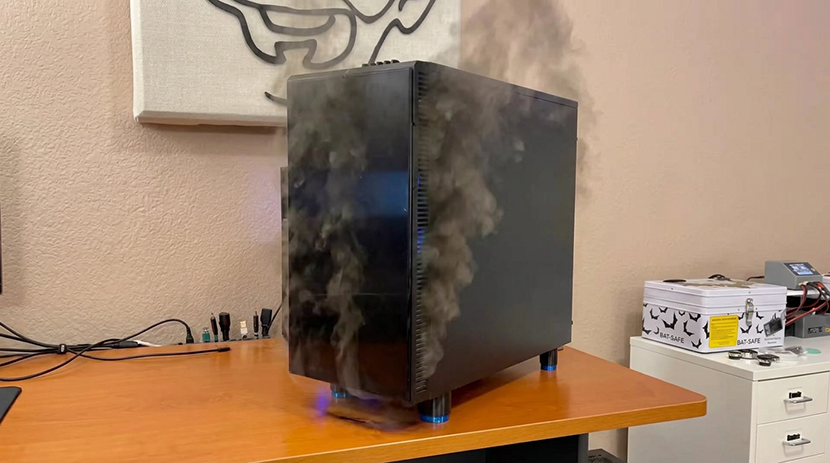
It was a normal evening. Things were winding down in the house after dinner and I was sitting down at my desk, thinking about playing a few rounds of ARC Raiders. I jiggled the mouse, expecting to wake the computer from its slumber, and unexpectedly got no response. The keyboard? Same thing. The power button? Same thing.
I toggled the power switch on the power supply and then spent the next 2–3 days struggling to get the machine to boot into Windows’ recovery mode or even into a Linux Live Environment while booting off of a USB drive. As those few days progressed a knot formed and grew in the pit of my stomach.

After investing around twenty hours into diagnosing the root cause of my problem, I had narrowed in on my Ryzen 9 5900X CPU, ASRock X570 Taichi motherboard, the 64GB DDR4 memory, my XFX Speedster MERC310 AMD Radeon RX 7900XTX as the likely suspects, or maybe even the power supply. So basically the entire computer was suspect.
Simultaneously, I was also realizing that I didn’t want to invest more time (or money) into figuring out exactly which component(s) were to blame. At first I decided I’d replace all of these suspects, but after consulting my collection of spare parts, I eventually concluded that I’d just build an entirely new PC. This probably wasn’t the best decision, but it aligned well with how I wanted to invest my time.
Am I oblivious? Haven’t I been paying any attention?! It is a bad time to be building a PC!
Hopefully these are questions everybody is asking as they read this blog. Computer hardware prices are skyrocketing, especially for RAM, storage, and graphics cards. In my decades of geekdom, this is unquestionably the worst time to be building a new PC. Why on earth would I pick now to upgrade my PC?

For starters, I have not heard a single piece of news which suggests that things will be better in a few months; all of the circumstances that have led us to today seem to be worsening: Nvidia is suspected of manipulating the consumer GPU market, AI companies have reportedly bought up all of memory capacity in 2027, and SSD prices are skyrocketing. Now is unquestionably a bad time to be building a new PC, but tomorrow is probably going to be worse.
A single final reason resonated the most with me. There have to be quite a few people out there stuck in the unenviable position of trying to build a custom PC today. I figured I could share what I did to hopefully help people reinforce decisions that they have already made, or inspire decisions they have not made yet!
Brian’s 2026 Desktop PC
When I started writing this blog, I was surprised to see that it’s been more than 11 years since I last blogged about upgrading my computer. I’ve done a few upgrades since then, but none of those upgrades were significant enough to warrant their own blog.
Almost all of my gaming happens on this computer, as do all of my creative endeavors and a smorgasbord of other curiosities that don’t necessarily fit elsewhere in my homelab.
CPU and CPU Cooler
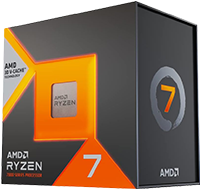 Back in 2022, I was spending much more time editing videos and photos than I was gaming. At the time, choosing the AMD Ryzen 9 5900X made sense. I never regretted this purchase, but I wished that I had bought an equivalent CPU with AMD’s 3D V-Cache. In an effort to get the best bang for the buck, I opted for the AMD Ryzen 7 7800X3D CPU (specs) over the AMD Ryzen 7 9800X3D.
In my opinion, the AMD Ryzen 7 7800X3D is one of the best price-to-performance values in gaming CPUs. Its 96MB of 3D V-Cache boosts its performance advantage in games. Even as newer CPUs have come out, I’d argue it still occupies the sweet spot for a pure gaming build.
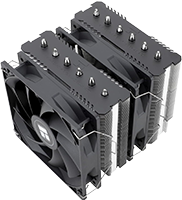 At some point, I replaced my traditional air cooler with a 240mm AIO cooler. At the time, I had hoped it’d reduce the fan noise coming from my machine, even though the fan noise hadn’t even been a problem. The AIO did its job admirably; it kept the CPU cool, but it never did what I hoped it would, and I opted to save some money by choosing the Thermalright Peerless Assassin 120 SE, since it aligned well with my goal of remaining cost conscious when it was possible.
Motherboard
I felt like I had some unique criteria for a motherboard. I wanted to make the most of my fortunate collection of NVMe drives, use my existing ConnectX-3 10Gb SFP+ network card, and I needed to make certain that I could use all of those devices without unintentionally losing PCI-e lanes because I chose to populate so many PCI-e and M.2 slots.
 As an experiment this year, I posed my question to nanobot, which was wired up to Z.ai’s GLM-5.3 model. Having already picked out the 7800X3D, I asked it for some motherboard recommendations with my requirements in mind and asked it for a few suggestions. It churned out some reasonable recommendations that weren’t quite perfect, but it really got the ball rolling. After a few prompts, it pointed me at a handful of motherboards that all appeared to meet my criteria. I zeroed in on these candidates and dug into their specifications and reviews.
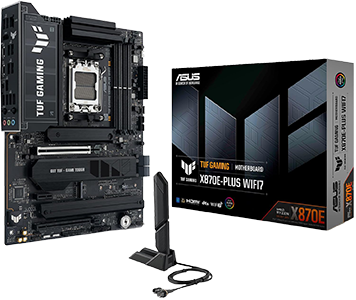
Ultimately, I picked out the ASUS TUF Gaming X870E-Plus WIFI7 motherboard (specs) for my upgrade. This Socket AM5 motherboard had at least 4 total M.2 slots (although one M.2 shares PCIe lanes with the PCIe 5.0 x16 slot), enough PCI-e slots for my GPU and 10Gb network card, and enough onboard SATA ports to support the SATA SSDs that I carried over from my old desktop PC. As an added bonus, the motherboard’s onboard USB options helped me eliminate an internal USB hub I’d needed with my prior motherboard.
GPU
I didn’t originally intend to buy a GPU–in fact, I didn’t even buy one at first. I had a Radeon RX 7900XTX in my old PC, but as I built the new PC, I started running into issues where the upgraded machine was tripping the power supply’s protection circuitry when I was gaming. All of the sensor data was pretty tame, temperatures stayed below thresholds, and I had a really hard time re-creating the issue on demand. I became concerned that I’d discovered a new problem and was immediately suspicious of the GPU and the power supply, since I brought them from the prior machine. Out of efficiency-inspired frustration, I chose to buy a new GPU and power supply to have better troubleshooting options.
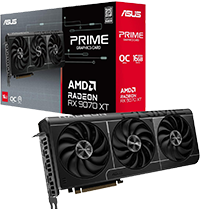 Friends’ experiences, especially Pat’s, with the Radeon RX 9070 XT cards convinced me to buy an ASUS PRIME Radeon RX 9070 XT 16GB GDDR6 OC Edition. It’s a hair more performant in games than what it was replacing and consumes less power. When we’re playing ARC Raiders, Pat constantly used to load into the game a few seconds faster than I did. In the few gaming sessions that followed building this PC, we started loading into the game almost simultaneously.
As far as my personal upgrade goes, its price-to-performance ratio makes it an incredibly expensive upgrade that I have mixed feelings about. However, I’m trying to be positive and attempting to be glad that I made the upgrade. I now have enough spare hardware to determine whether or not my old GPU was defective. If it’s not defective, I can probably re-paste the GPU and sell it for more than what I paid for the 9070 XT or use it to upgrade one of the other computers in the household. More importantly, I think the 9070 XT is an excellent choice for anybody who’s looking for a “budget” GPU and doesn’t have the luxury of an extra GPU like I did.
RAM
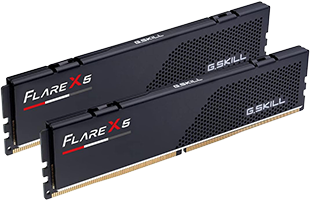 RAM is by far the most disappointing component in my new PC. While I’m excited that the G.SKILL Flare X5 Series DDR5 RAM (2x16GB) (specs) is far more performant than the old DDR4-3200 RAM I was using, that excitement wanes because I’ve gone from having 64GB of RAM to only 32GB of RAM.
In all my years of tinkering with PCs, this is the first time I’ve had less RAM than what I was upgrading from. At its cost (~$550), I had a hard time justifying buying half the RAM in my new PC. This continues to be astonishing to me; I can’t quite wrap my head around it.
Storage
I had an interesting assortment of drives in my computer previously. I had a PCI-e Gen 3 NVMe SSD acting as the boot drive, I had a Windows Storage Space made out of 4x2TB SATA SSDs, I had a 12TB HDD, and I used PrimoCache to cache the frequently used data and applications stored on the 12TB HDD on my SSDs.
 At some point in 2025, I was excited that 4TB NVMe SSDs were cheaper than what I had remembered paying many years ago for 4TB HDDs when I upgraded my NAS. Fortuitously, I scooped up a bunch of those 4TB NVMe SSDs, eager to write a blog about how an all-flash NAS was finally a viable idea. While I built that NAS, NVMe prices started climbing so rapidly that I decided to abandon writing that blog at all.
The crux of my plan to keep my new PC “affordable” (for me) was to make the most out of these unused 4TB NVMe SSDs. In building my PC, I cloned the old 2TB NVMe SSD onto one of these 4TB NVMe SSDs. I filled two of the motherboard’s other M.2 slots with some of the other 4TB NVMe SSDs, and I brought in my 4x2TB SATA SSDs, too. After that, I was able to juggle data around and retire both the 12TB HDD and PrimoCache.
Case
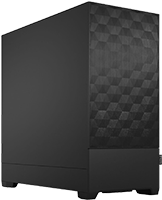 At first, I thought that I’d keep using my trusty old Fractal Design Define R4 that I’ve been using since 2015. I’ve loved the Define R4 since buying it and it certainly was capable of continuing to do that job into the future. However, I decided that I wouldn’t mind downsizing the case in favor of something a smidge smaller, and I was holding out hope that sometime in the future, I’d be able to build another PC out of all the leftover parts.
Instead, I chose the Fractal Design Pop Air (specs). At the time I bought it, it was a really nice price and felt like a great value. I was especially attracted to its two 5.25” drive bays–I needed one to hold all of the SATA SSDs in my Icy Dock 4-bay 2.5” drive (MB324SP-B).
Power Supply
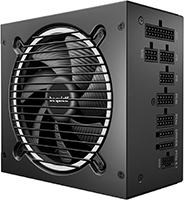 As I mentioned earlier, I was having some problems with the protection circuitry getting tripped after first building my PC while carrying over some parts from my PC: the GPU, some SATA SSDs, and the power supply. As a result of those problems, a shortage of spare parts, and impatience with my upgrade, I bought both a new GPU and a new power supply. The power supply I picked was a be quiet! Pure Power 13 M 1000W Power Supply. Thankfully, AI hasn’t inflated the prices of consumer power supplies, and buying an additional power supply purely for diagnostic purposes was an easier pill to swallow than doing the same for the GPU.
Should you build this exact PC? Should you even upgrade your existing PC?
I think the answer to both questions is “Probably not!” Quite a lot of subjective decision-making took place that only makes sense from my point of view and circumstances. For example, thanks to a blog idea that never came to fruition, I managed to buy all of the SSDs that went into my new PC right before flash costs skyrocketed. If circumstances had worked out differently, I definitely would not have bought as much storage. I do not think I would have even been able to afford it!
Does any of this mean I regret building this PC? Not at all. Even though I spent a lot of money, I feel like I maximized the value I got for the money that I spent. I wish our economic reality were different and I also wish that my old PC had lasted longer before the hardware started failing. But that doesn’t alter my feeling that I definitely got the most bang for my buck.
Final Thoughts
After spending a few weeks without a trustworthy PC, I’m definitely excited that I’ve built this machine. I spent a lot of money and paid a painful premium–especially for the memory and GPU. Thanks to sheer luck on my part, I already had a ton of NVMe storage from when prices were still pretty reasonable. I’ve definitely noticed a bump in my games’ performance thanks to the new AMD Ryzen 7 7800X3D CPU and the ASUS Prime Radeon RX 9070 XT OC.
Like anybody else building a PC today, I overpaid for the RAM. There’s just no escaping this fact when it comes to memory, graphics cards, or solid state drives. I’m going to remain baffled over the fact that I had 64GB of RAM prior to my upgrade and now I have 32GB of RAM today. While I don’t think this particular compromise will actually impact me much, it is still the first time I’ve upgraded my PC and had less RAM. It is astonishing!

If you’re building a PC in this age of AI-inflated hardware prices, I feel your pain. My advice to you all is to first figure out the least amount of GPU, RAM, and storage you can get away with. Taking this advice isn’t going to magically turn your PC build into an exceptional value, but it’s definitely the approach that should yield the most benefits in regards to maximizing your value. I think it’s also important to point out that there’s nothing on the horizon that makes me think we’ll see a radical reversal of the pricing trends. Waiting until later to build your gaming PC may actually cost you more!
Have you found yourself in my position? Basically building a whole new PC in the midst of the AI-apocalypse? What did you wind up buying and how do you feel it turned out? Let everyone know in the comments; sharing your experience might help someone else out!